
Clone Webhooks in BetterCommerce
Overview
This document provides a detailed guide for cloning webhooks within the BetterCommerce platform. Cloning a webhook creates a replica of an existing configuration, allowing users to modify the duplicate without affecting the original. Follow the steps below to efficiently clone and manage webhooks.
Accessing the Webhook Cloning Interface
-
Log in to BetterCommerce
Navigate to pim2.bettercommerce.io using your enterprise credentials to access the Product Information Management (PIM) system. -
Navigate to the Webhooks Section
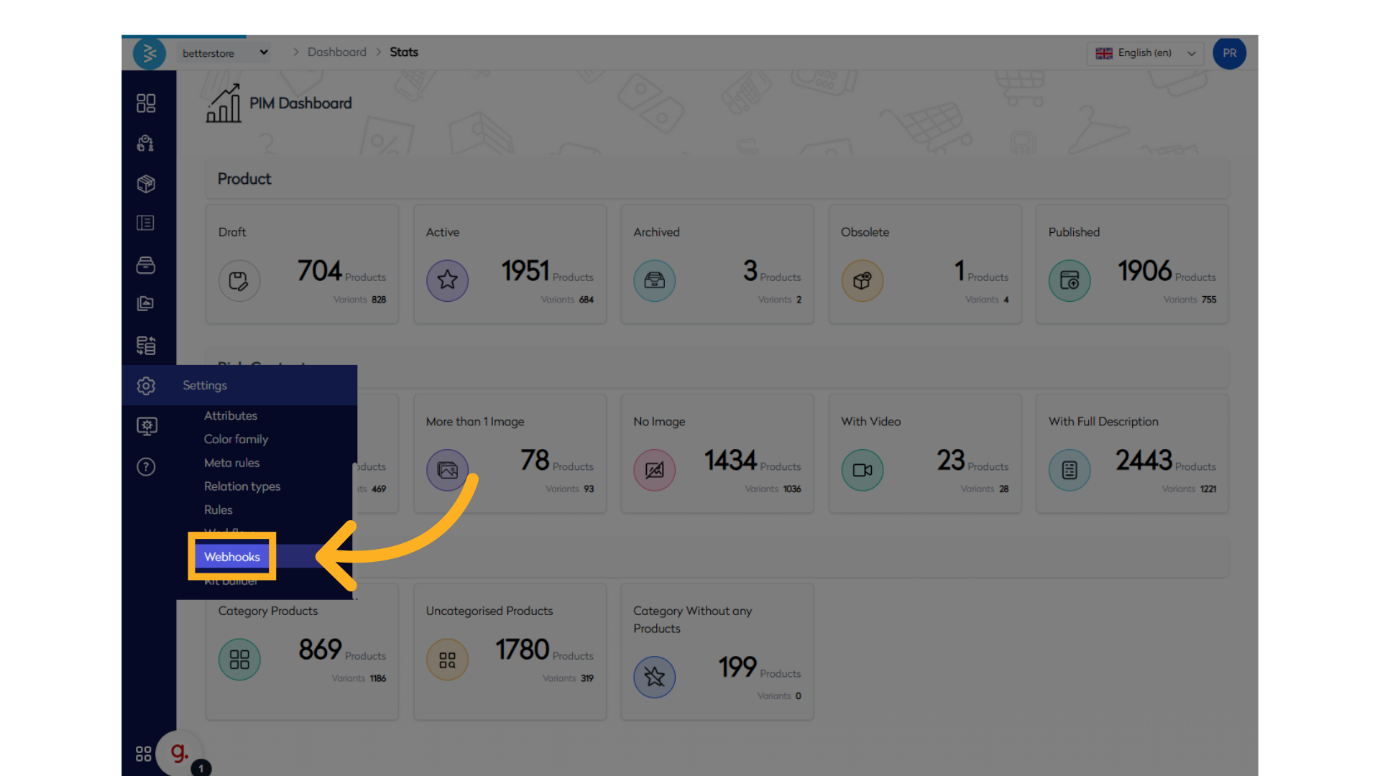
From the main dashboard, go to the Settings menu and select Webhooks. This will open the webhook listing screen, displaying all configured webhooks.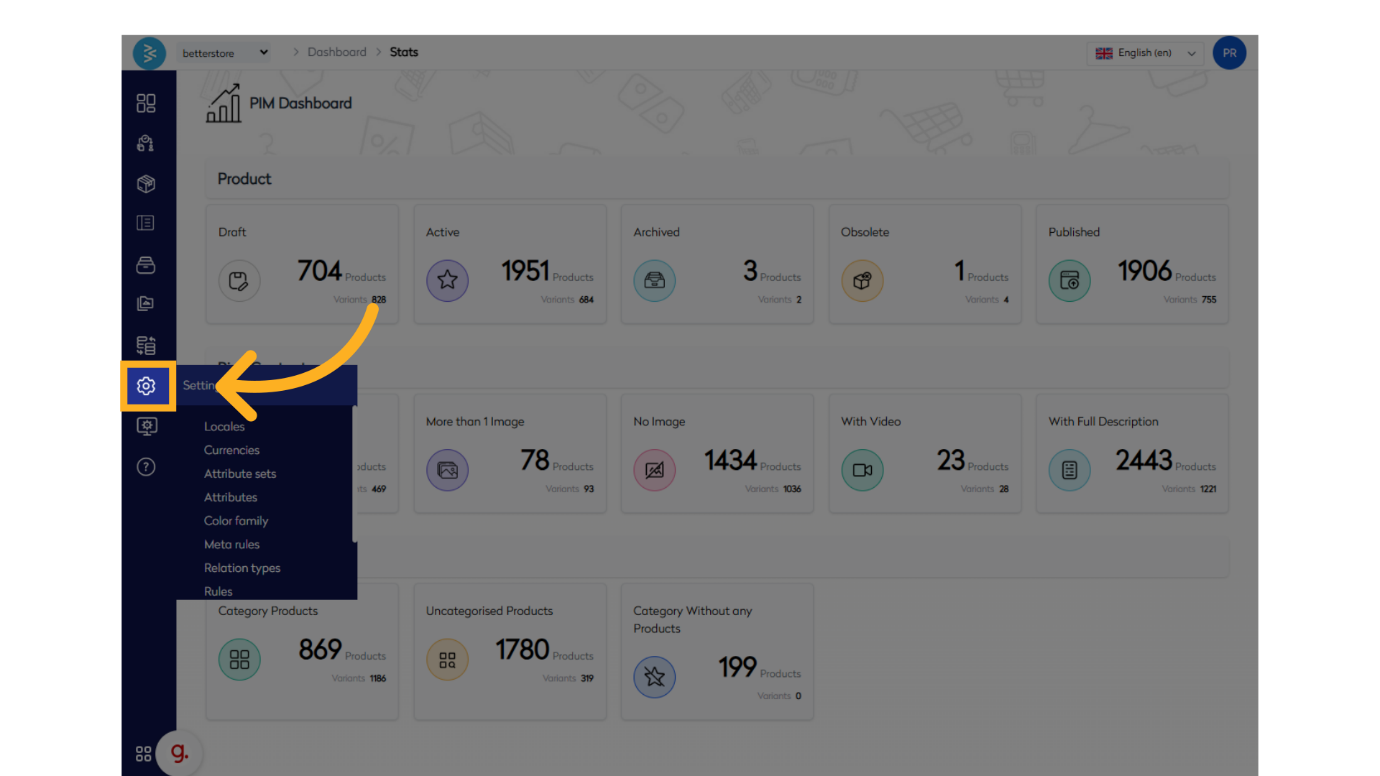
Cloning a Webhook
-
Initiate Webhook Cloning
On the webhook listing screen, locate the Clone Webhook option in the upper-right corner of the interface. Click this option to proceed.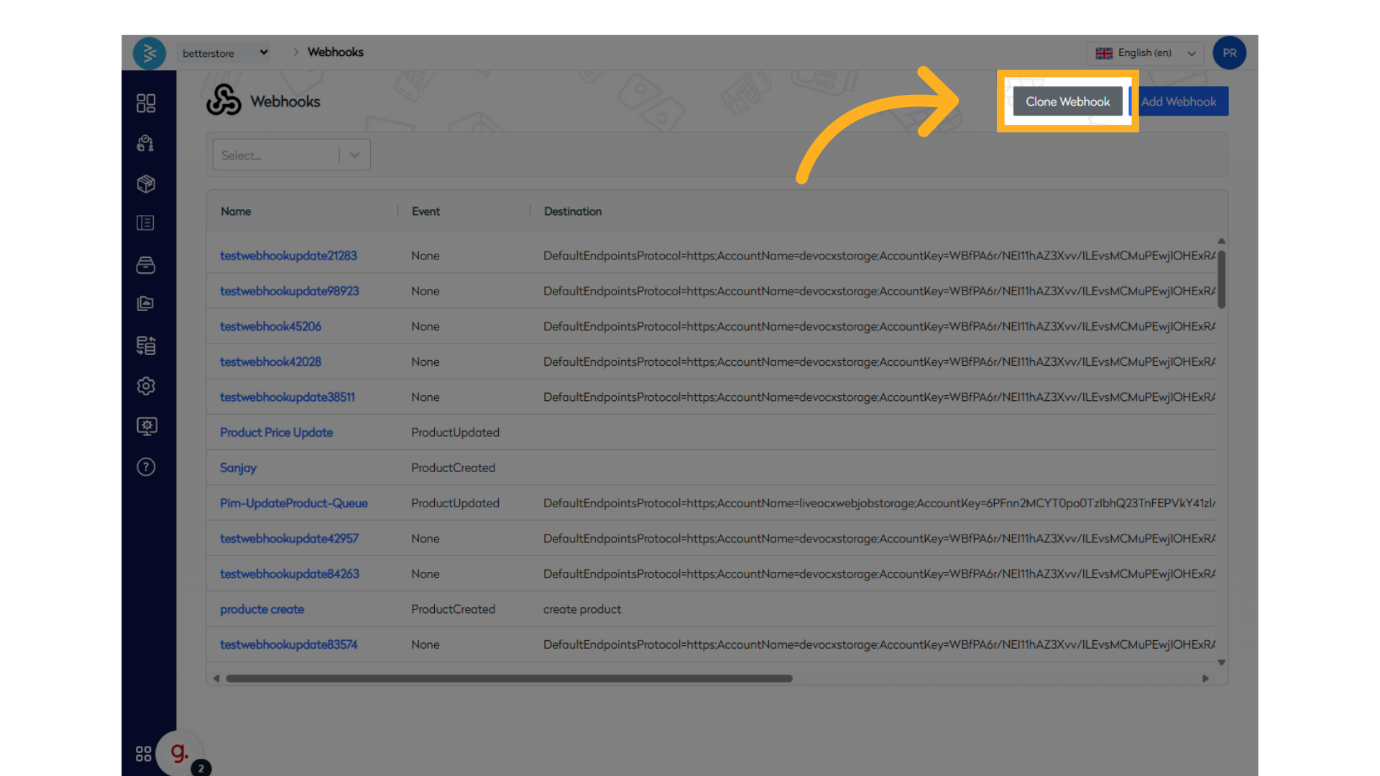
-
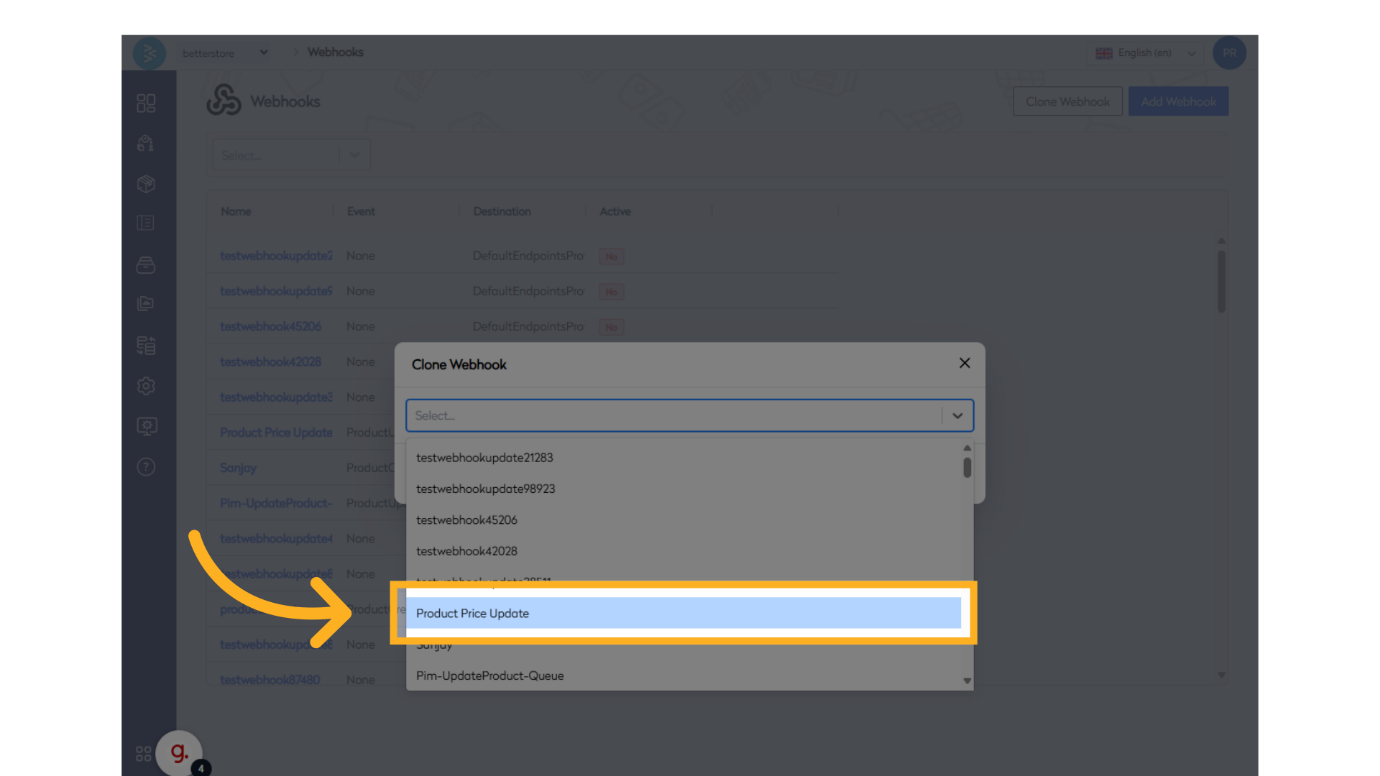
Select Webhook to Clone
A pop-up screen will appear, displaying a list of existing webhooks. Choose the webhook you wish to clone from the list. This action will create an exact replica of the selected webhook, including its settings and configurations.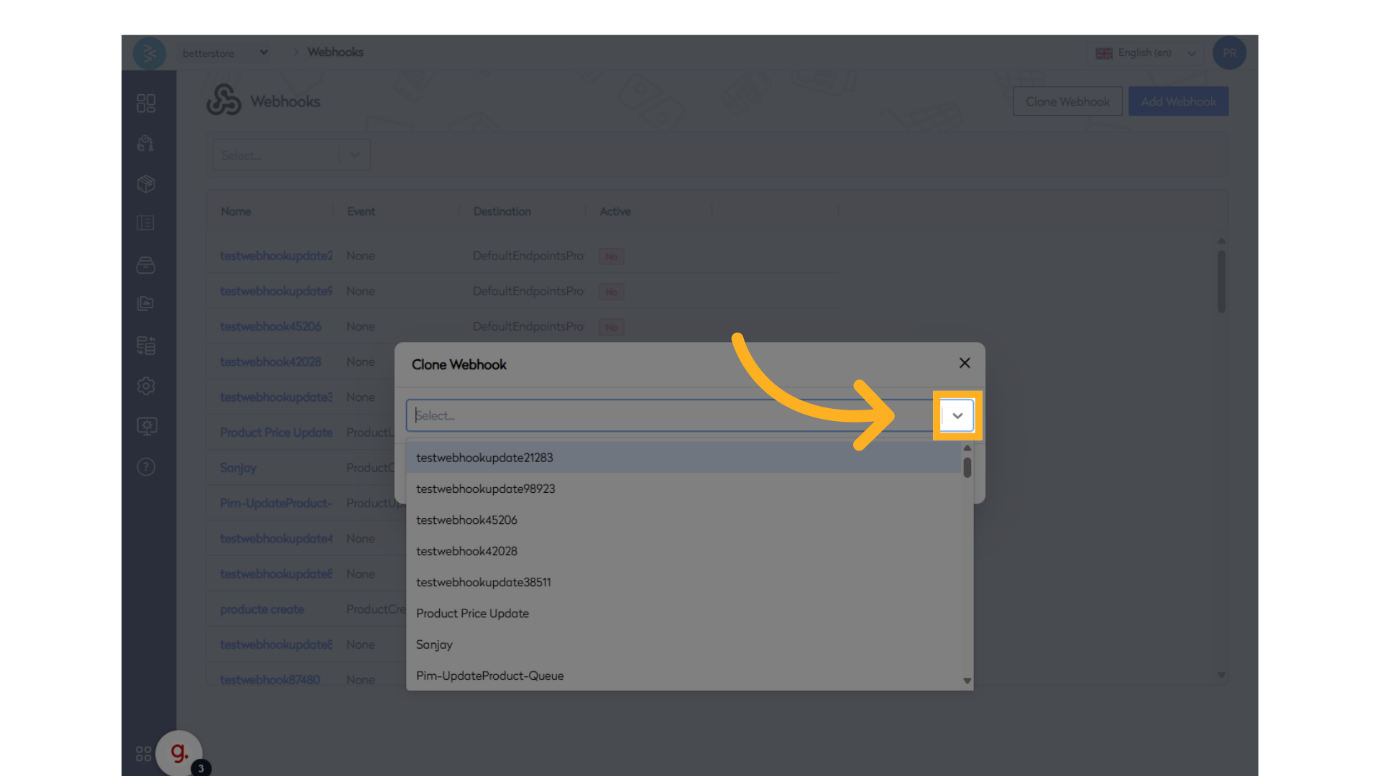
-
Verify Cloned Webhook
After cloning, the new webhook will appear in the webhook listing screen. Locate the cloned webhook to confirm its creation.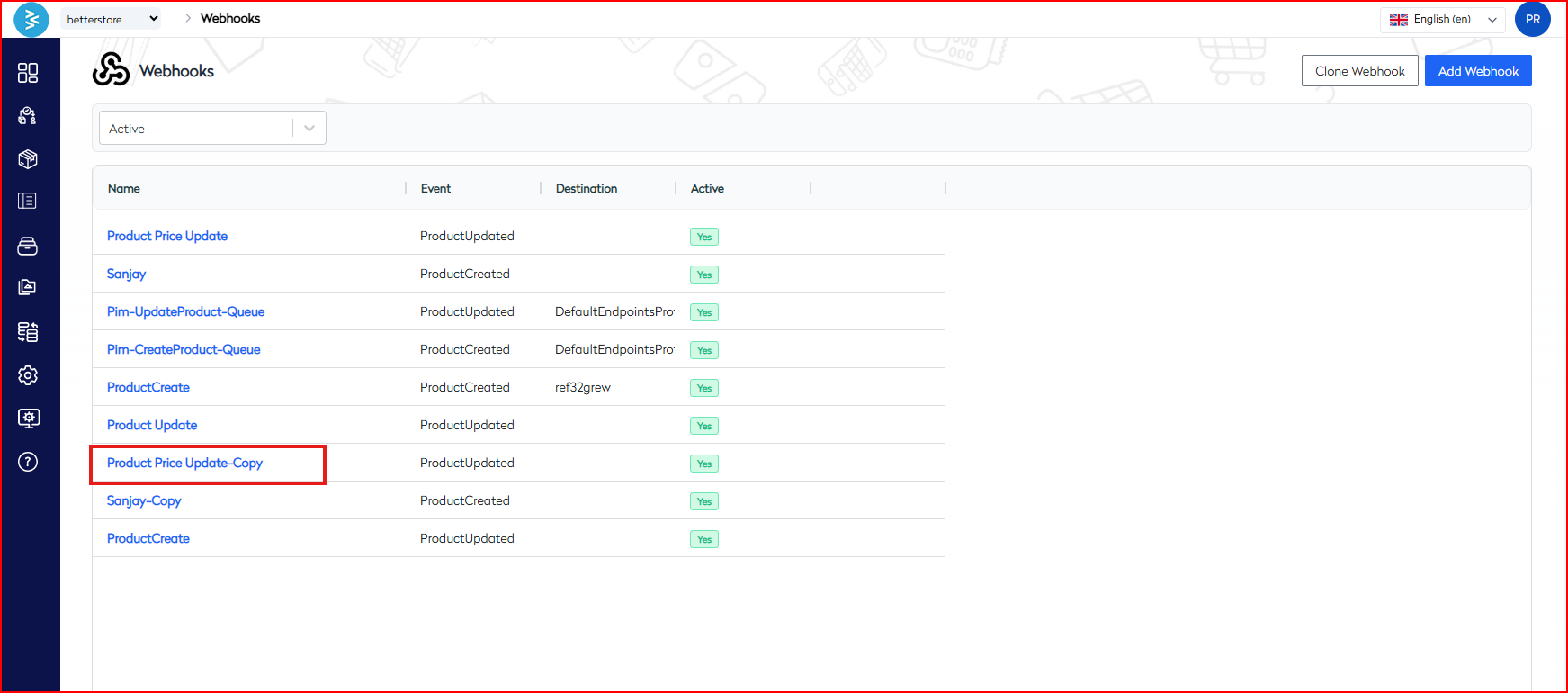
Open the cloned webhook to modify its settings as needed. You can update fields such as the webhook name, entity type, event type, destination URL, message format, or toggle settings like Active, Encrypt, or Firebase Notification.
Best Practices for Cloning Webhooks
-
Purposeful Cloning: Clone webhooks to create variations for different channels or events while preserving the original configuration.
-
Unique Naming: Assign a distinct name to the cloned webhook to differentiate it from the original and reflect its specific purpose.
-
Test Modifications: After editing the cloned webhook, trigger test events to ensure the new configuration functions as intended.
-
Review Logs: Monitor the Post Log of the cloned webhook to verify successful triggers and troubleshoot any issues.
Summary
This guide outlines the process for cloning webhooks in BetterCommerce, from accessing the Webhooks section to selecting a webhook to clone, verifying its creation, and editing the duplicate as needed. By following these steps and best practices, enterprise users can efficiently create and manage webhook variations to support diverse integration needs.
For additional support, contact the BetterCommerce support team or refer to the platform’s help documentation.