
Configure Languages in BetterCommerce
Overview
The Language Configuration feature in BetterCommerce enables administrators to manage multilingual support by enabling or disabling specific locales for a storefront or project. This functionality ensures a tailored user experience for global audiences by supporting localized content delivery across modules such as Product Information, Meta Rules, and CMS.
Accessing the Language Configuration Interface
-
Log in to BetterCommerce
Navigate to pim2.bettercommerce.io using your enterprise credentials to access the Product Information Management (PIM) system. -
Navigate to the Locals Section
From the main dashboard, go to the Settings menu and select Locals. This will open the language configuration interface.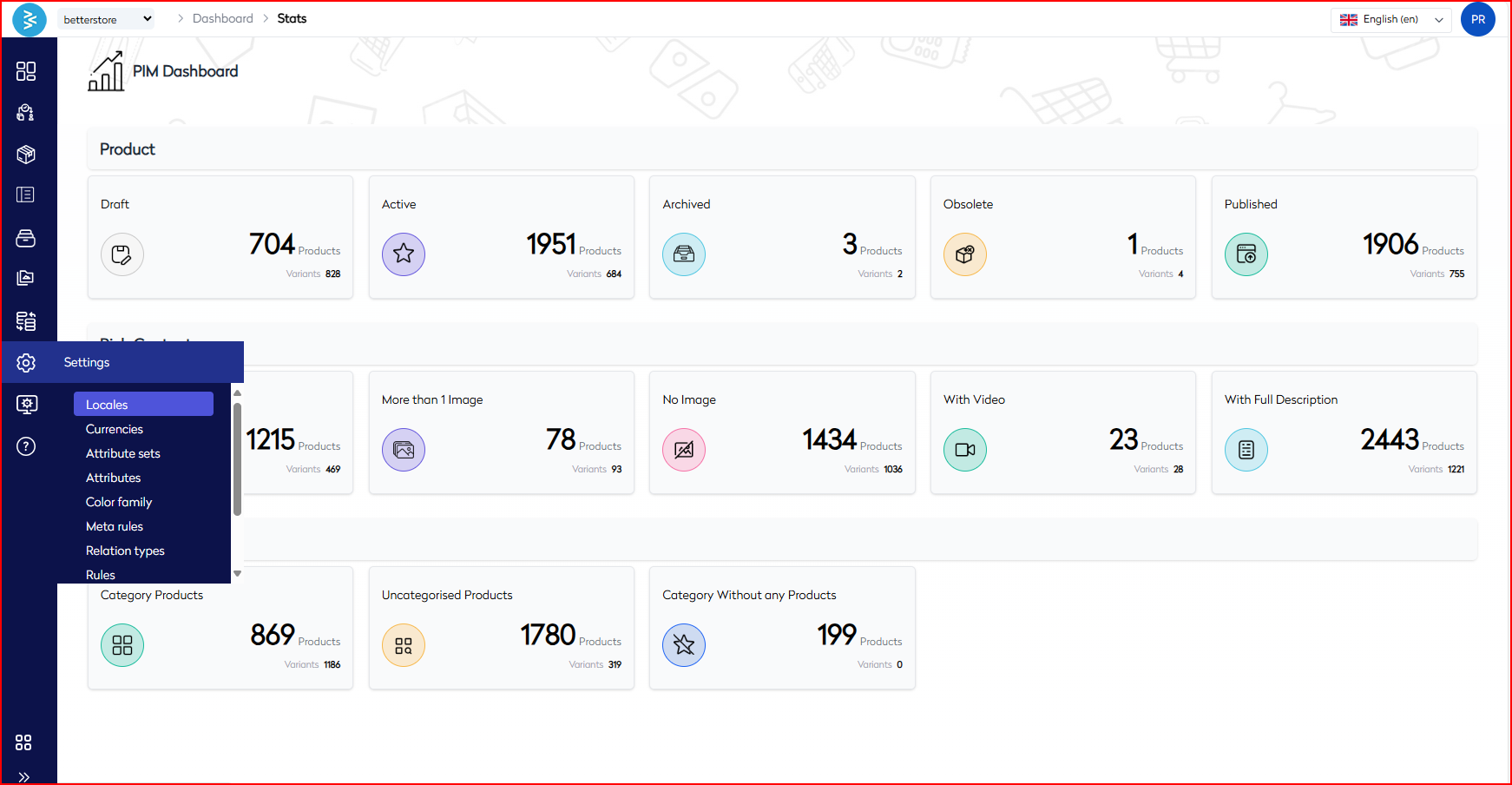
Managing Language Settings
-
Enable or Disable Languages
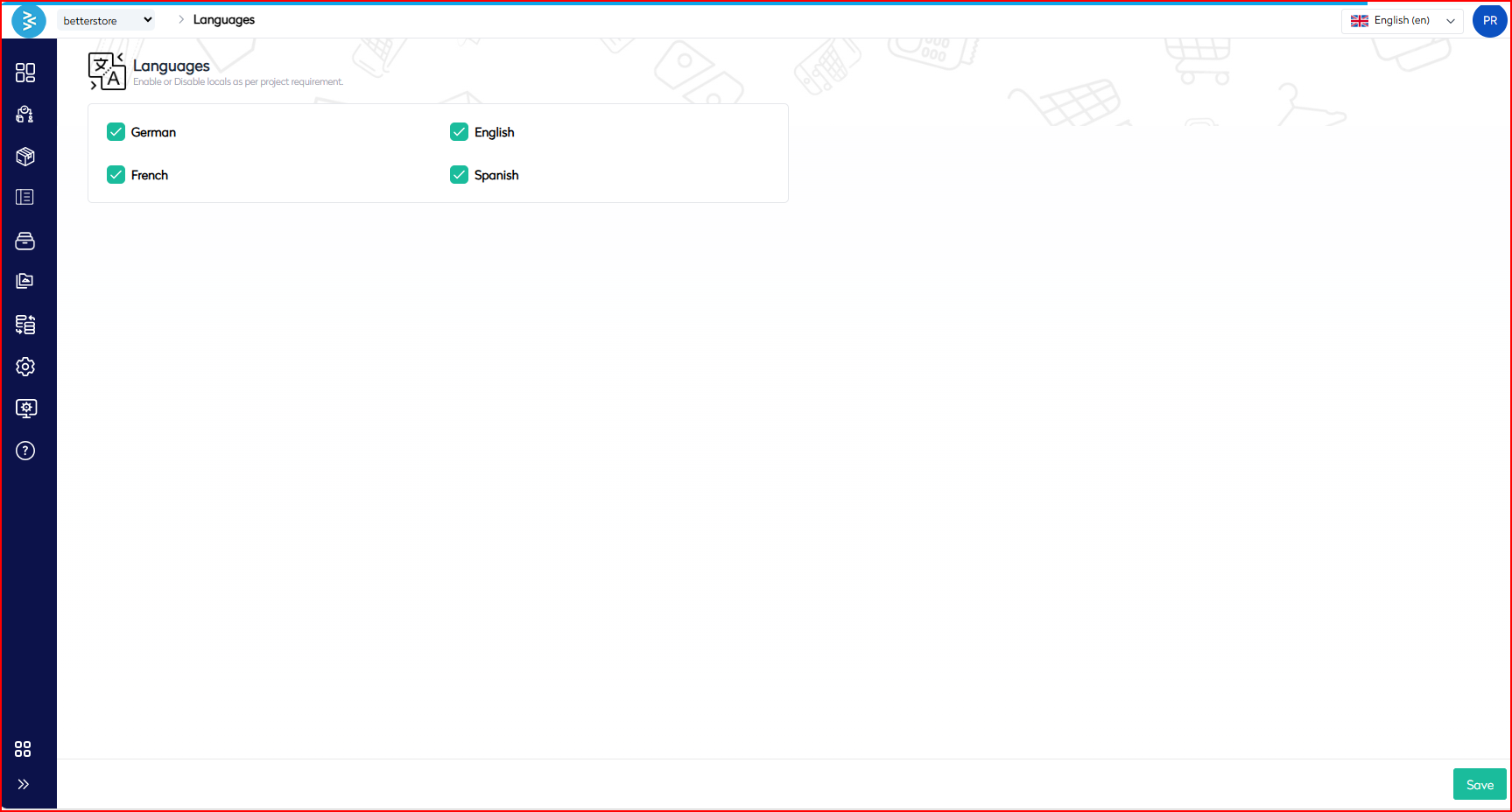
The interface displays a list of available languages in checkbox format. To configure languages:- Enable a Language: Check the box next to the desired language (e.g., English, French, German, Spanish).
- Disable a Language: Uncheck the corresponding checkbox to deactivate the language.
- Click the Save button at the bottom right to apply changes.
-
Supported Languages
The following languages are currently available for configuration:- ✅ English
- ✅ German
- ✅ French
- ✅ Spanish
Once enabled, these languages support localized content entry across PIM modules, including product details, metadata, and CMS assets.
Use Cases
- Market Expansion: Enable languages to support new geographic markets and deliver region-specific content.
- Campaign Localization: Temporarily activate languages for multilingual promotional campaigns.
- SEO Optimization: Serve localized content to search engine crawlers to enhance region-specific search visibility.
Best Practices
- Selective Activation: Enable only the languages necessary for your project to minimize translation overhead and streamline content management.
- Workflow Integration: Coordinate with Translation Management or PIM workflows to establish language-specific approval processes.
- Collaboration with Teams: Consult with SEO and Content teams before enabling new locales to align with marketing and optimization strategies.
Summary
The Language Configuration feature in BetterCommerce empowers administrators to tailor multilingual support by enabling or disabling languages such as English, German, French, and Spanish via a user-friendly checkbox interface. This functionality ensures seamless localization across product information, metadata, and CMS content, enhancing user experience, SEO effectiveness, and operational efficiency for global markets. By following the outlined steps and best practices, enterprise users can effectively manage language settings to support market expansion and targeted campaigns.
For additional support, contact the BetterCommerce support team or refer to the platform’s help documentation.