
Bettercommerce Product Import Guide
This guide provides comprehensive instructions for importing products into Bettercommerce using a CSV file. It details the process from initiating the import in Bettercommerce to finalizing data validation via Csvbox. Follow these steps to ensure an accurate and efficient product import process. Access the platform at pim2.bettercommerce.io.
Import Products from a CSV File
Access the Import Feature
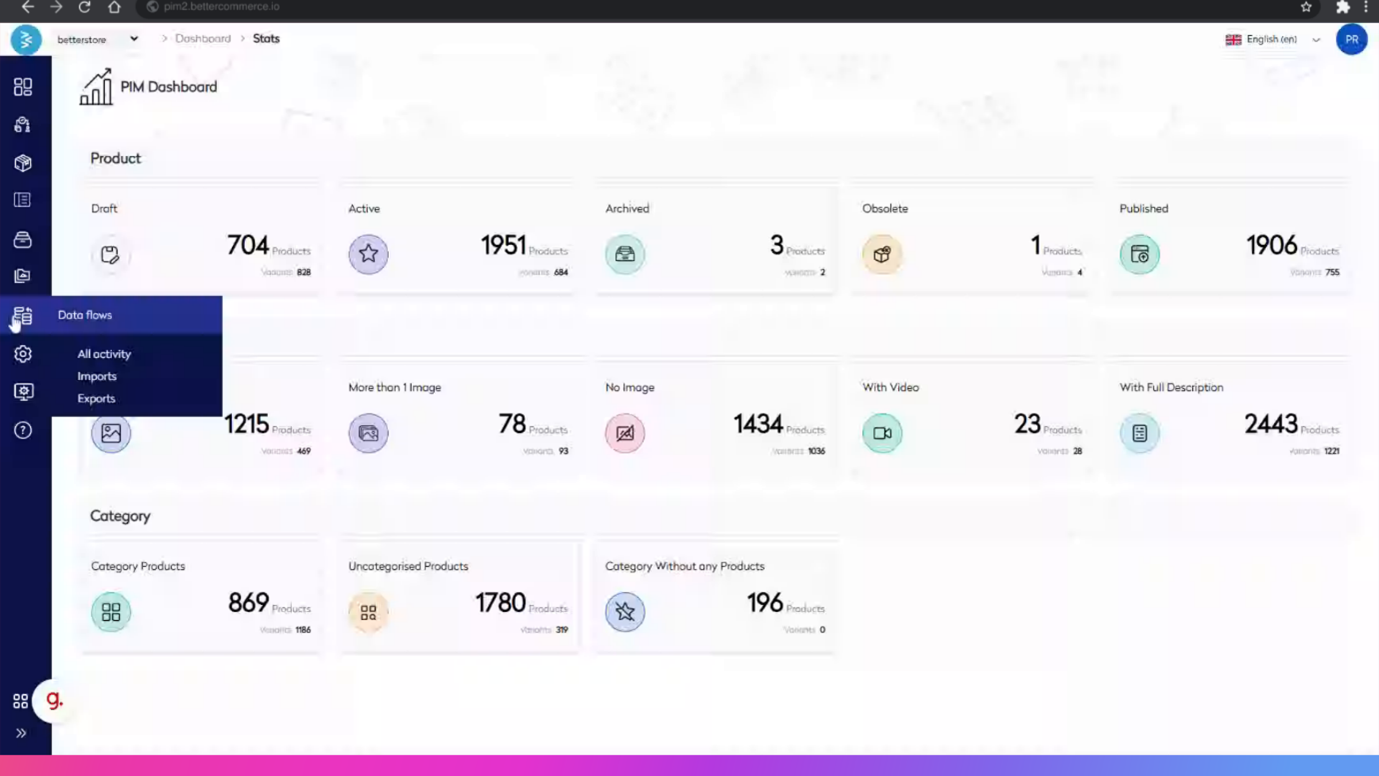
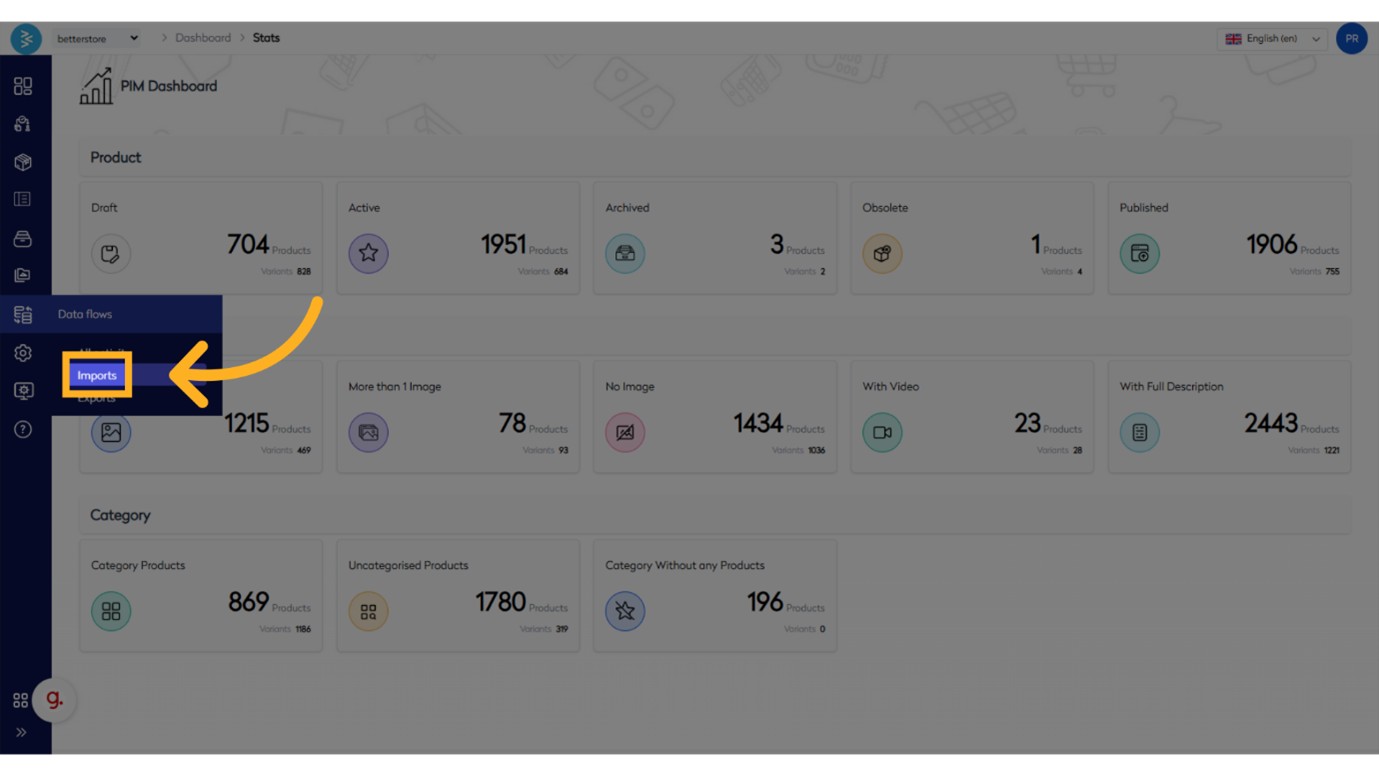
Step 1: Click "Data Flow" and locate and select the "Imports" section to initiate the import process.
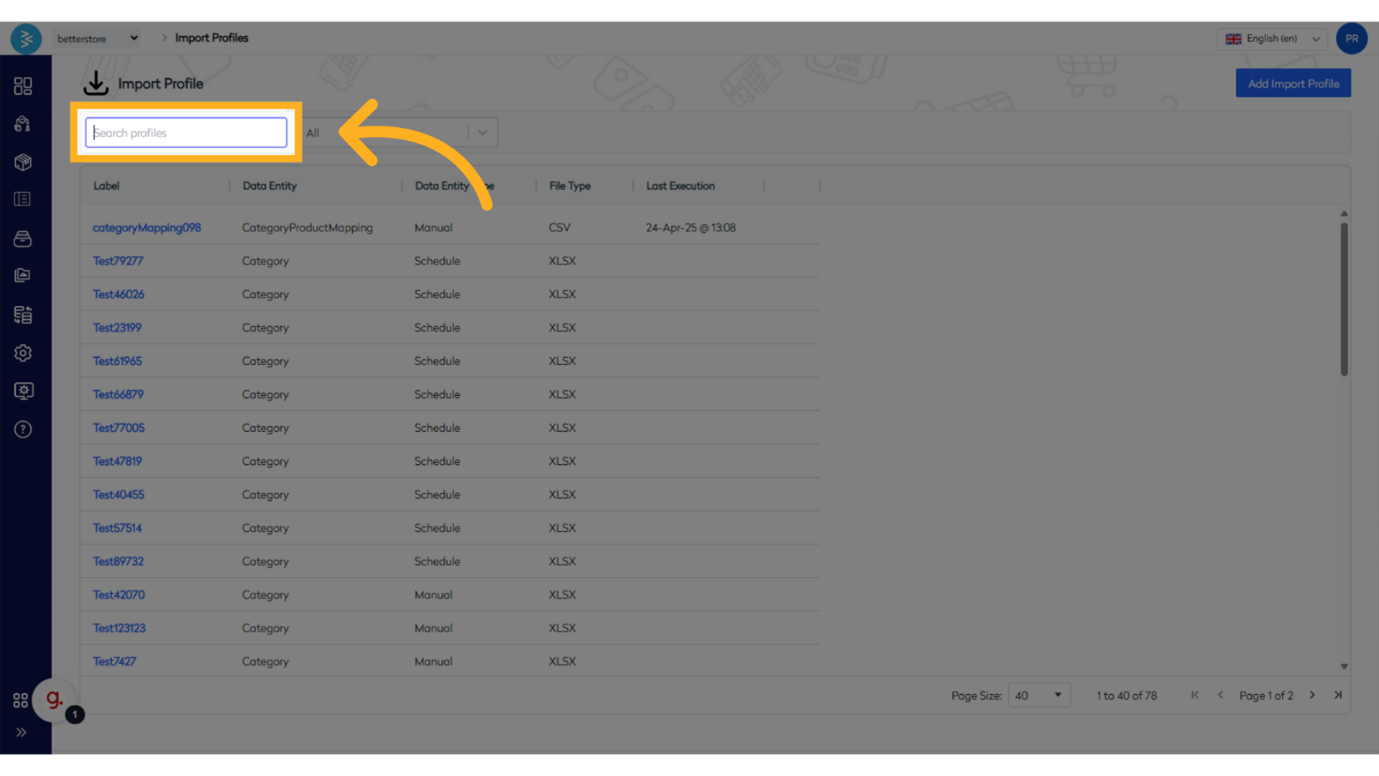
Step 2: Click "Search Profiles"
Select the "Search profiles" feature and choose the “Product” profile from the available options.
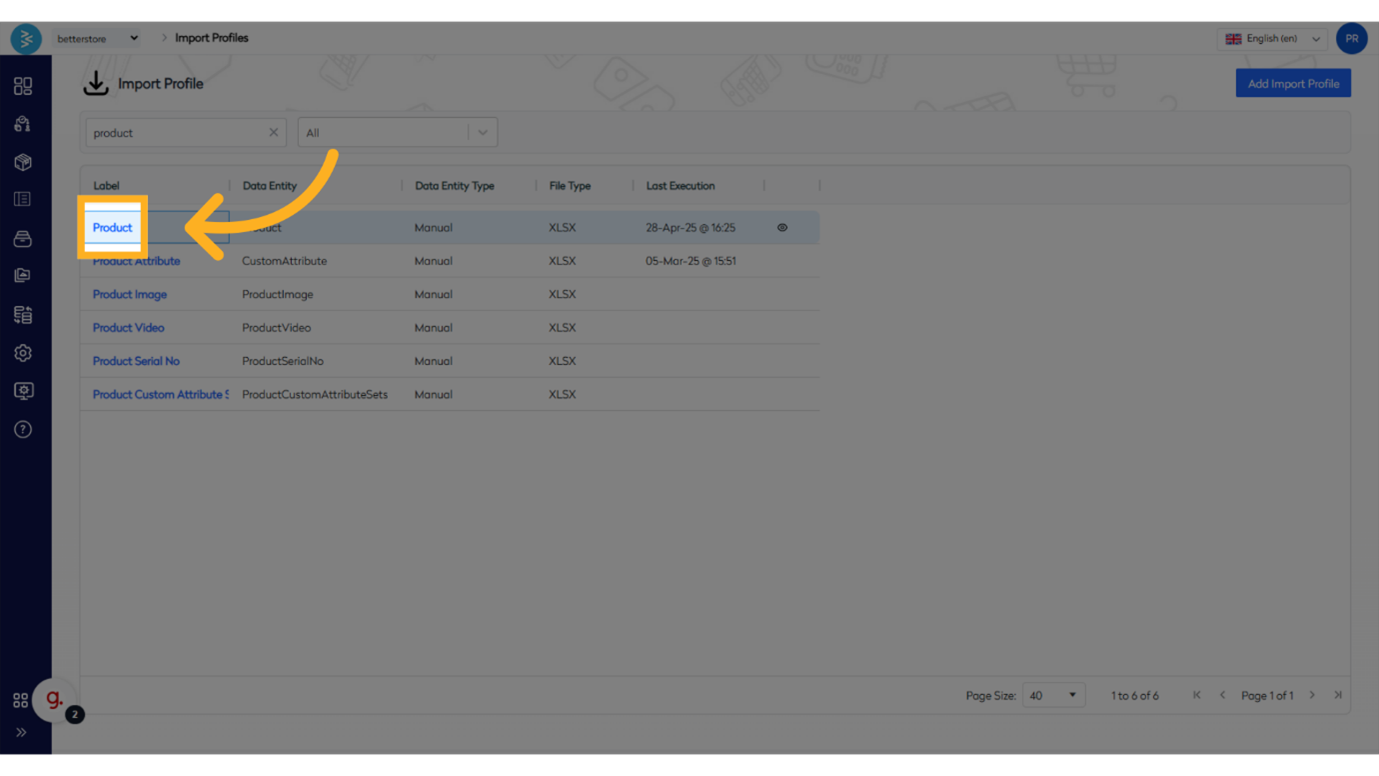
Step 3: Select the "Product" Import Profile
Choose the "Product" import profile to configure the settings for importing product data.
Step 4: Choose the "Import Product" Function
Select the "Import Product" function to proceed with uploading the import file.
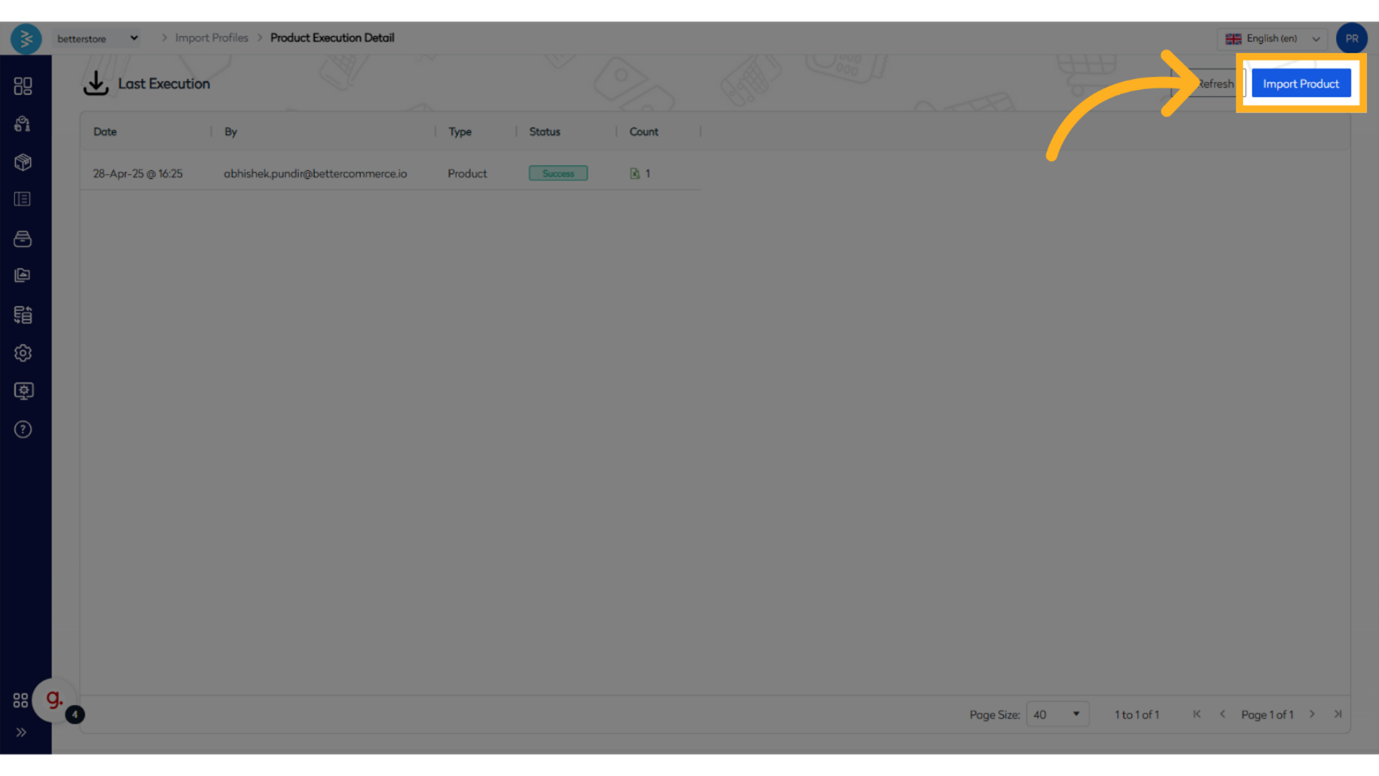
Configure the Import File
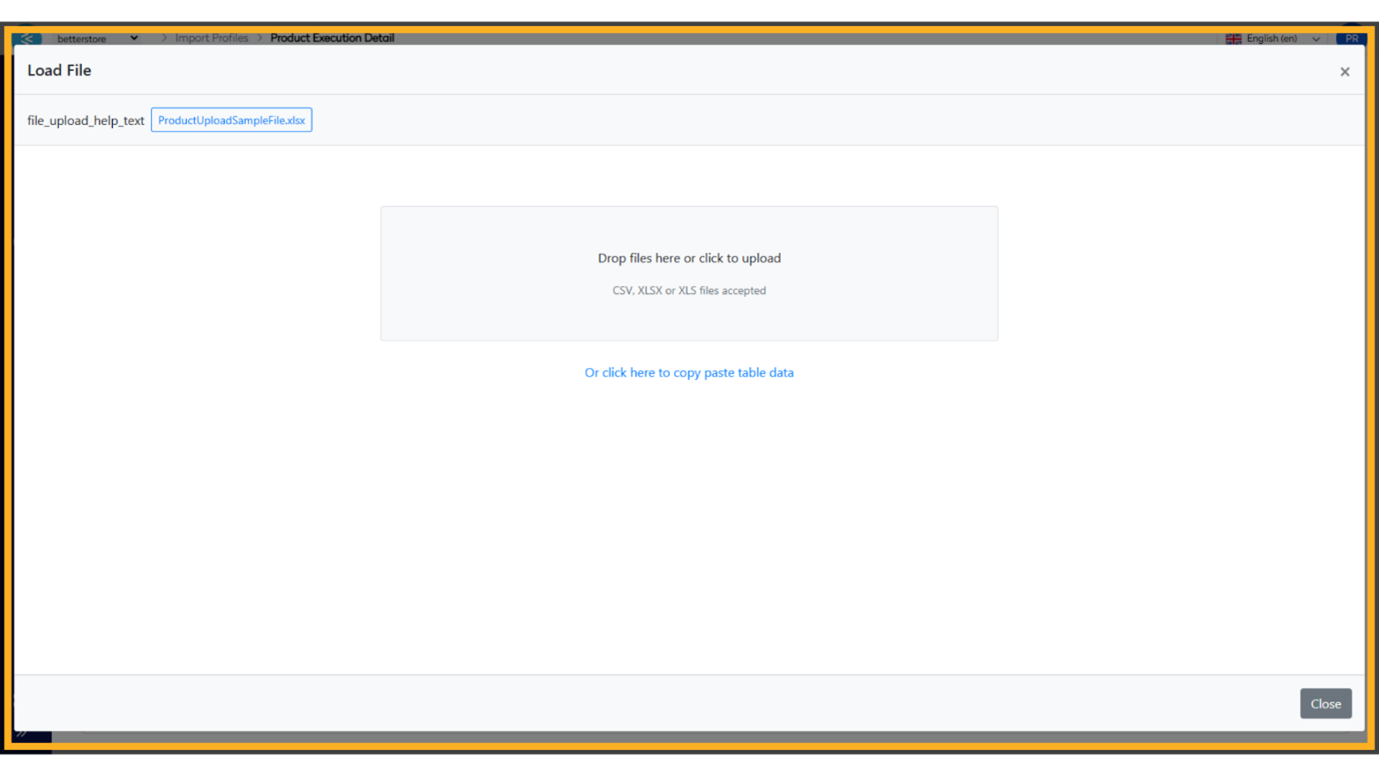
Step 5: Select File Type
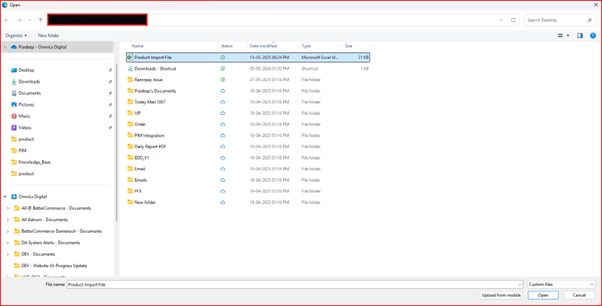
Choose the option labeled "CSV, XLSX or XLS files accepted" and browse to the location of your saved import file to upload it.
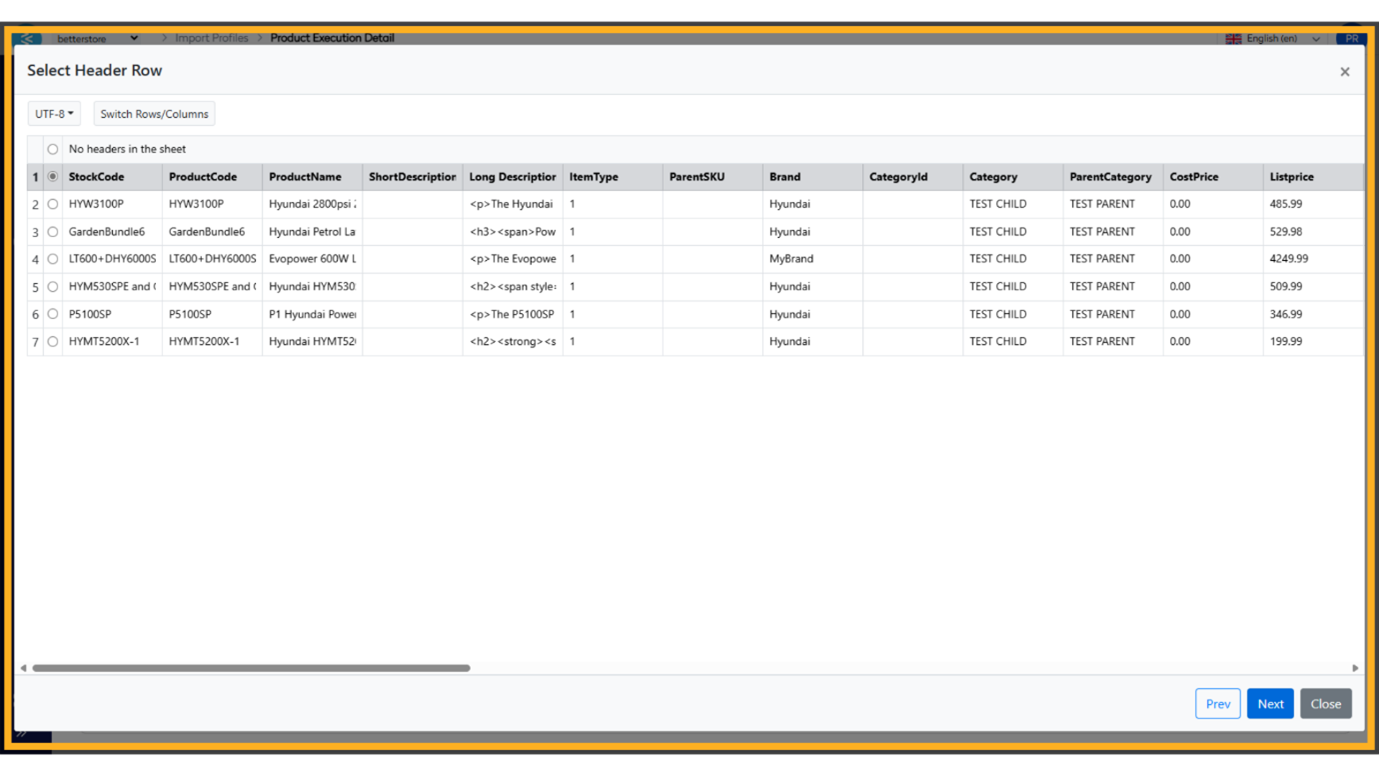
Step 6: Confirm Header Row
On the “Select header row” screen, click "Next" and verify that the top row of the file is selected as the header row.
Map and Verify Data
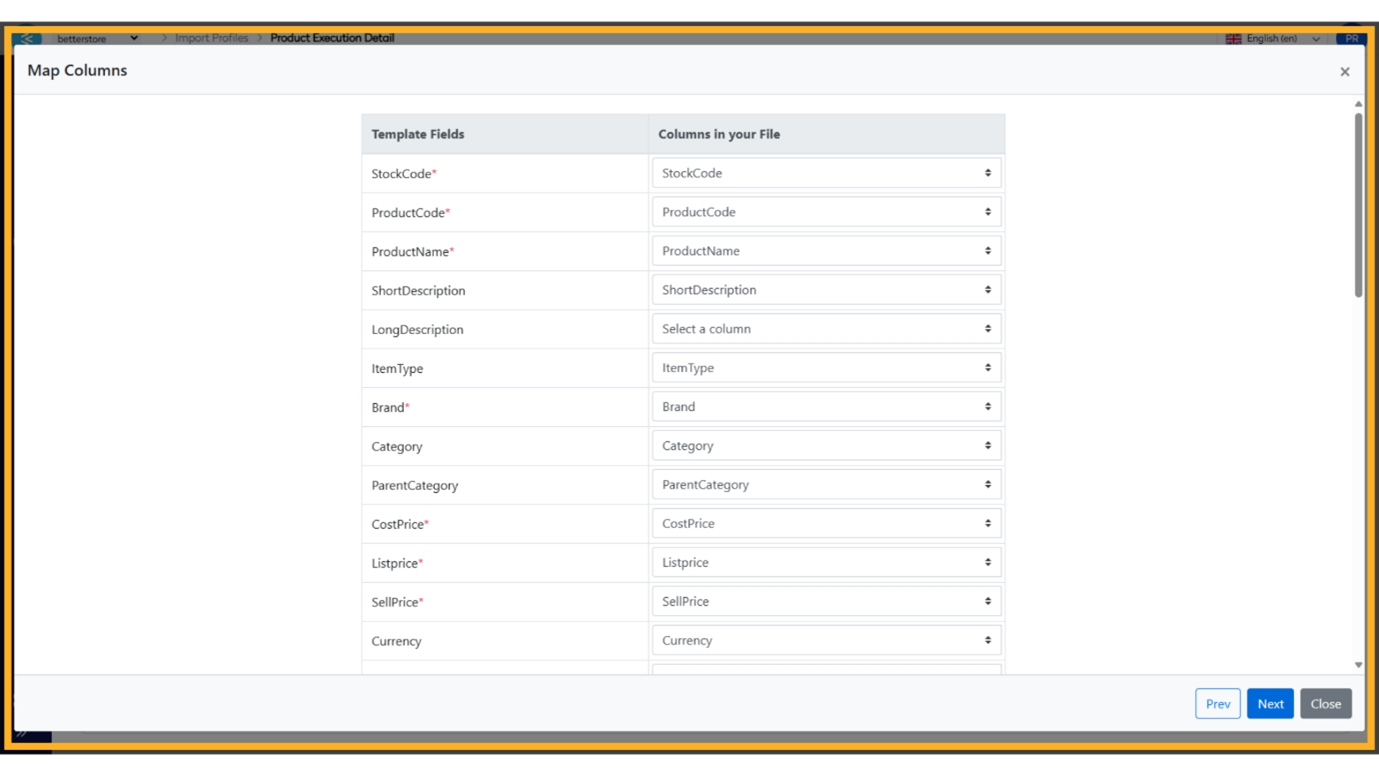
Step 7: Map CSV Columns
Map the columns in your CSV file to the corresponding “Template fields” in Bettercommerce. This step ensures data is accurately assigned to the correct fields in the system.
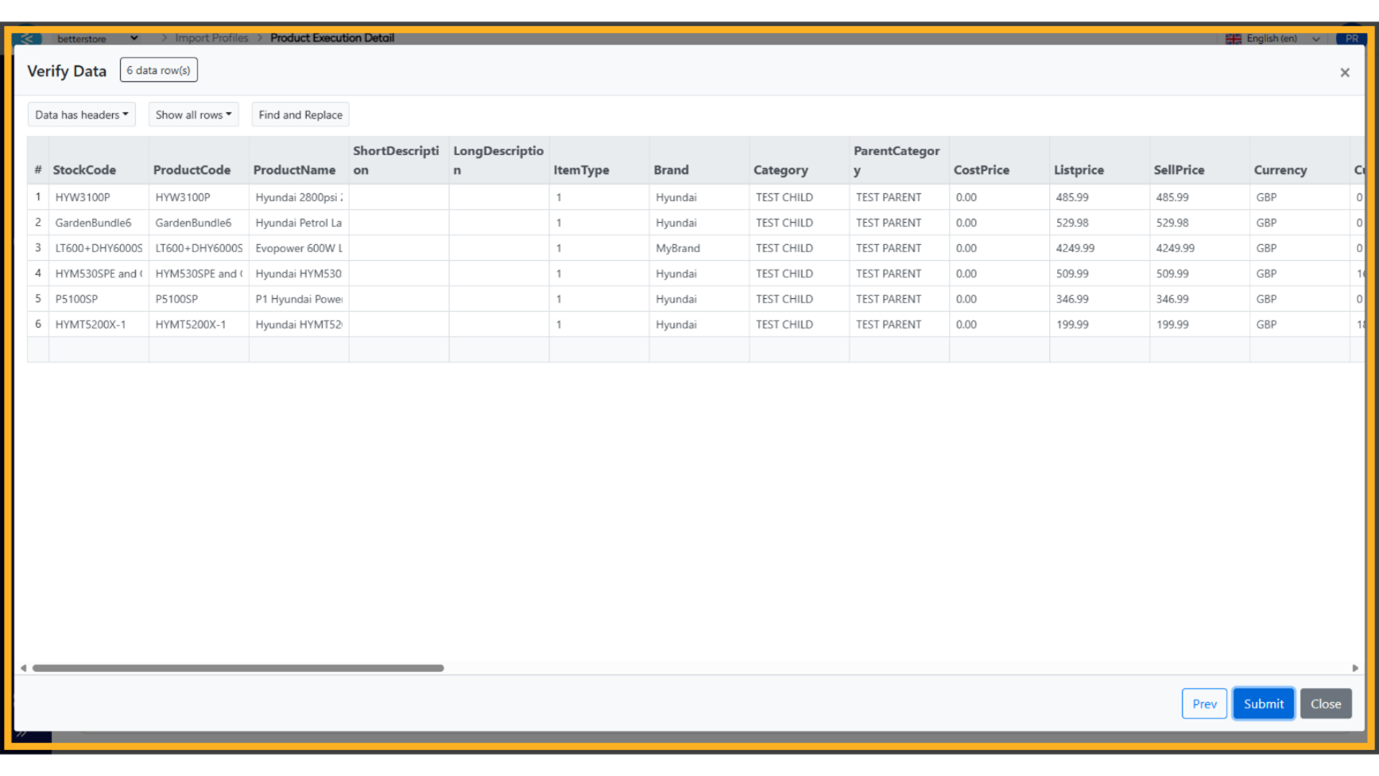
Step 8: Verify Data Accuracy
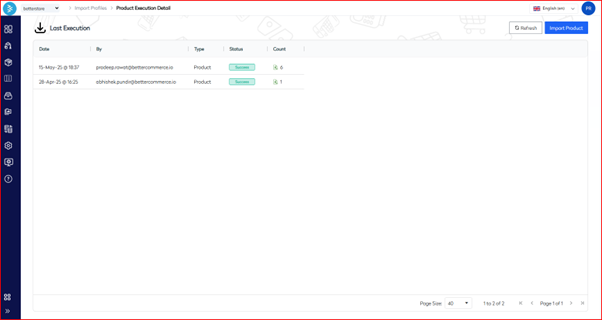
On the “Verify data” screen, review the imported data against the source file to confirm its accuracy. Once verified, click "Submit" to complete the import process.
Summary
This guide outlines the process of importing products into Bettercommerce using a CSV file, covering initial configuration in Bettercommerce and final data validation in Csvbox. By following the eight steps—accessing the import feature, configuring the import file, and mapping and verifying data—users can achieve a seamless and accurate product import.