
Role Management – Add or Edit Roles
Overview
The Role Management module within the BetterCommerce PIM system enables administrators to define and manage user roles, assigning specific access rights tailored to organizational responsibilities. This module ensures users can access only the features and data relevant to their roles through a granular permissions matrix, covering key functional areas such as Product, Category, Pricing, and Settings. Role-based access control enhances security and operational efficiency by aligning permissions with job functions.
Navigate to Role Management
To access the Role Management module, follow these steps:
-
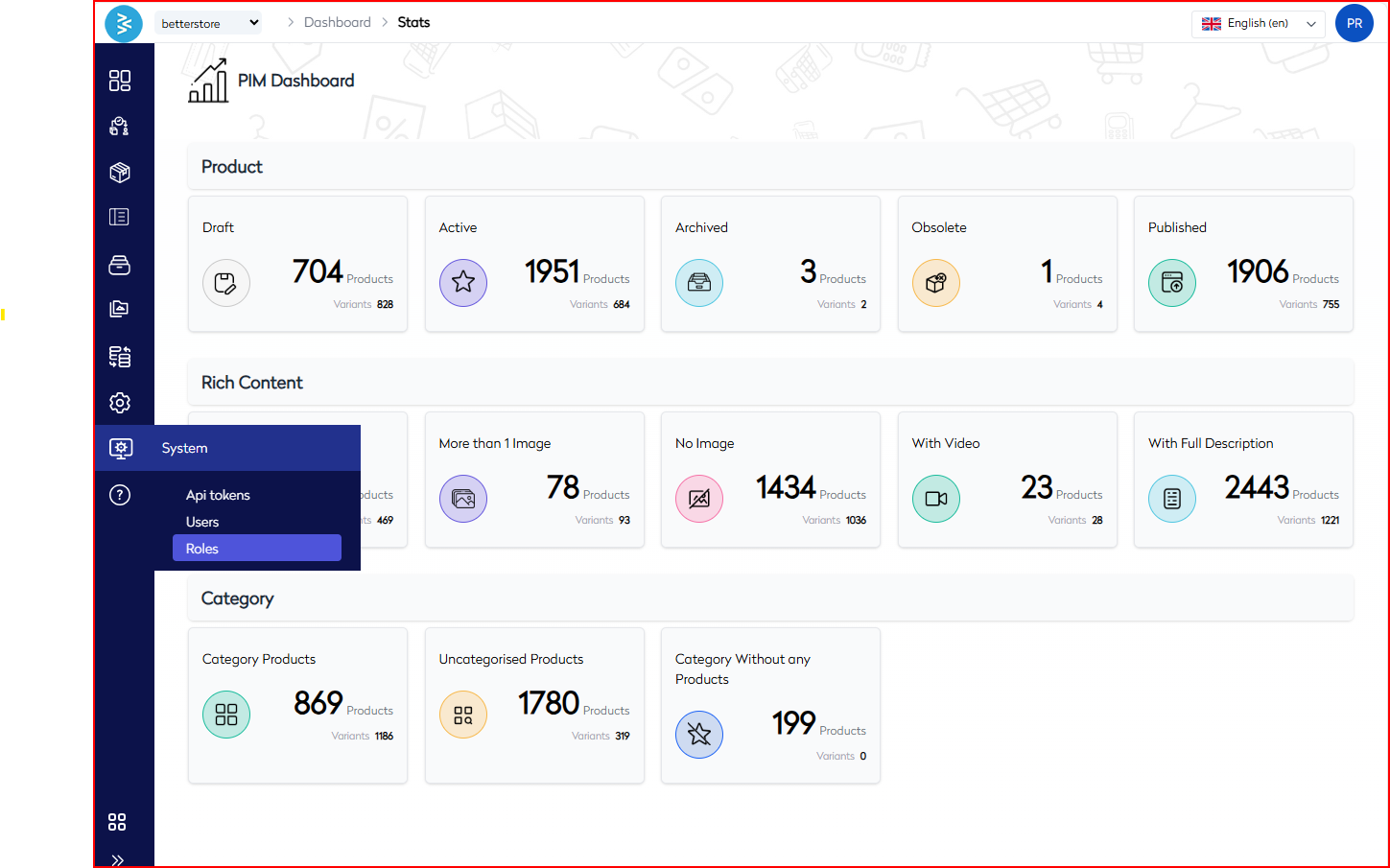
Navigate to System → Roles from the left-hand navigation panel.
-
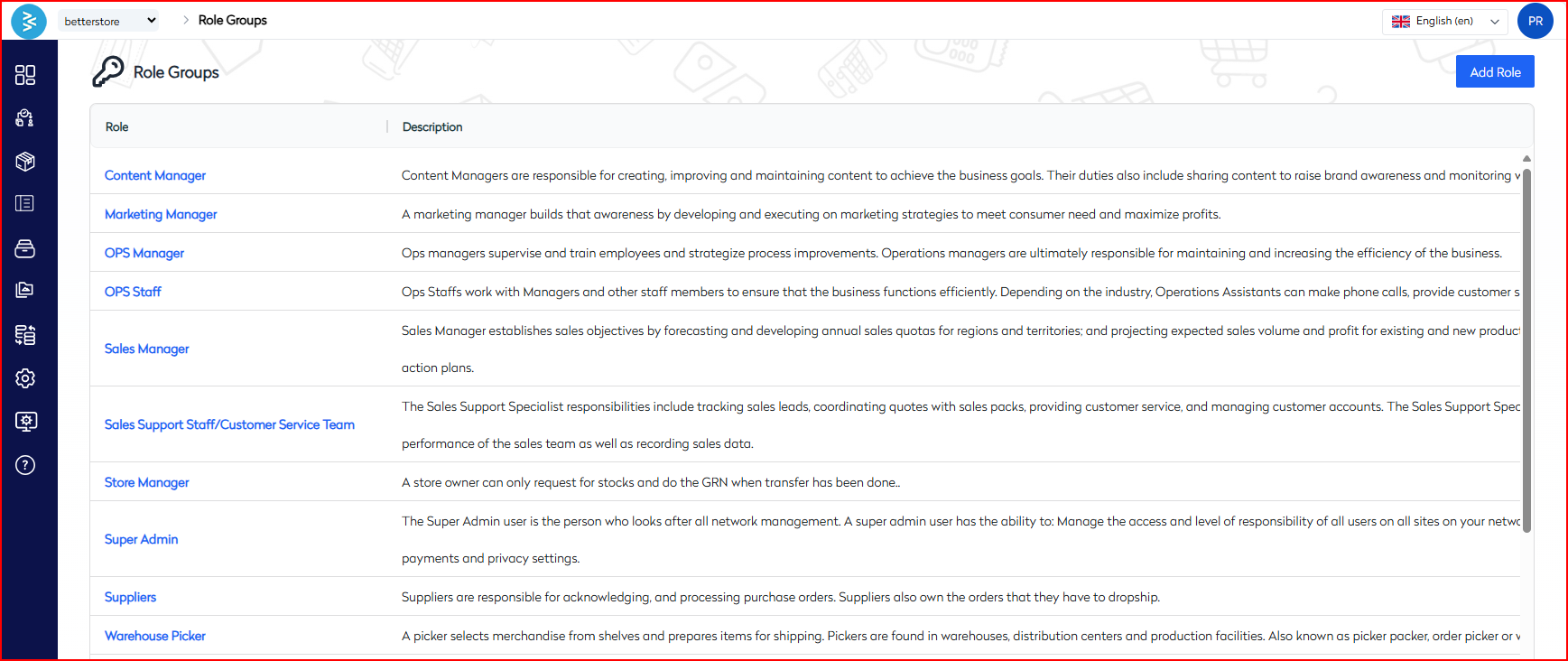
The Role Groups screen displays a list of all existing roles along with their descriptions:
- Each role outlines the responsibilities and privileges assigned to users.
- Example roles include Content Manager, OPS Staff, Sales Manager, and Warehouse Picker.
-
To create a new role or update an existing one, click the Add Role button located at the top-right of the screen.
Add a New Role
Steps
To create a new role, proceed as follows:
-
Click Add Role.
-
Complete the form with the following fields:
Field Description Required Name Unique name for the role (e.g., Sales Manager) Yes Description Purpose and responsibilities of the role Optional 
Role Permissions
Permissions are organized by functional modules, with granular access levels for View, Add/Edit, and Delete operations. The following table outlines the permission categories for each module:
| Module | Permission Categories |
|---|---|
| API | Generate, View, Delete API tokens |
| Attributes | Add/Edit, View, Delete attribute data |
| Brand | View, Add/Edit brand records |
| Category | View, Add/Edit, Delete product categories |
| Family | View, Add/Edit, Delete product families |
| ImportExport | Add/Edit export profiles, import profiles |
| KitBuilder | Add/Edit kits, View kit builder data |
| Lifecycle | Add/Edit lifecycles, View lifecycles |
| MediaLibrary | Upload/Delete images, View media library |
| Pricing | Add/Edit pricelist, View pricelist, Update cost/core price |
| Product | Add product, update pricing/configs/status, manage fulfillment |
| Rules | Add/Edit, View, Delete business rules |
| Settings | Manage roles, users, color families, locales, currencies |
| Staging | Approve/Reject staging items, View staging area/report |
| Supplier | Add/Edit, View suppliers |
| View | Add custom views |
| Webhooks | Add/Edit/Delete/View webhooks |
Note: Use the Select All checkbox per module to apply all permissions at once for streamlined configuration.
Edit an Existing Role
To modify an existing role, follow these steps:
-
Navigate to System → Roles.
-
Select a role from the Role Groups list by clicking on its row.
-
Update the role name, description, or modify the assigned permissions as needed.
-
Click Save to apply the changes.
Best Practices
- Assign permissions based on the principle of least privilege to ensure users have access only to necessary functions.
- Create distinct roles for operational, content, and administrative functions to maintain clarity and separation of duties.
- Avoid using the Super Admin role unless full system control is required, to minimize security risks.
- Document the scope of each role to support future audits and compliance reviews.
Use Cases
- Restrict Content Managers to product editing and media uploads to focus on content-related tasks.
- Allow Sales Support to manage customer data while restricting access to pricing modifications.
- Grant Warehouse Pickers view-only access to order staging areas for operational visibility without editing rights.
- Provide Marketing Managers with limited access to brands and attributes for campaign support.
- Create custom roles for external vendors with scoped permissions to ensure controlled access.
Summary
The Add/Edit Role functionality in the BetterCommerce PIM platform provides administrators with flexible and secure tools to manage user access. By configuring permissions at a modular level, administrators can ensure users are equipped with the appropriate tools while safeguarding sensitive data and maintaining compliance. Whether supporting content editors, sales teams, or warehouse staff, role-based access control is essential for streamlined operations and enhanced security.