
Manage Attribute Sets Guide
This guide provides detailed instructions for managing Attribute Sets in BetterCommerce, enabling efficient organization of product attributes. Follow the steps below to add Attribute Sets, create groups, assign attributes, and verify configurations.
Step-by-Step Instructions
Step 1: Access the Settings Menu
Navigate to the BetterCommerce PIM platform by visiting pim2.bettercommerce.io and go to the Settings menu.
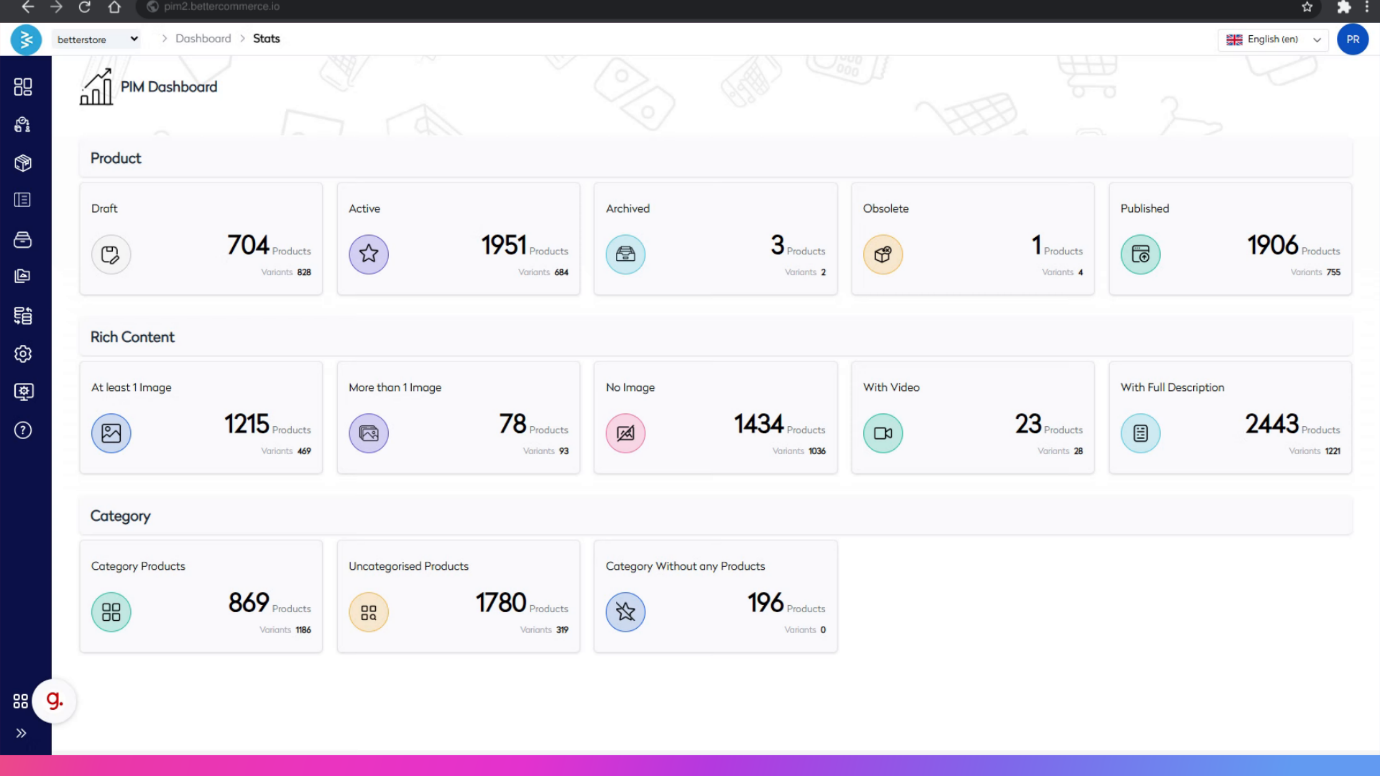
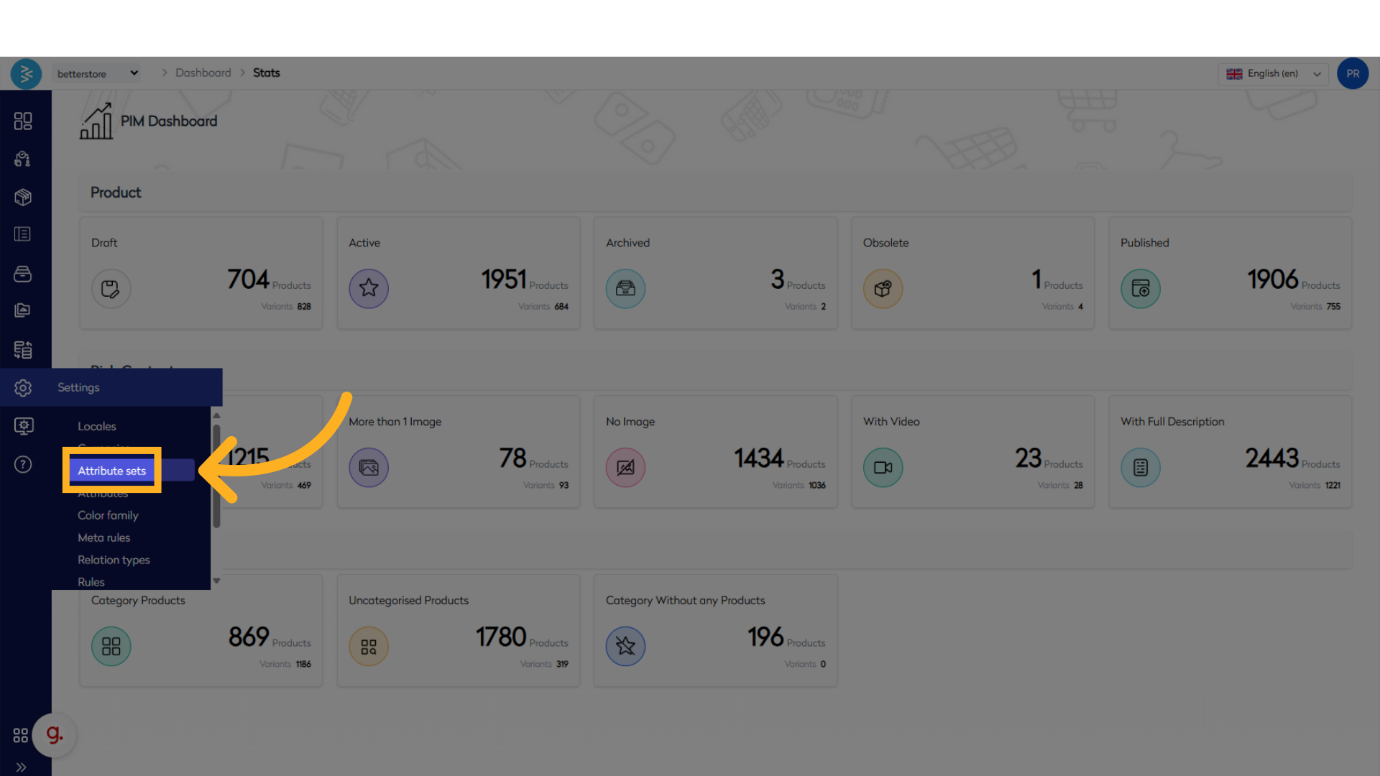
Step 2: Navigate to the Attribute Sets Section
Locate and click the Attribute Sets option within the Settings menu to access the Attribute Sets management area.
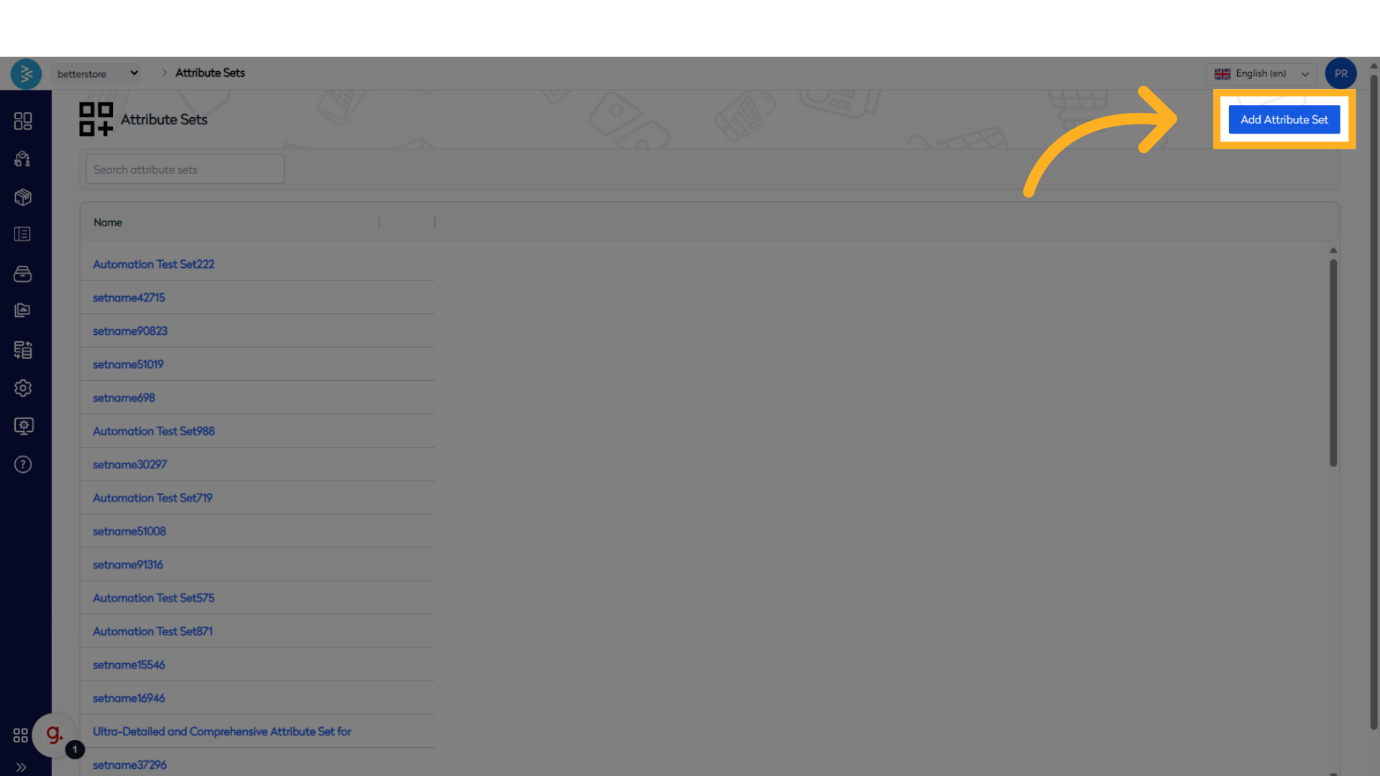
Step 3: Initiate Adding a New Attribute Set
Click the Add Attribute Set button to start the process of creating a new Attribute Set.
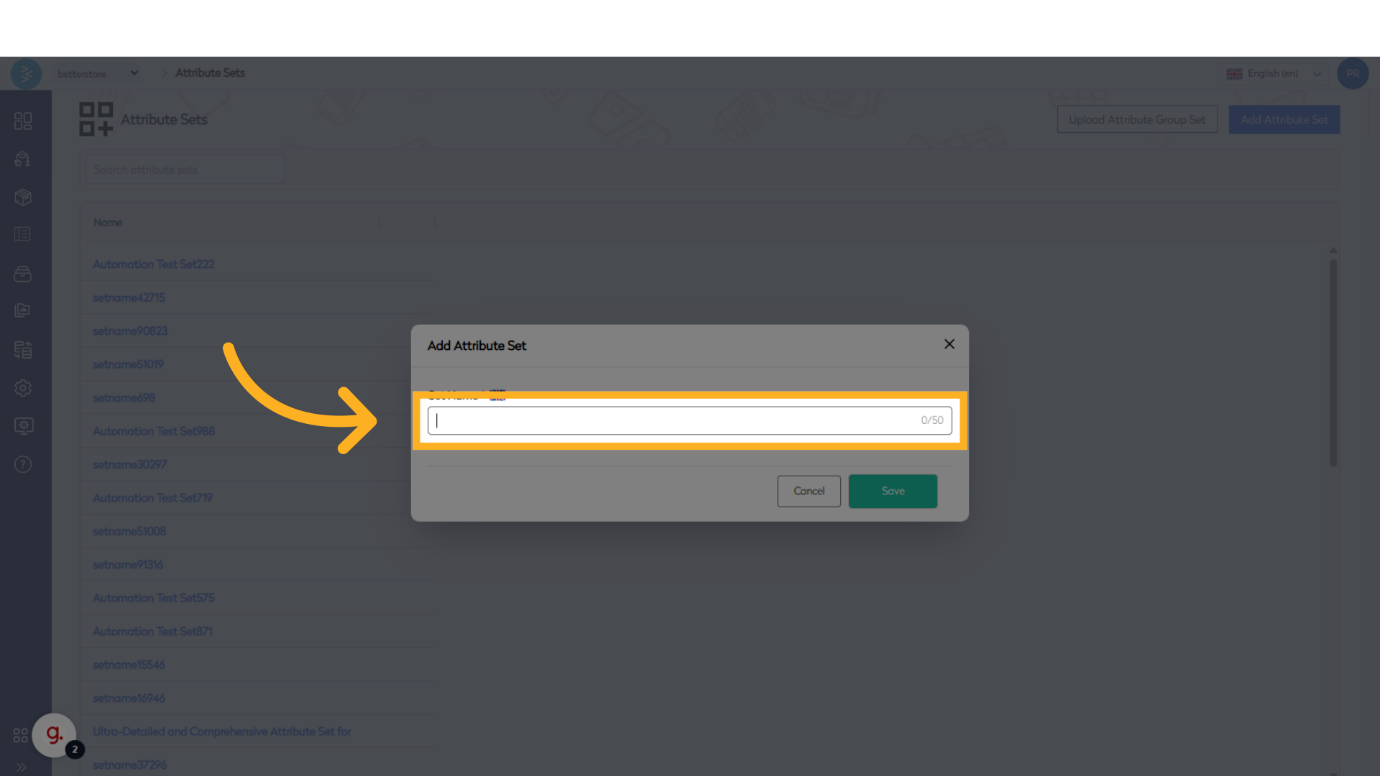
Step 4: Provide a Set Name
Click on the Set Name field and enter a name for the Attribute Set.
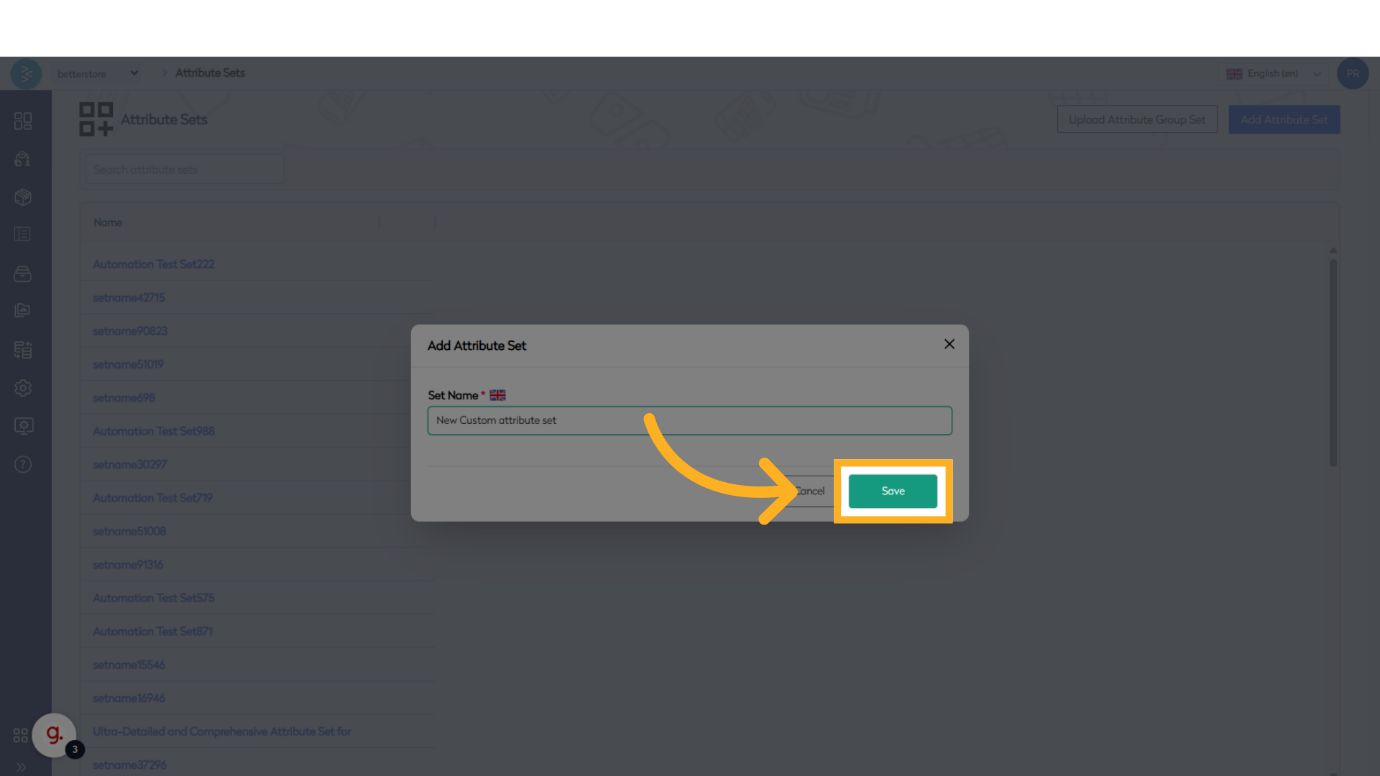
Step 5: Save the Attribute Set
Click the Save button to store the new Attribute Set.
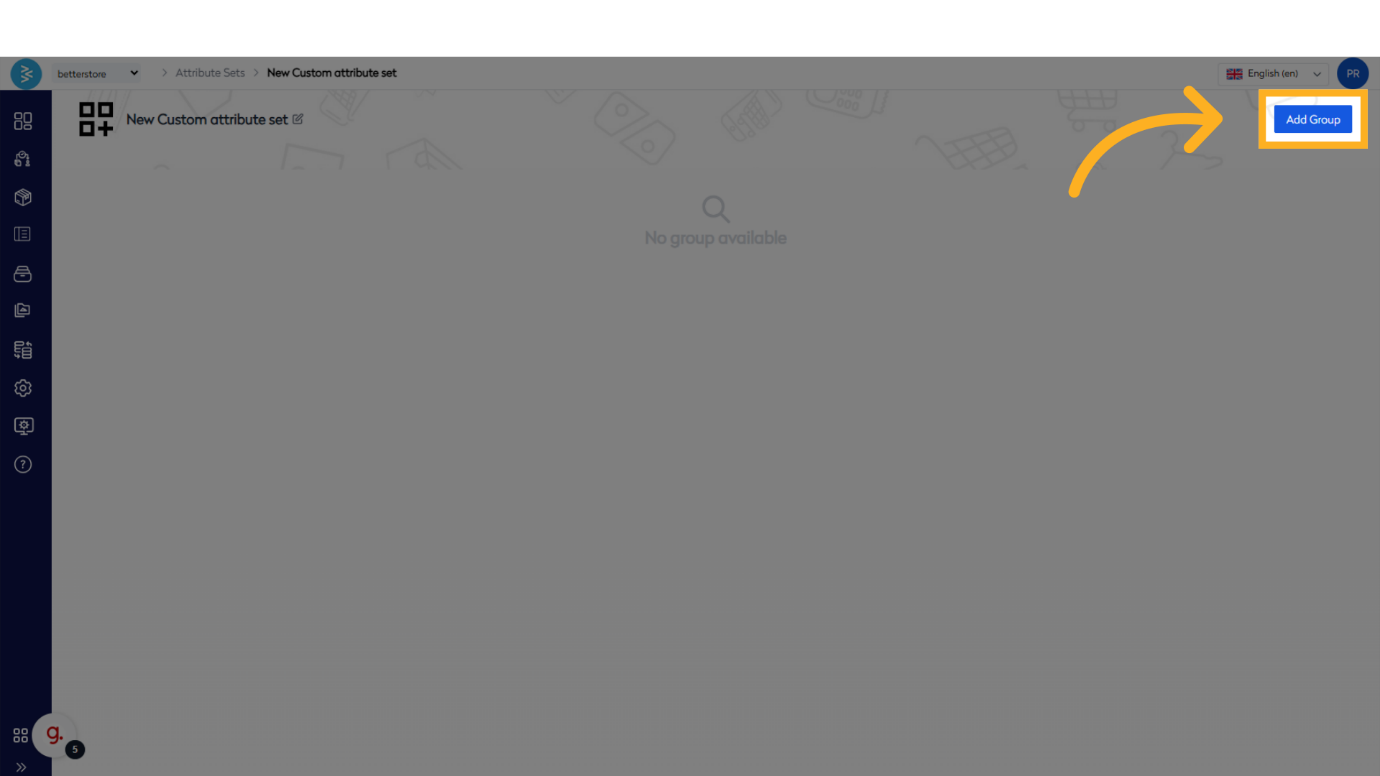
Step 6: Add a New Group
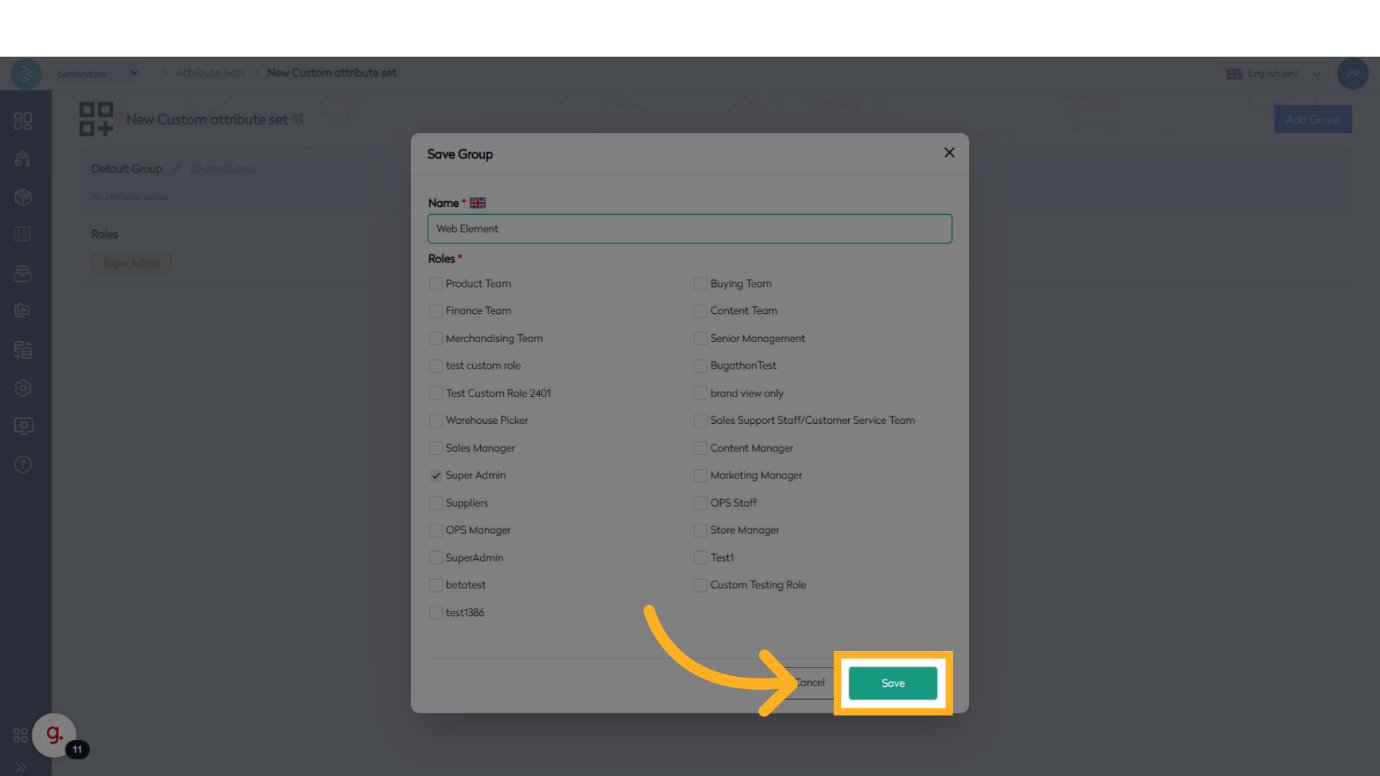
Click the Add Group button to create a new group within the Attribute Set. You can add as many groups as needed.
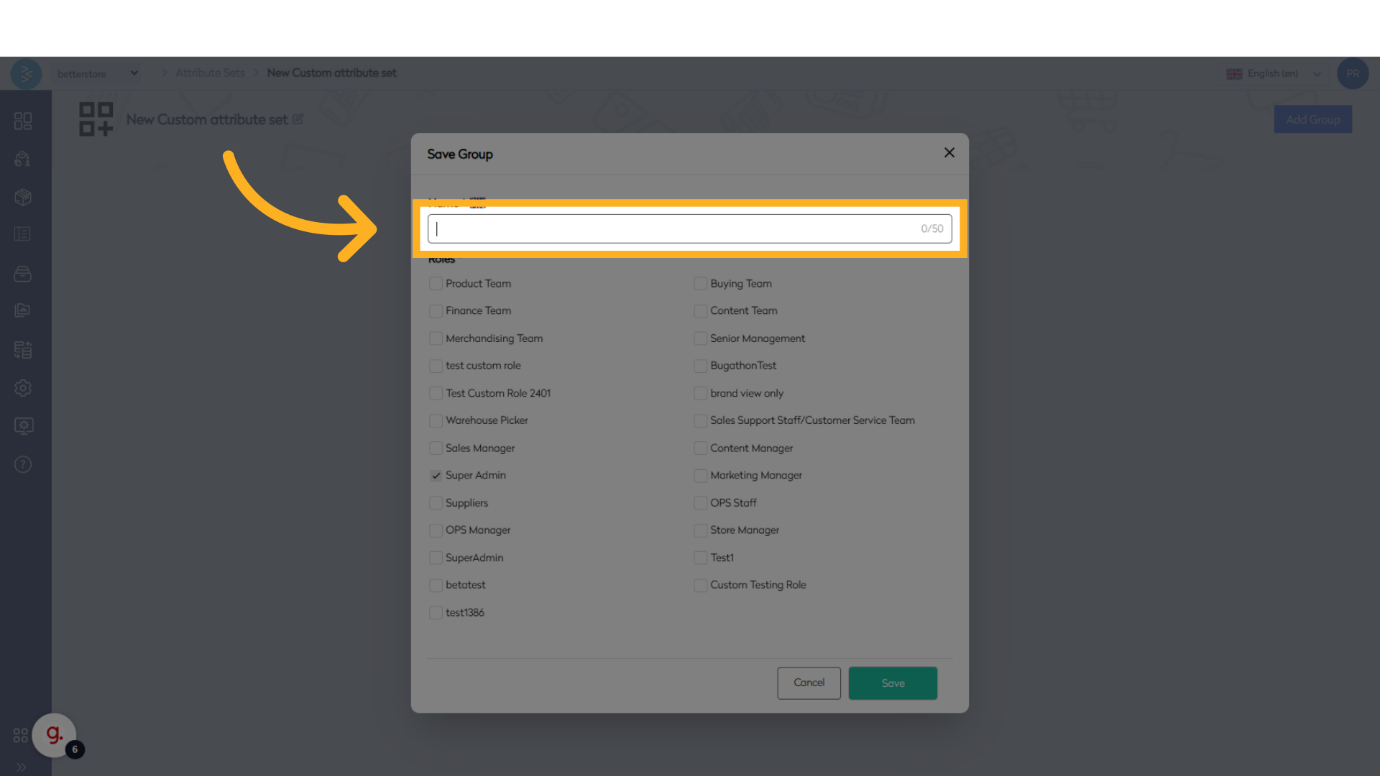
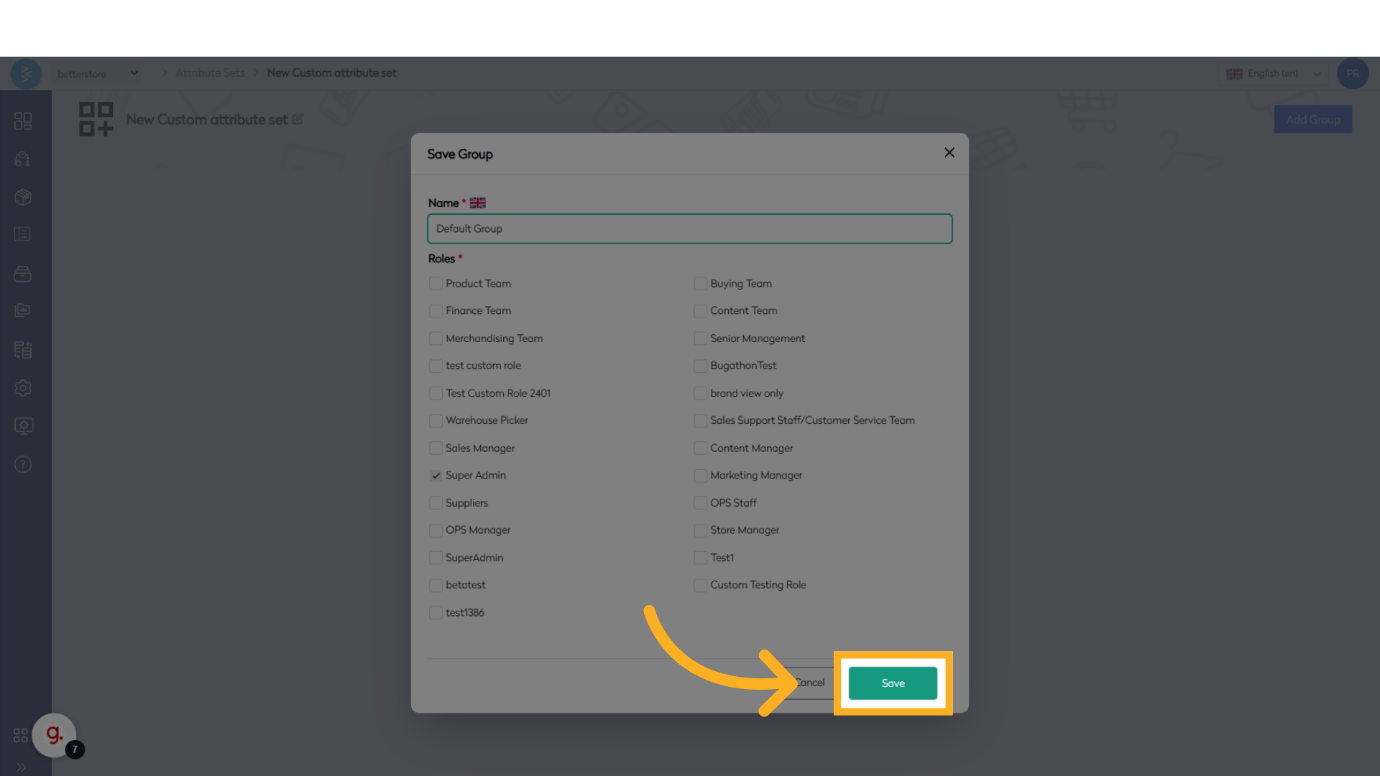
Step 7: Name the Group
Assign a name to the new group. For example, create groups named Default and Web Elements.
Step 8: Assign Attributes to Groups
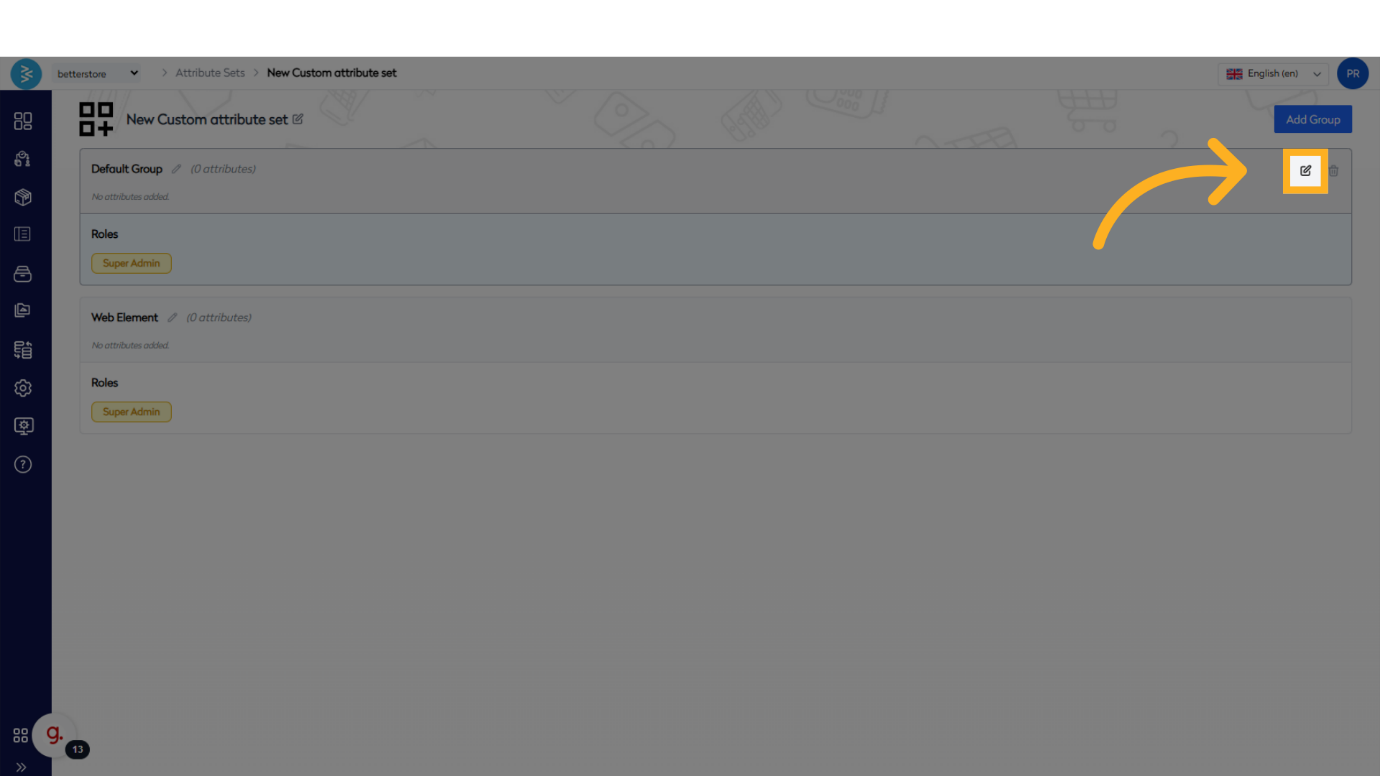
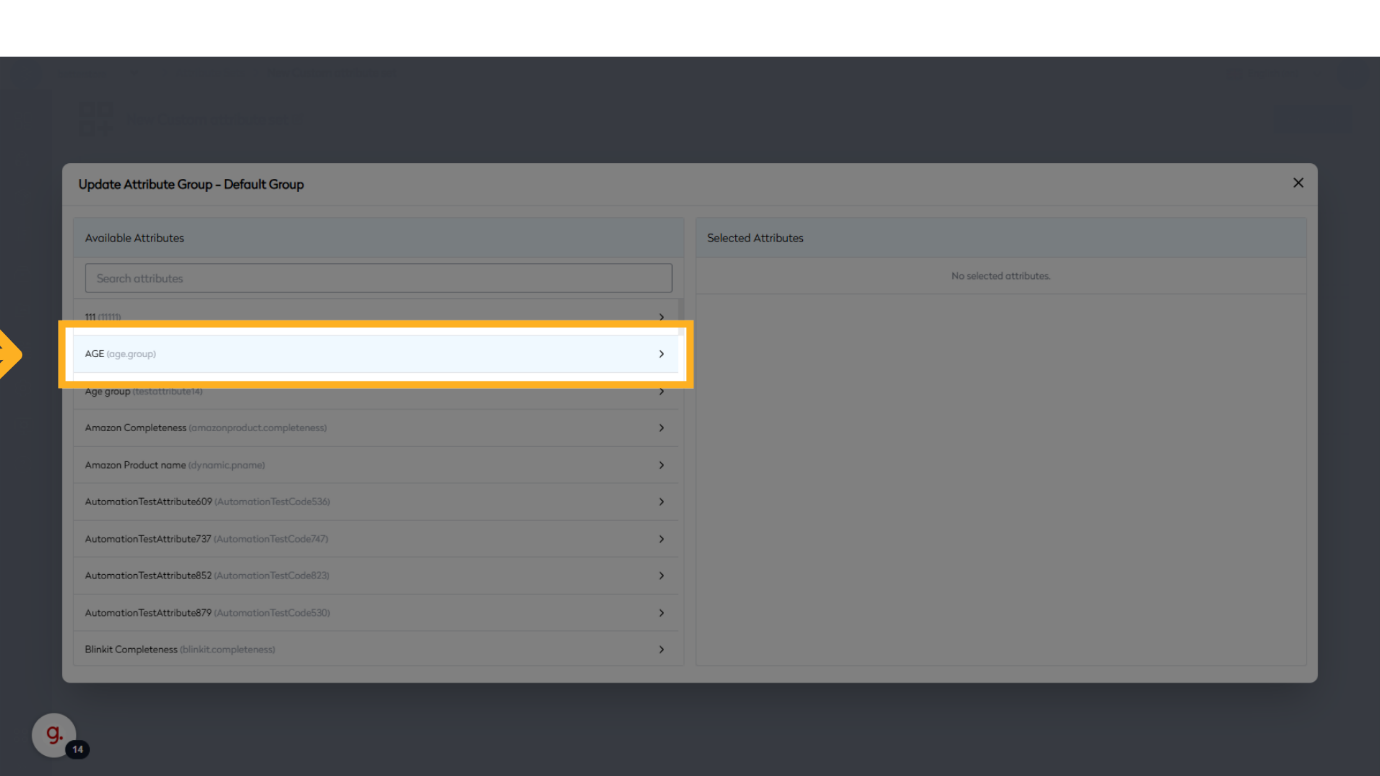
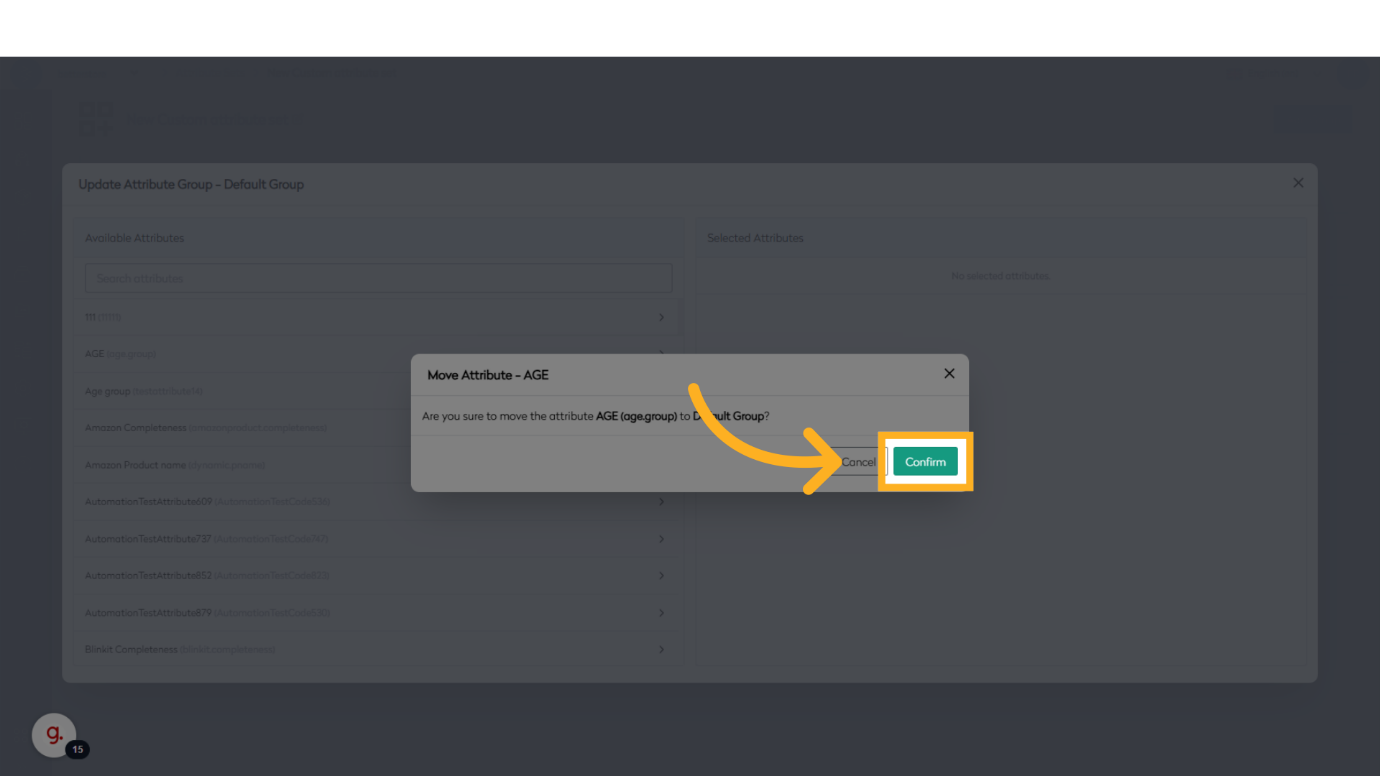
Click the Edit button in the top right corner to open the attribute selection interface. Select the attributes to include in the group, then click Confirm to assign them.
Select the attributes to include in the group, then click Confirm to assign them.
Step 9: Verify Group Attributes
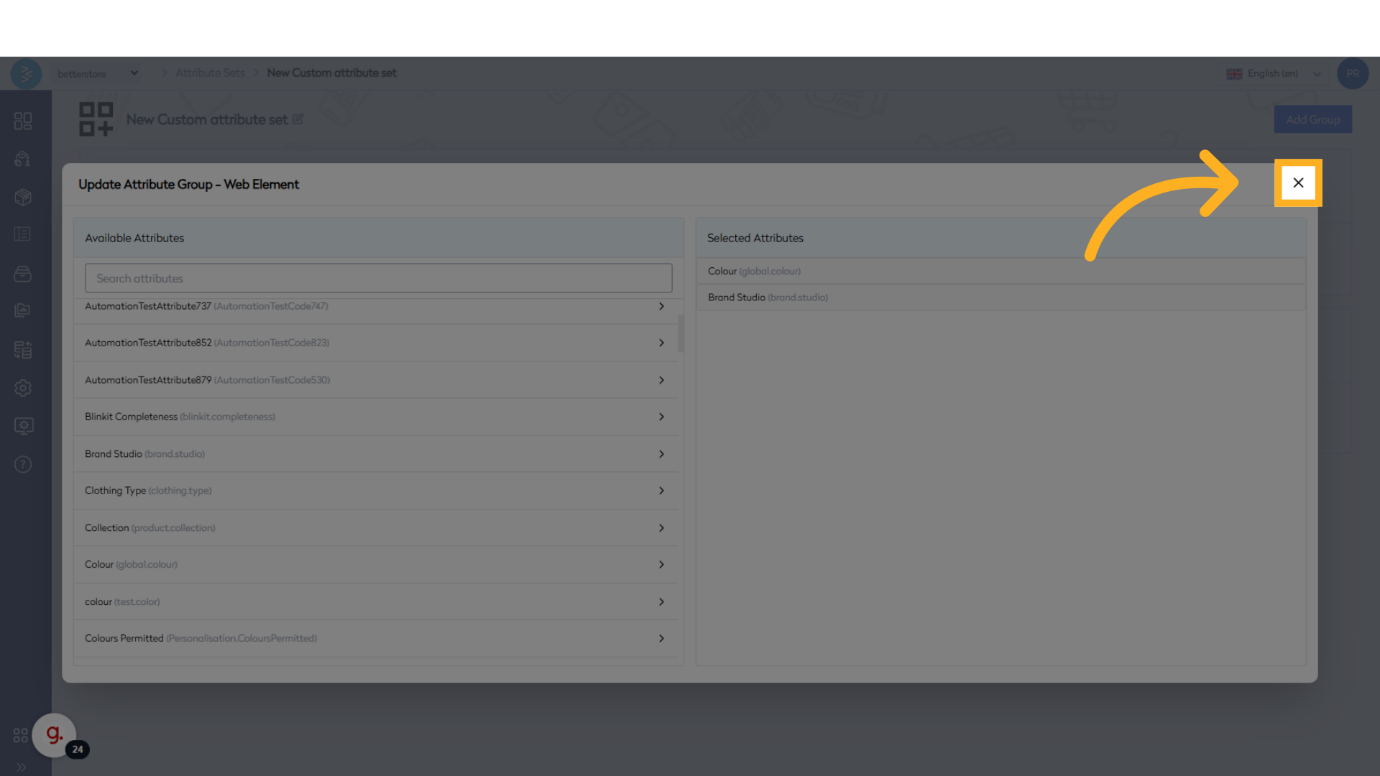
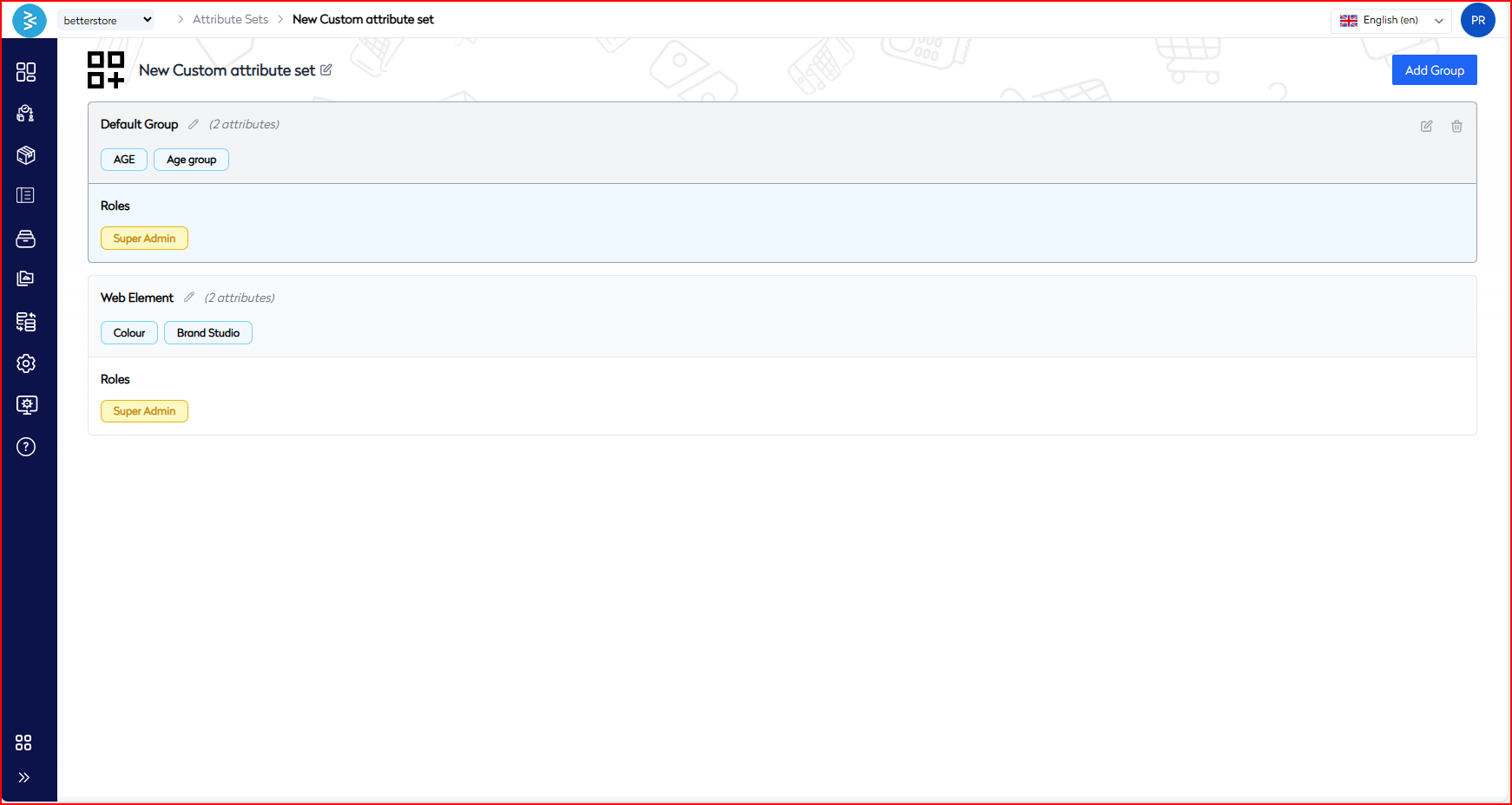
Close the attribute selection screen and verify that each group displays its respective attributes correctly.
Summary
This guide outlined the process of managing Attribute Sets in BetterCommerce, covering the creation of Attribute Sets, adding and naming groups, assigning attributes, and verifying configurations. By following these steps, you can efficiently organize and manage product attributes to streamline your workflows.