
Edit Price List Guide
This guide provides detailed instructions for editing a price list in BetterCommerce, enabling efficient management of pricing details. Follow the steps below to select a price list, modify stockcode prices and effective dates, and save the changes.
Step-by-Step Instructions
Step 1: Select the Price List
Navigate to the BetterCommerce PIM platform by visiting pim2.bettercommerce.io. From the price list listing page, select the desired price list, such as New UK Price List.
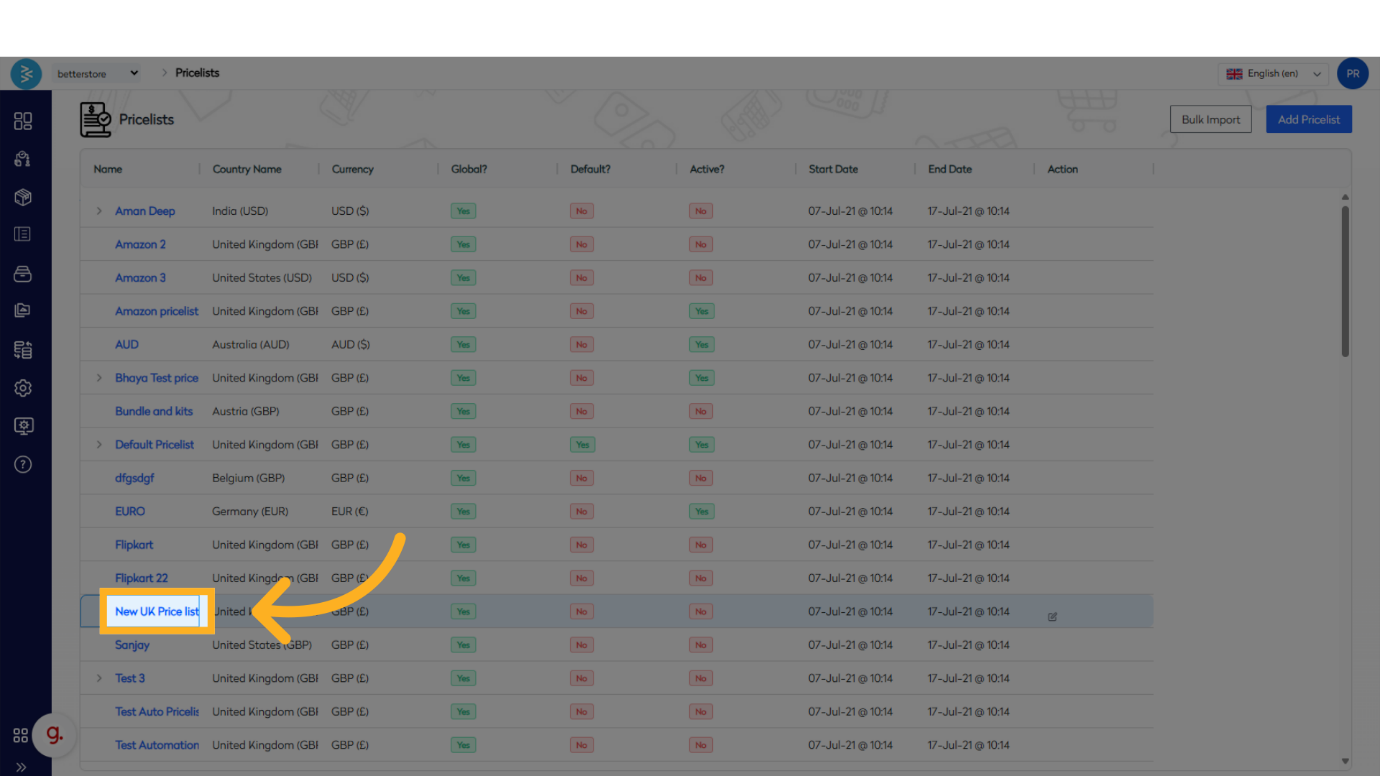
Step 2: Access the Price List Details
Click on the selected price list to view its details, including all associated stockcodes. Locate the Edit toggle in the upper right corner to enable editing of the price list information.
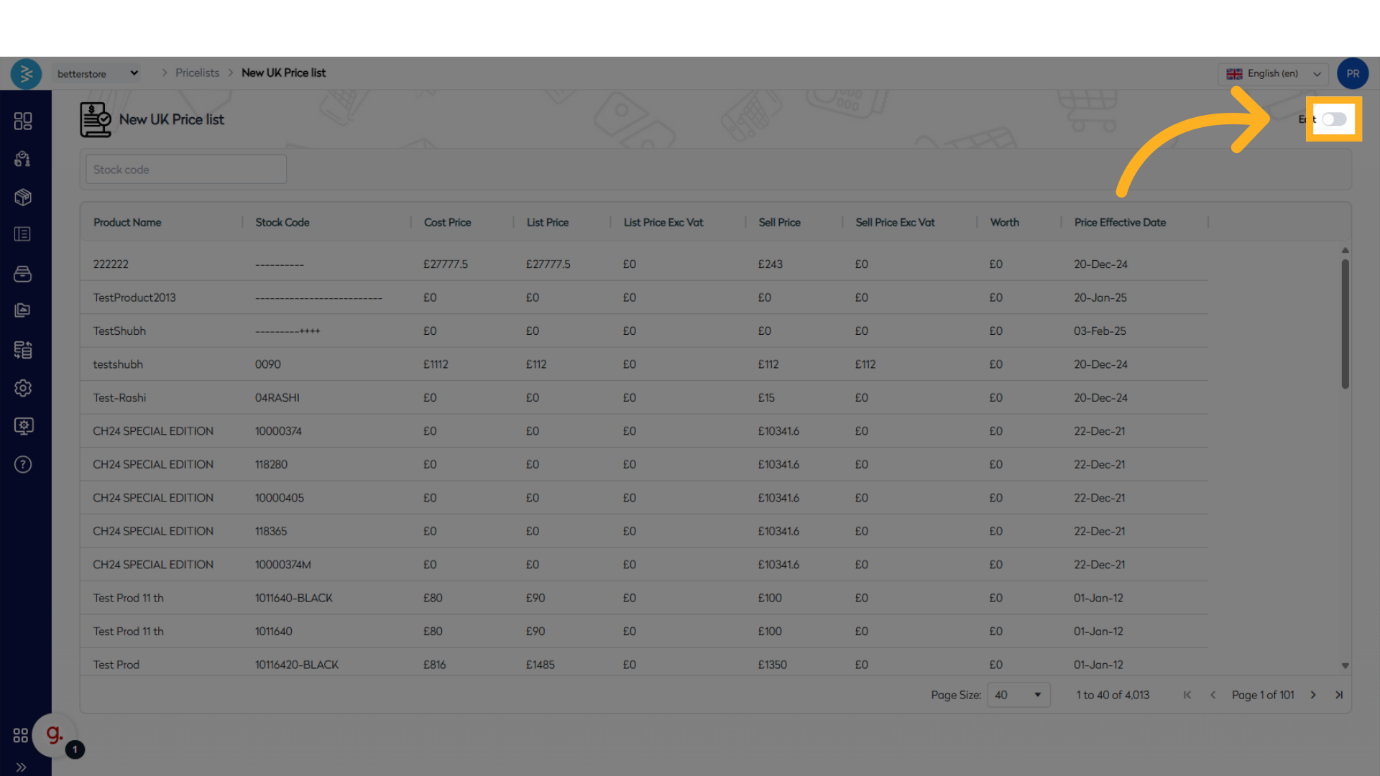
Step 3: Edit Price Fields and Effective Dates
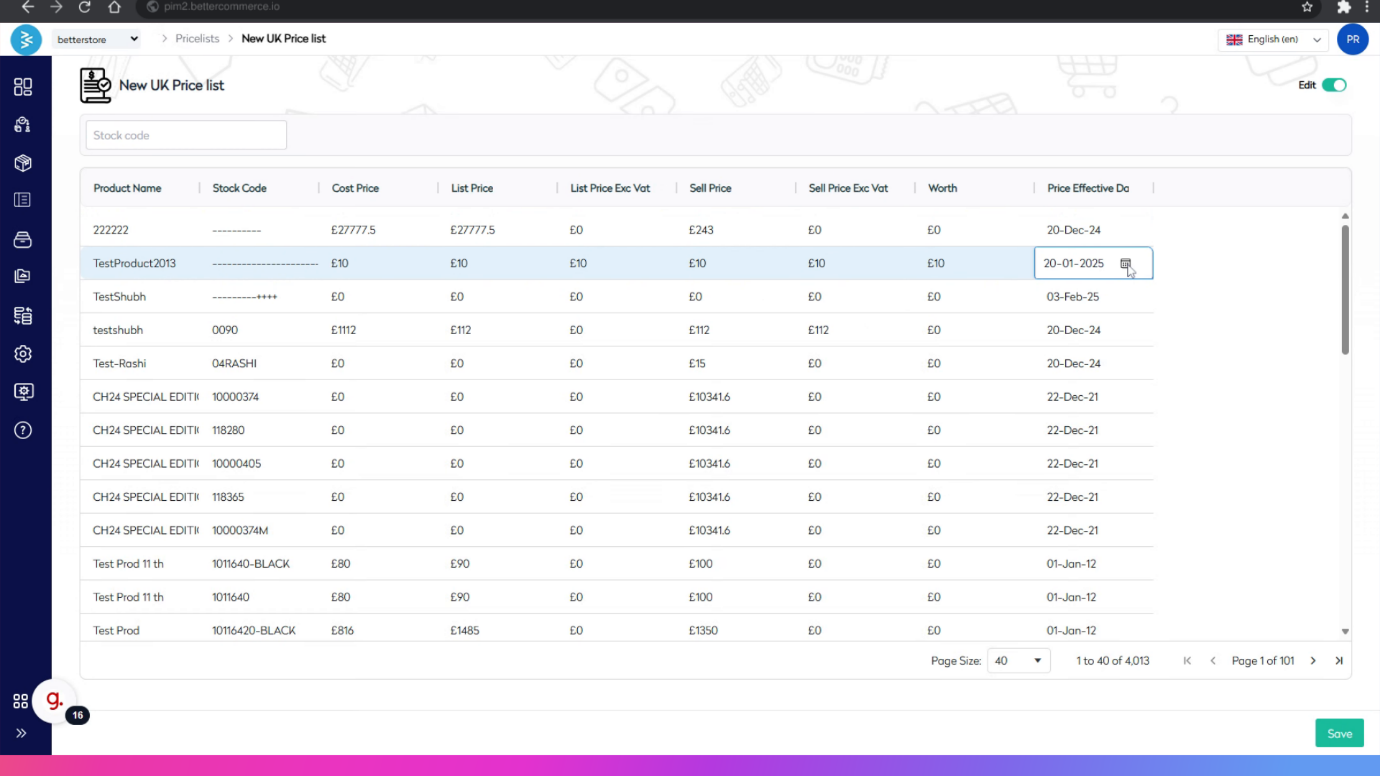
With the edit toggle enabled, update the price fields and price effective dates for the stockcodes as needed.

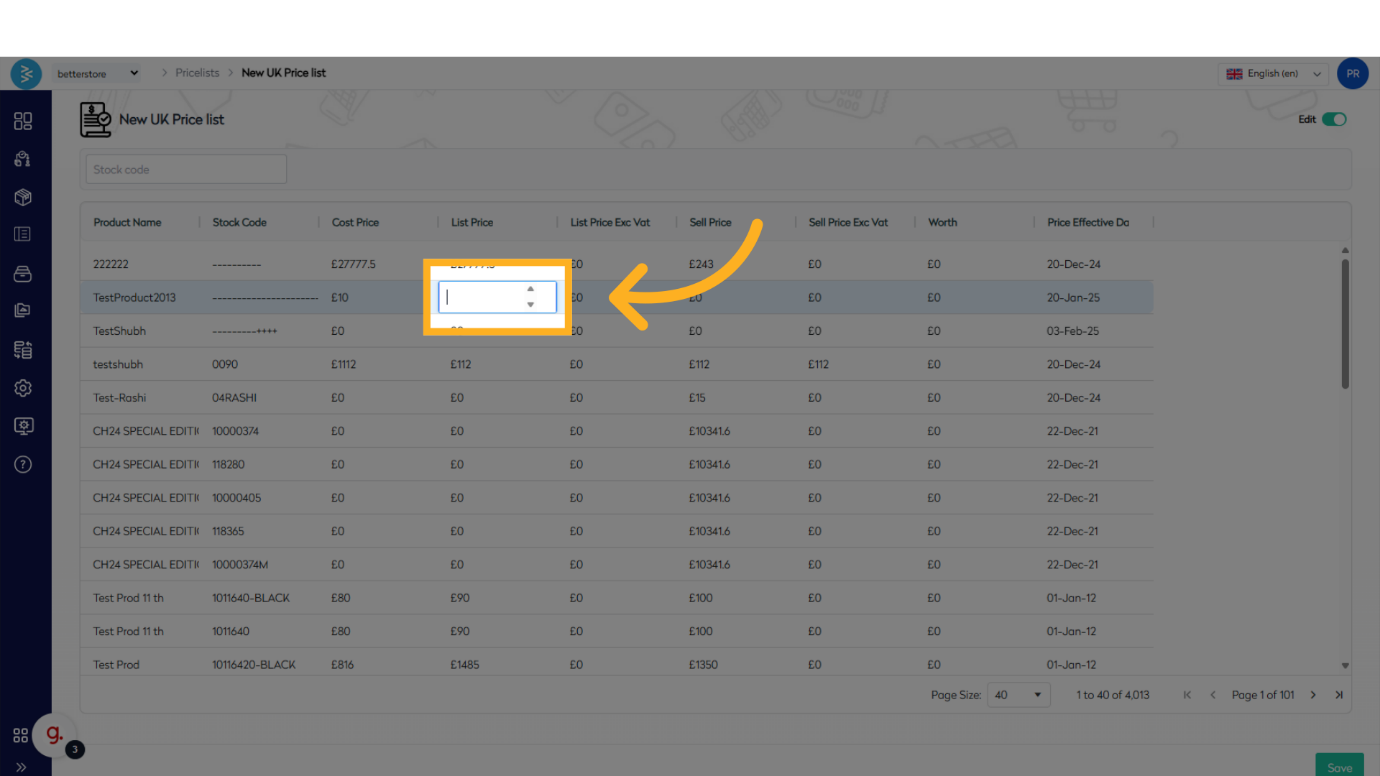
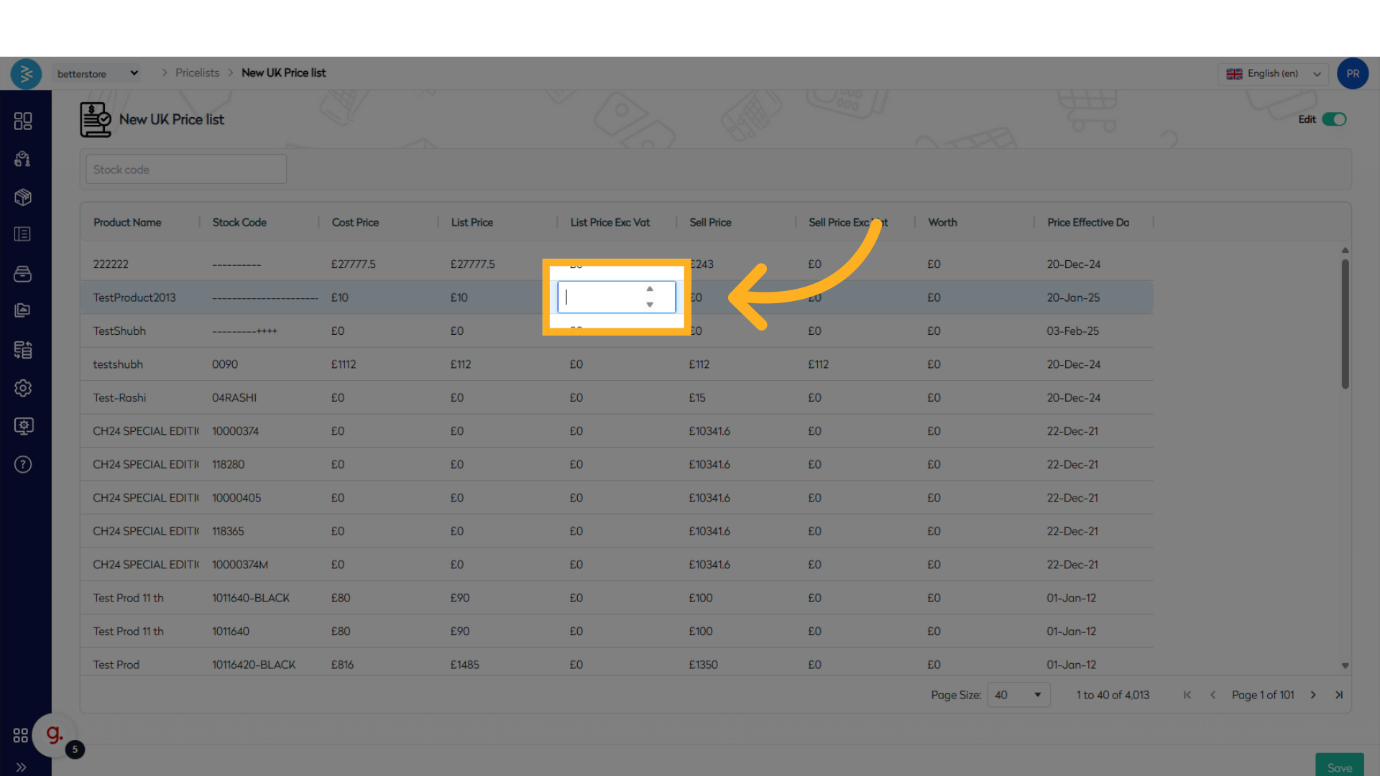
Step 4: Save Changes
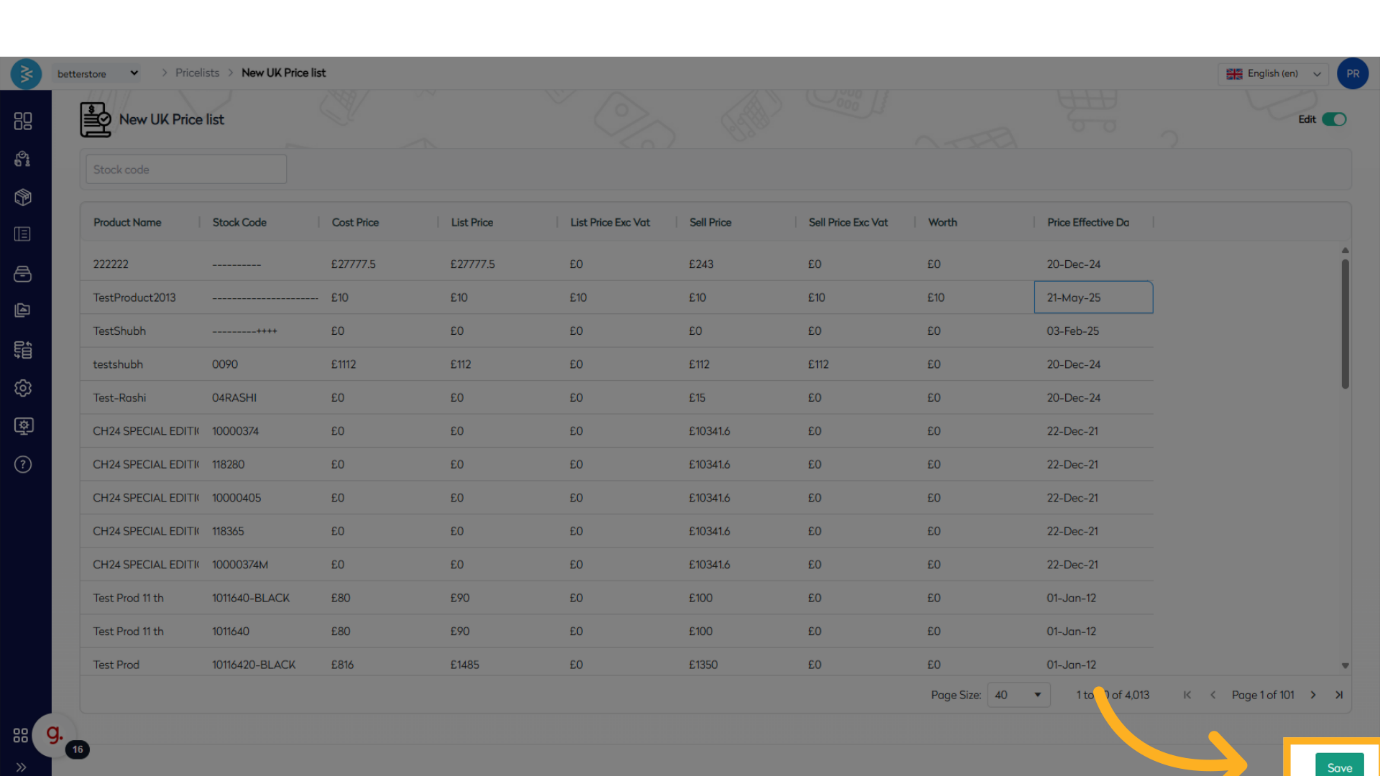
Once all necessary edits to the price fields and effective dates are complete, click Save to record the changes.
Summary
This guide outlined the process of editing a price list in BetterCommerce, covering the selection of a price list, accessing its details, modifying price fields and effective dates, and saving the changes. By following these steps, you can efficiently manage pricing details within the platform.