
Data Flow Logs – All Activity (Imports/Exports)
Overview
The All Activity view within the Data Flows module of the BetterCommerce PIM system provides comprehensive visibility into all data import and export operations. This module is critical for tracking data synchronization activities, identifying import/export failures, auditing changes, and ensuring the accurate processing of entities such as products, categories, and inventory. It supports operational efficiency by offering detailed insights into data movement across the system.
Navigate to All Activity Logs
To access the All Activity logs, follow these steps:
-
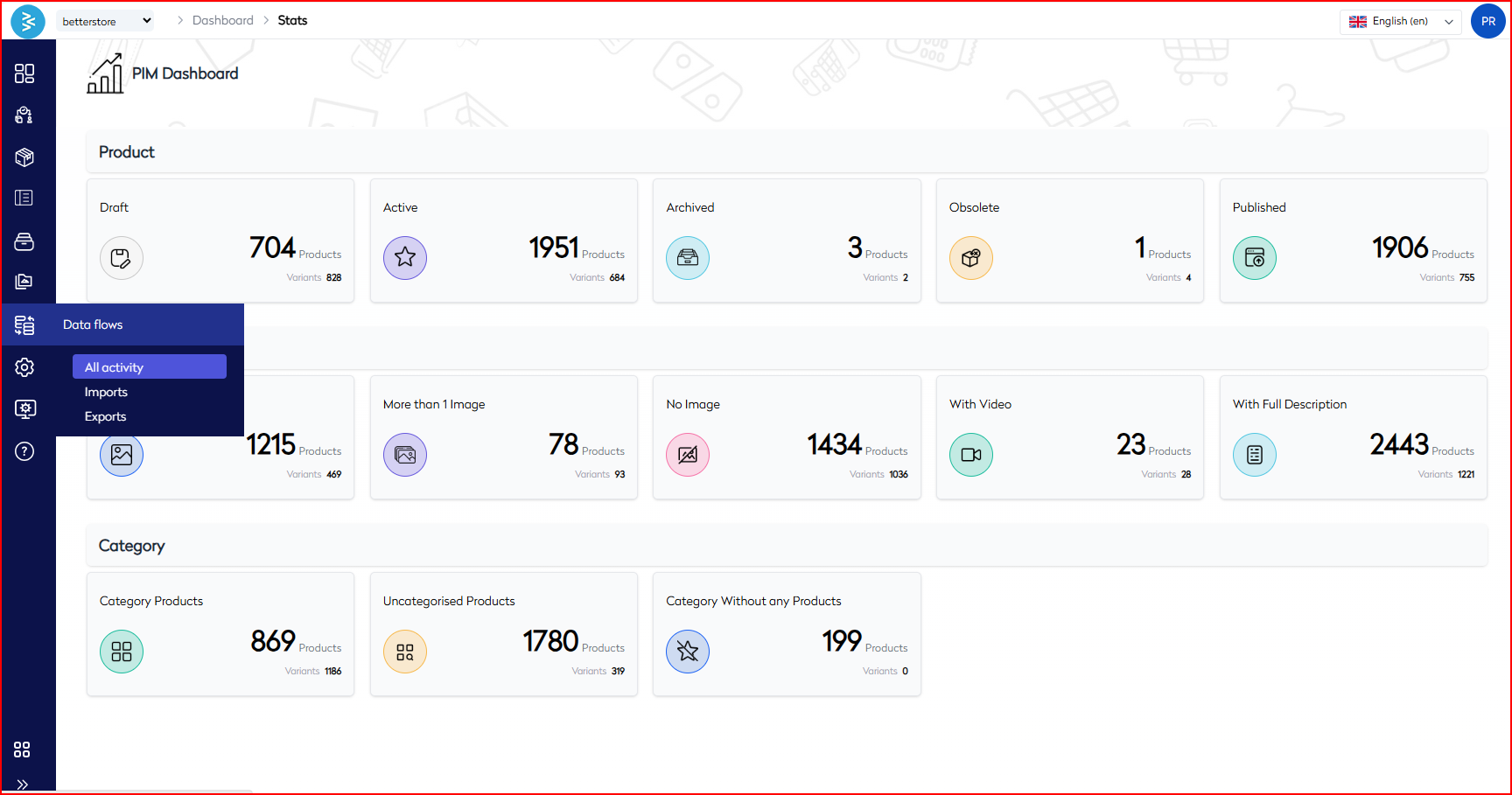
Navigate to Dashboard → Stats → Data Flows.
-
Select All Activity from the dropdown menu.
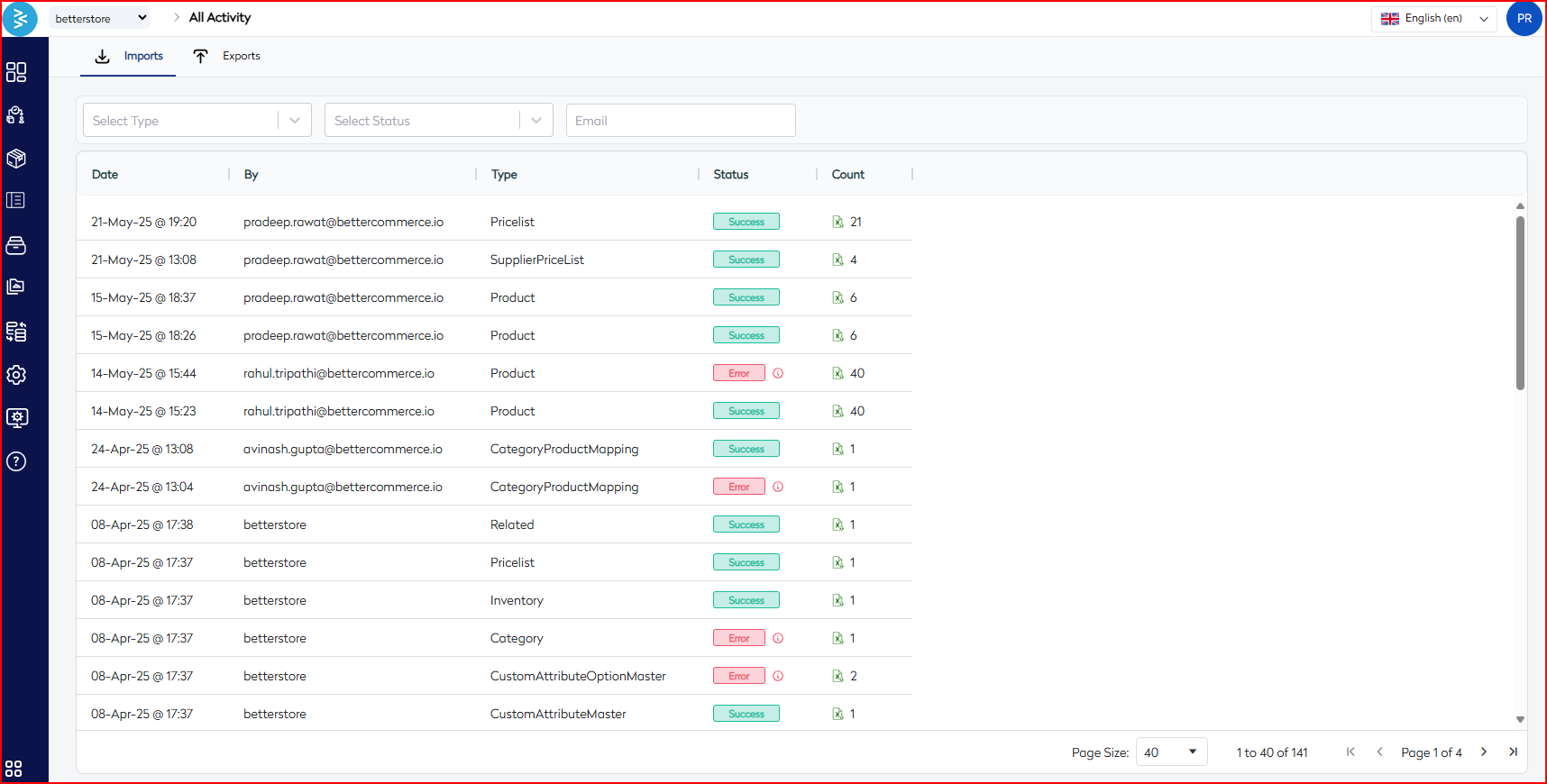
- The screen displays two tabs: Imports and Exports.
- Each tab lists historical data operations, including timestamp, file type, status, and the user who initiated the action.
Imports Tab
View Import Logs
Each import record includes the following details:
| Column | Description |
|---|---|
| Date | Timestamp of the import event |
| By | Email ID of the user who triggered the import |
| Type | Data entity being imported (e.g., Product, Category, Inventory) |
| Status | Indicates completion stage (Success, Error, Processing, etc.) |
| Count | Number of records processed in the import |
Note: A file icon is available for successful entries, enabling you to download the imported file for auditing or reference purposes.
Filter Options
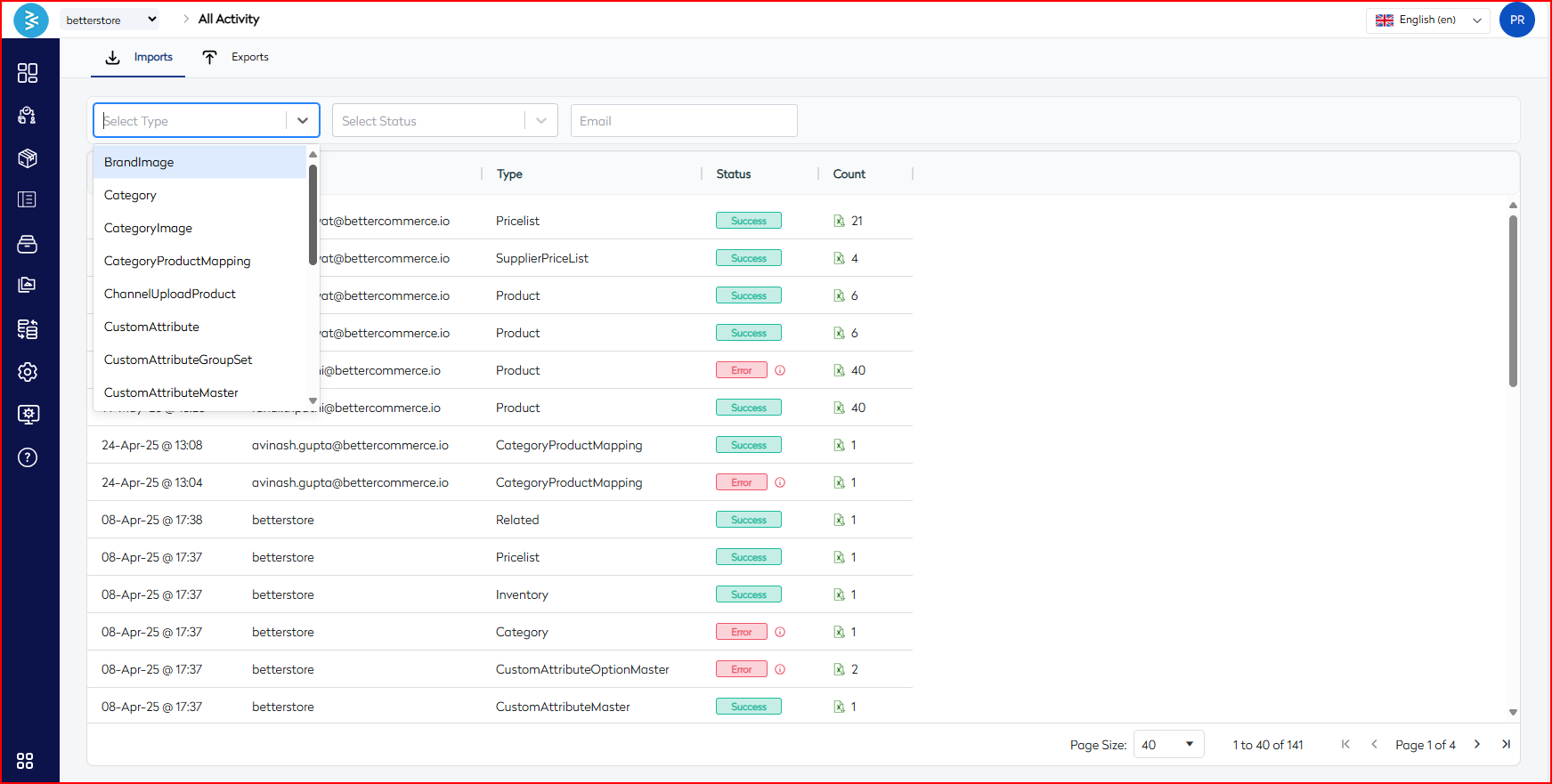
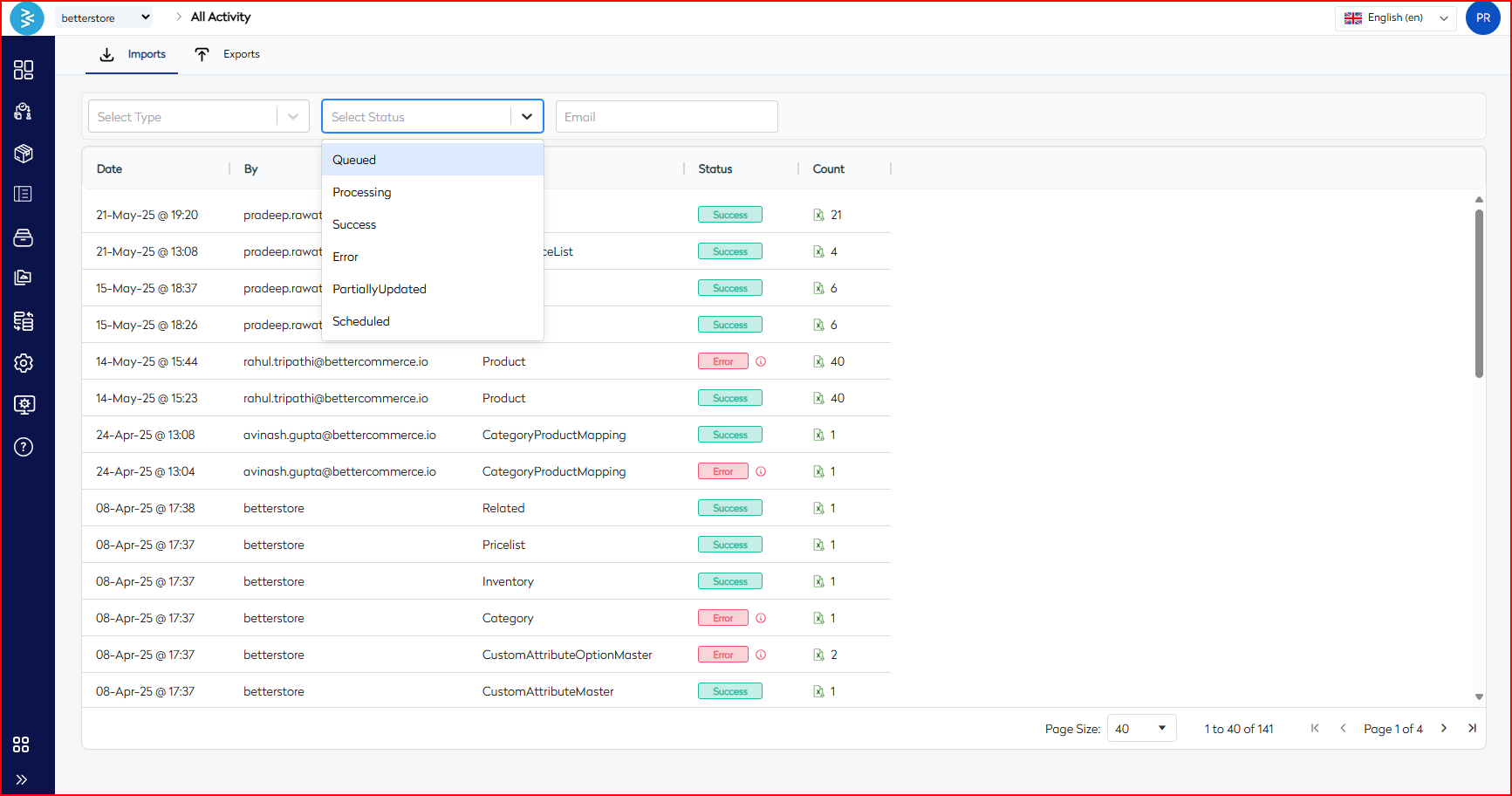
Filter import logs using the following criteria:
- Type – Select from over 20 data types (e.g., Product, Pricelist, CustomAttribute).
- Status – Choose from: Queued, Processing, Success, Error, PartiallyUpdated, Scheduled.
- Email – Filter logs by user’s email address to view user-specific operations.
Exports Tab
View Export Logs
Each export record includes the following details:
| Column | Description |
|---|---|
| Date | Timestamp of the export event |
| Type | Data entity being exported (e.g., Category, BrandImage, ChannelUploadProduct) |
| Status | Usually marked as Exported if completed successfully |
| Count | Total number of records exported |
Note: Export logs reflect bulk data extractions for offline analysis or integration synchronization.
Filter Options
Filter export logs using the following criteria:
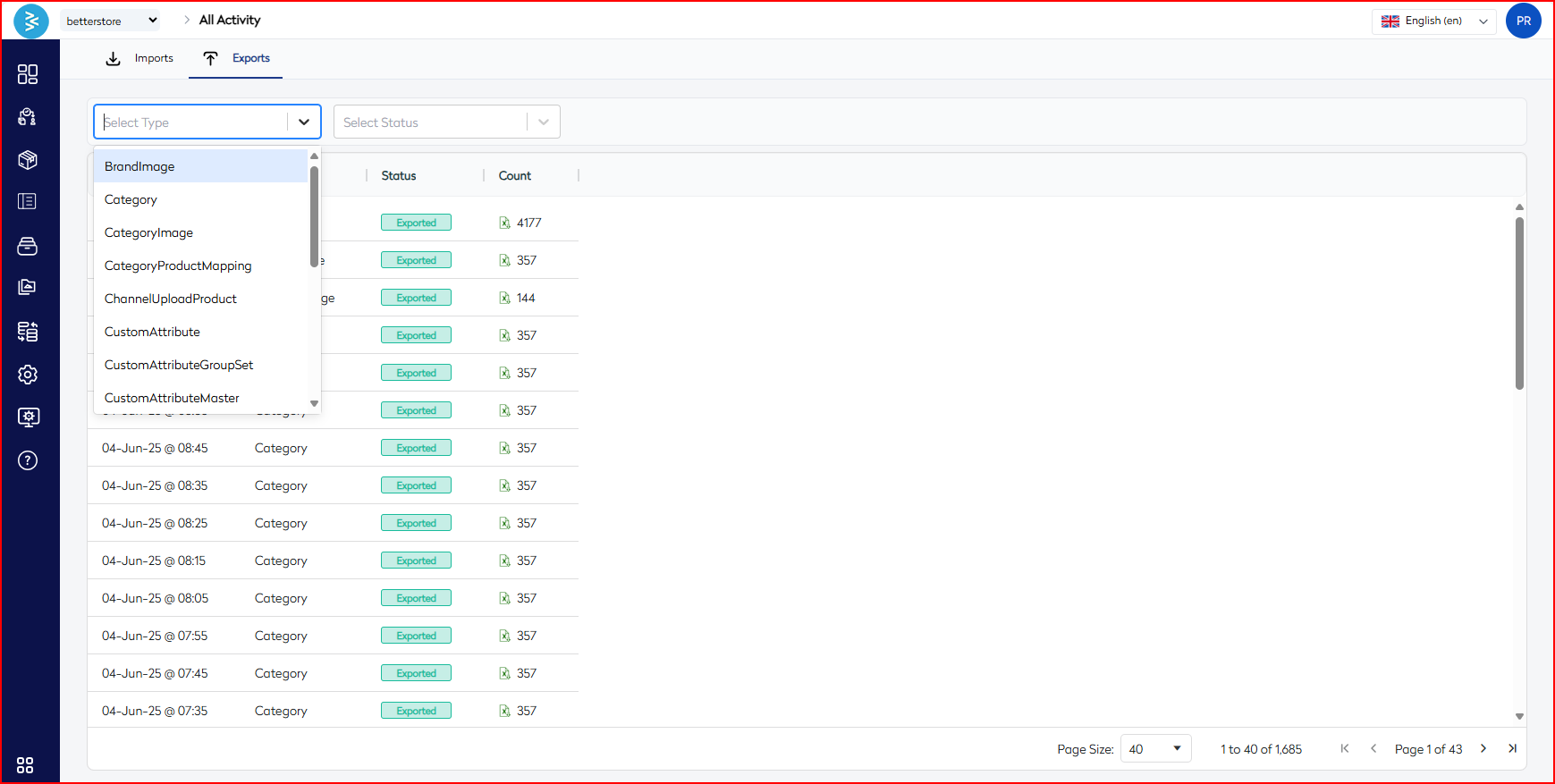
- Type – Includes entities such as CustomAttributeGroupSet, CategoryImage, etc.
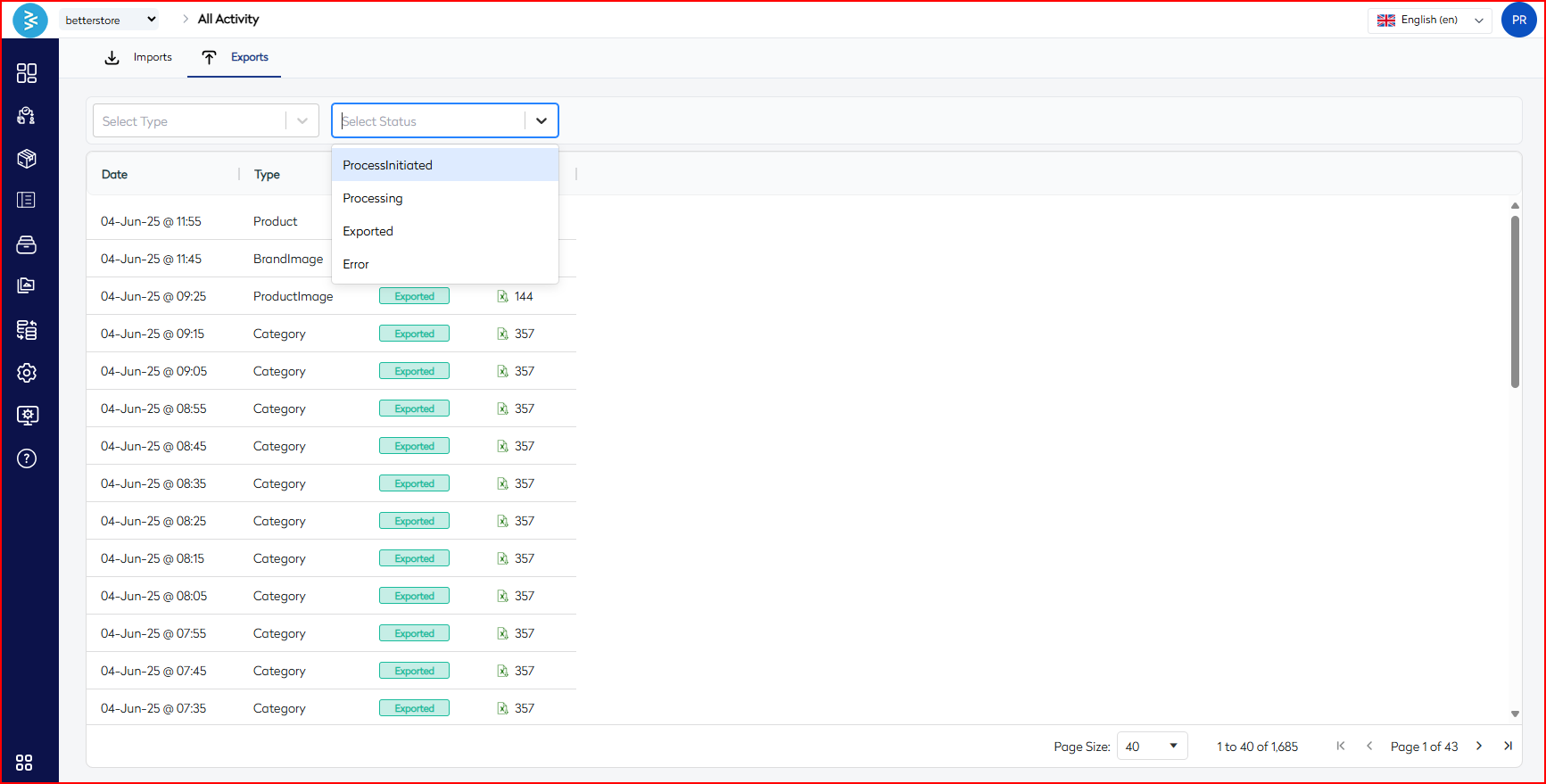
- Status – Currently limited to Exported (no intermediate states are displayed).
This functionality is useful for reviewing recent data extractions by support, integration, or merchandising teams.
Dashboard Stats Overview
At the top-level Dashboard → Stats, access summary insights to assess system health before initiating large-scale imports or exports:
| Group | Details |
|---|---|
| Product | Counts of Draft, Active, Archived, Published, etc., variants/products |
| Image & Content | Insights into products with/without images, videos, or full descriptions |
| Category | Distribution of categorized vs. uncategorized products |
Note: These statistics serve as a health check to identify potential issues, such as missing images or uncategorized items, prior to data operations.
Best Practices
- Verify the status of an import/export operation before assuming completion to ensure data integrity.
- Use filters to locate failed operations and reinitiate only the necessary jobs to minimize disruptions.
- Download and archive processed files for recordkeeping or compliance purposes.
- Regularly monitor the Stats Dashboard to proactively address issues like missing images or uncategorized items.
Use Cases
- Recheck the count of products uploaded in the last batch to ensure accuracy.
- Investigate failed imports of inventory or pricing data to resolve discrepancies.
- Audit export actions initiated by specific users for accountability.
- Verify successful updates to category-product mappings to maintain data consistency.
Summary
The All Activity section under Data Flows in the BetterCommerce PIM system serves as a centralized logbook for all import and export operations. With robust filtering options by type, status, and user, teams can efficiently audit, trace, and resolve data movement activities. Combined with the Stats Dashboard, this module empowers teams to maintain clean, categorized, and synchronized product data across systems, ensuring seamless commerce operations.