
Manage Meta Information (SEO) in BetterCommerce
Overview
The Meta Rule Detail interface in BetterCommerce enables administrators, SEO specialists, and content managers to define and manage metadata rules for various page types within the digital ecosystem. These rules ensure consistent, optimized meta tags across brand, product, category, and other dynamic pages, enhancing search engine visibility and standardizing content delivery.
Accessing the Meta Rule Configuration Interface
-
Log in to BetterCommerce
Navigate to pim2.bettercommerce.io using your enterprise credentials to access the Product Information Management (PIM) system. -
Navigate to the Meta Rules Section
From the main dashboard, go to the Settings menu and select Meta Rules. This will open the Meta Rule Detail configuration panel.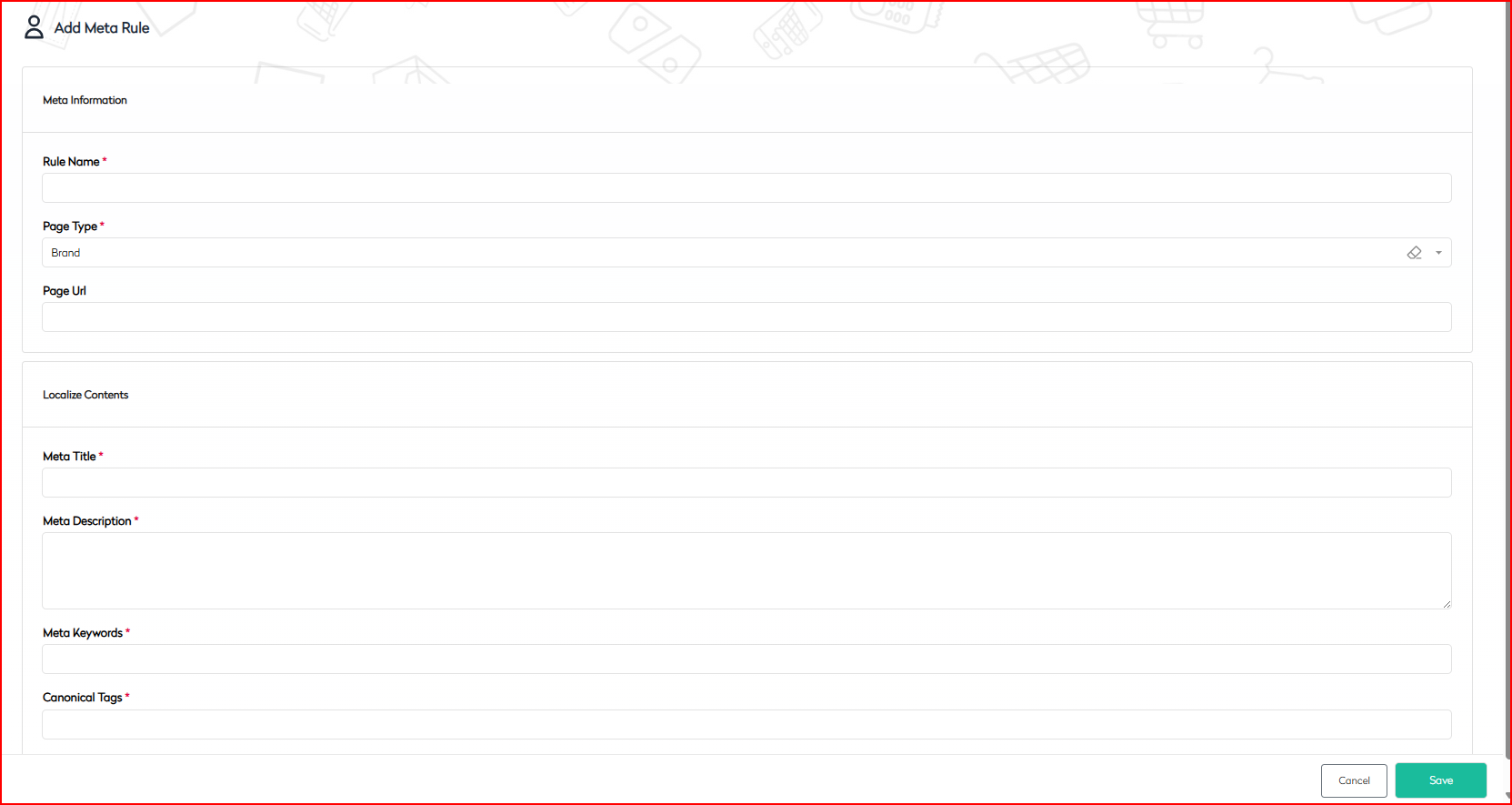
Configuring Meta Rules
The Meta Rule Detail interface is divided into key sections to streamline metadata configuration:
1.1 Meta Information
This section defines the core attributes of the meta rule and associates it with the relevant content type.
| Field Name | Description | Requirement |
|---|---|---|
| Rule Name | A unique identifier for the meta rule, used for internal reference. | Required |
| Page Type | Specifies the content type the rule applies to (e.g., Brand, Product, Category). | Required |
| Page URL | (Optional) Defines a specific URL pattern or page for rule application. | Optional |
Note: Ensure each rule has a unique name and is assigned to the correct page type to prevent misapplication.
1.2 Localize Contents
This section specifies the metadata tags injected into the HTML <head> of the selected page type.
| Field Name | Description | Requirement |
|---|---|---|
| Meta Title | The page title displayed in browser tabs and search engine results. | Required |
| Meta Description | A concise description of the page content, shown in search engine snippets. | Required |
| Meta Keywords | Keywords relevant to the page content (used primarily for legacy SEO). | Required |
| Canonical Tags | Specifies the canonical URL to avoid duplicate content issues. | Required |
Best Practice: Keep meta descriptions between 150–160 characters and ensure they clearly articulate the page’s purpose. Use canonical tags to maintain SEO consistency across similar pages.
Usage Guidelines
- When to Use: Configure meta rules when introducing new page types, executing SEO campaigns, or standardizing metadata across content verticals.
- Best Practices:
- Avoid duplicating meta titles and descriptions to maintain uniqueness.
- Use brand-aligned, meaningful content for all metadata fields.
- Validate canonical tags to ensure proper canonicalization and prevent SEO penalties.
- Access Control: Restrict meta rule modifications to users with SEO Manager or Admin roles to maintain configuration integrity.
Example Configuration
For a brand page showcasing product collections, a sample meta rule configuration might include:
- Rule Name: BrandMetaRule2025
- Page Type: Brand
- Meta Title: Explore Premium Brands | ShopName
- Meta Description: Discover our exclusive range of brands offering quality and value. Shop your favorites today.
- Meta Keywords: premium brands, top brand collections, quality products
- Canonical Tags: https://www.shopname.com/brands
Technical Integration Notes
- Storage: Meta rules are typically stored in a database (e.g., MongoDB) and retrieved dynamically during server-side rendering or via middleware.
- Overrides: Metadata can be overridden at the content level based on CMS configurations.
- Frontend Integration: Ensure meta values are correctly injected into the
<head>elements of frontend frameworks (e.g., React, Vue, Next.js) for proper rendering.
Summary
This guide outlines the process for managing meta information in BetterCommerce, covering navigation to the Meta Rules section, configuring meta information and localized content, and adhering to best practices for SEO optimization. By following these steps, enterprise users can ensure consistent, search-engine-optimized metadata across their digital ecosystem, enhancing visibility and user experience.