
Add Price List Guide
This guide provides detailed instructions for adding a price list in BetterCommerce, enabling efficient management of pricing data. Follow the steps below to create a new price list, configure currency and country settings, set conversion and dynamic pricing options, and verify the changes.
Step-by-Step Instructions
Step 1: Access the Price List Section
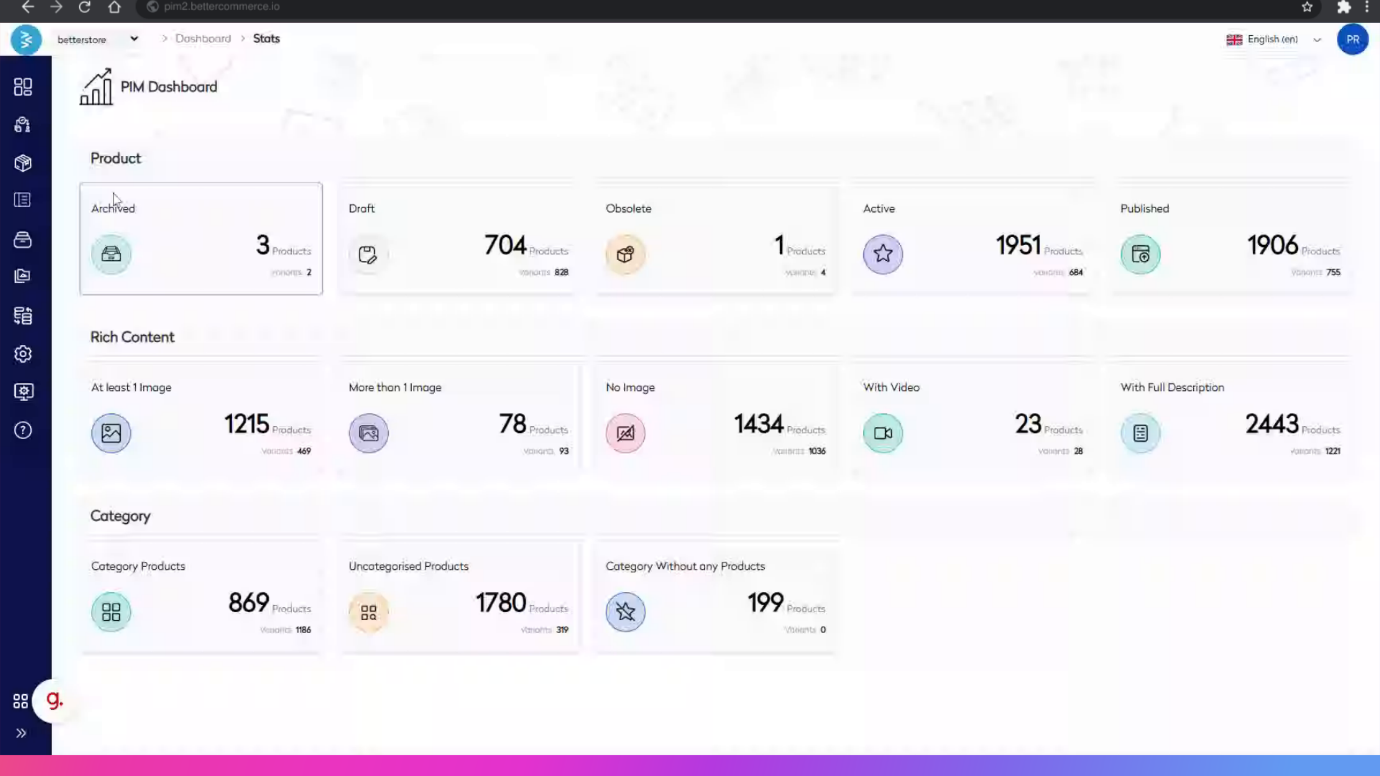
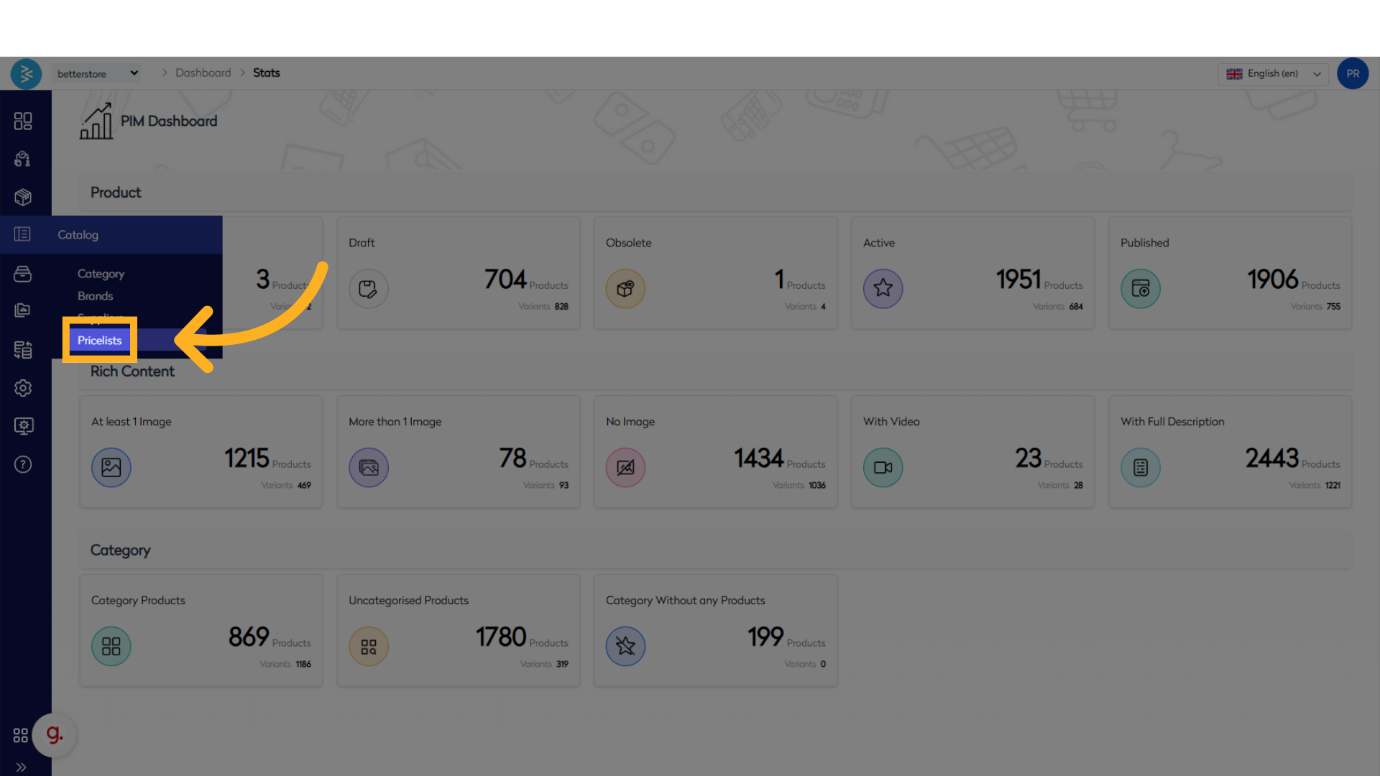
Navigate to the BetterCommerce PIM platform at pim2.bettercommerce.io. From the Catalog menu, select Price List to access the price list management area.
Step 2: Initiate Price List Creation
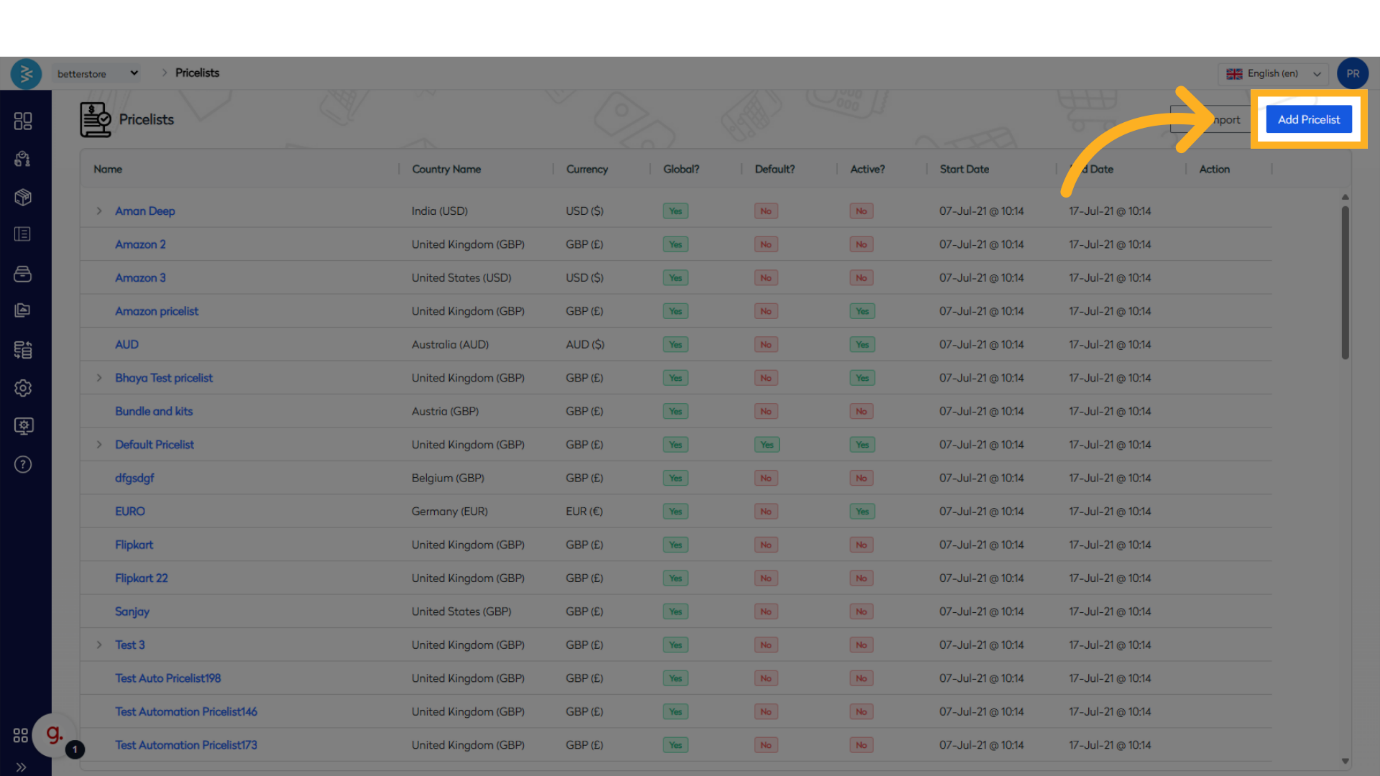
On the price list listing page, click the Add Pricelist button in the top right corner to open the add price list popup screen.
Step 3: Enter Price List Details
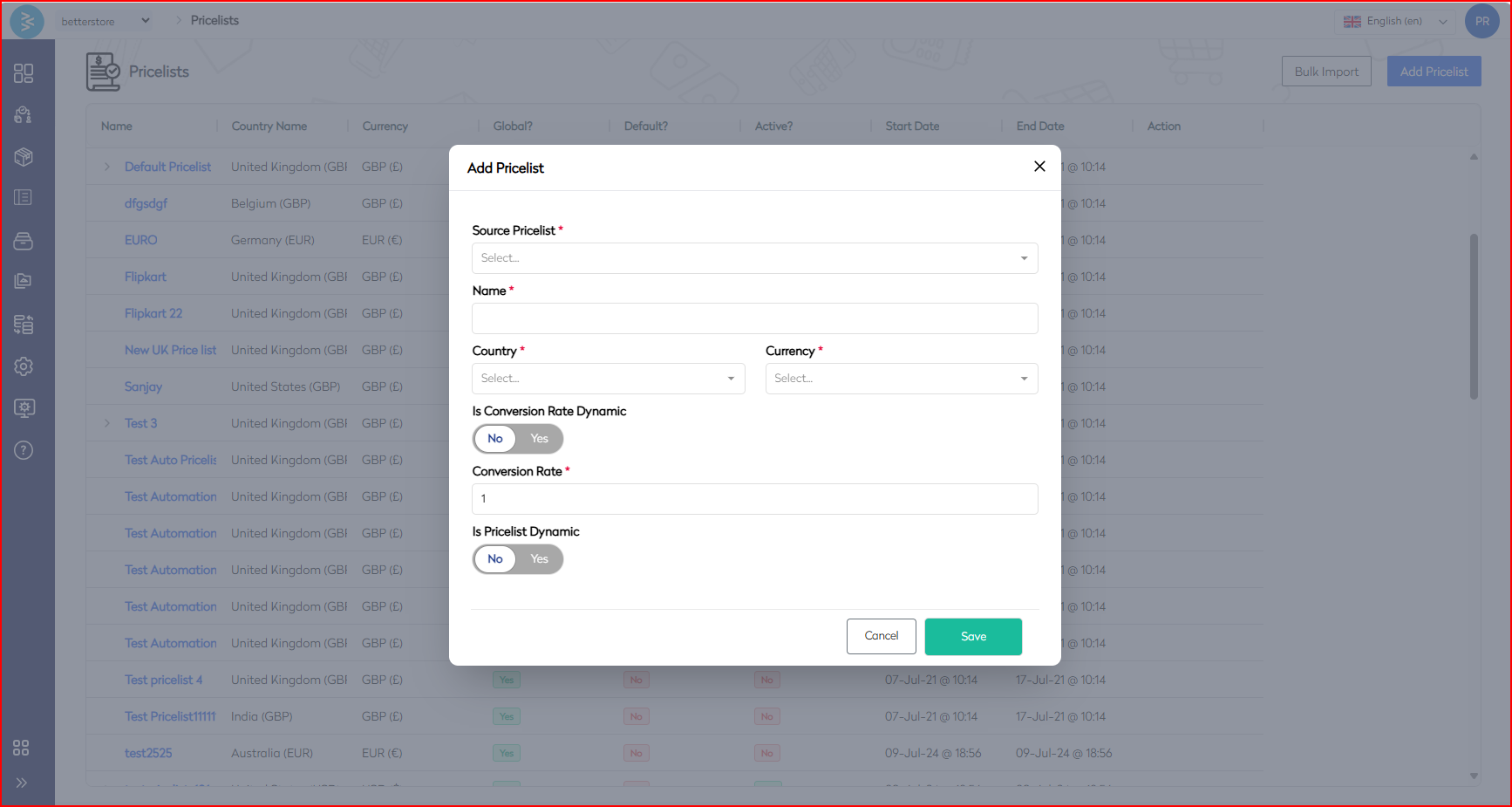
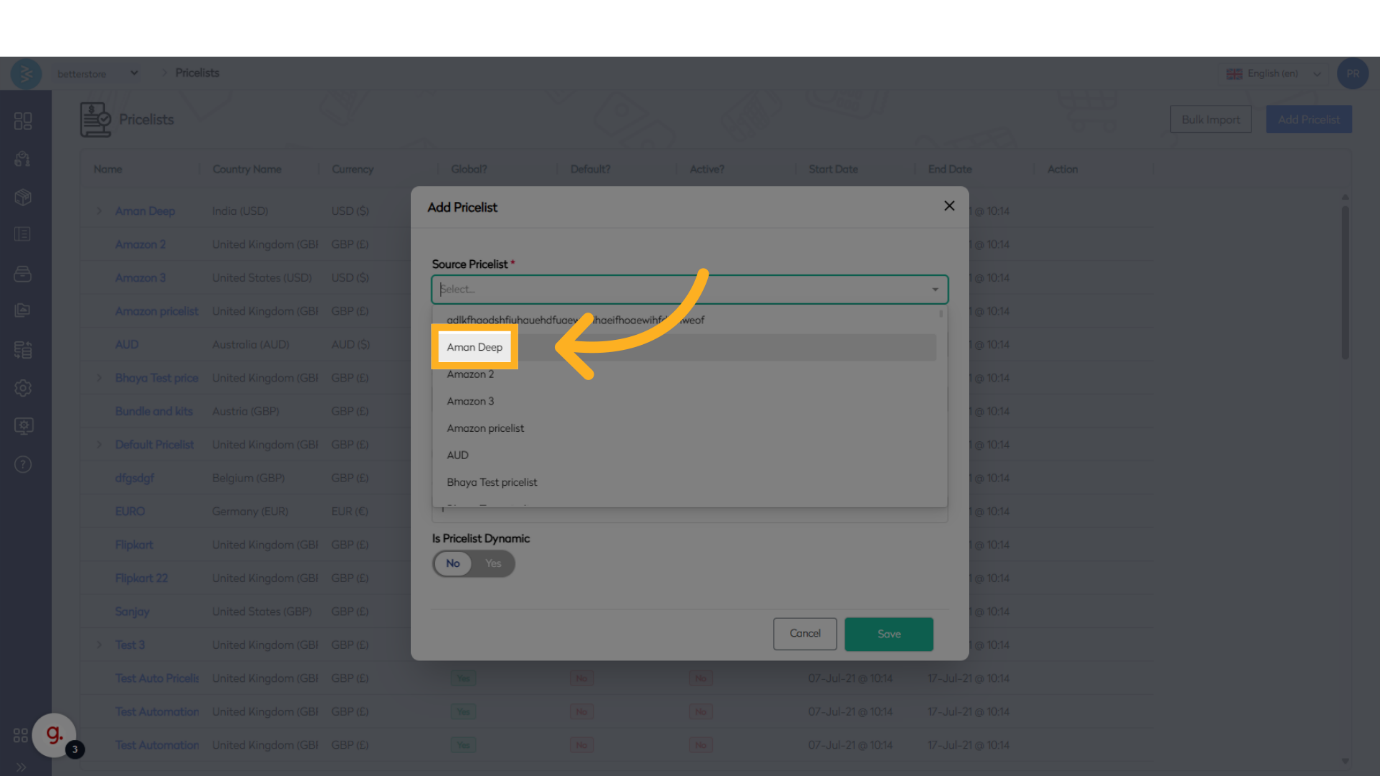
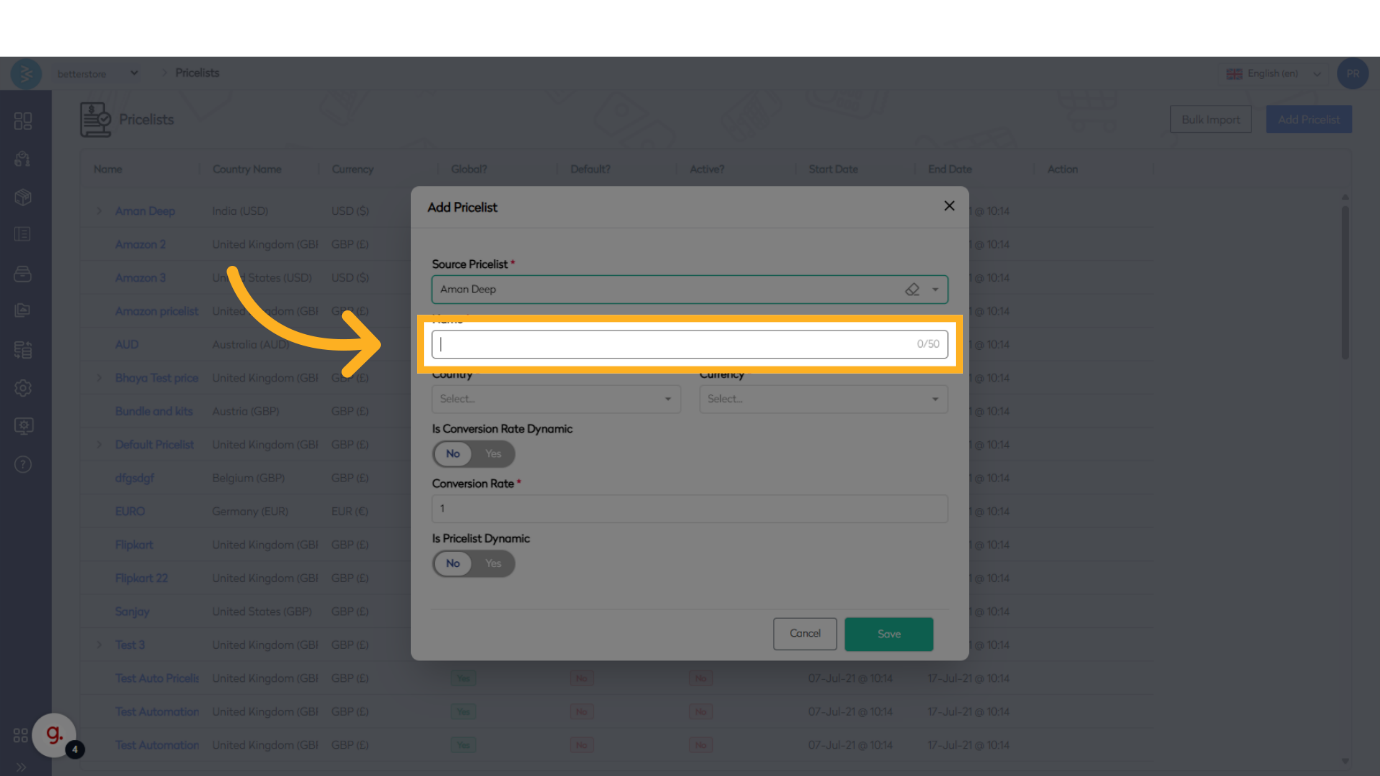
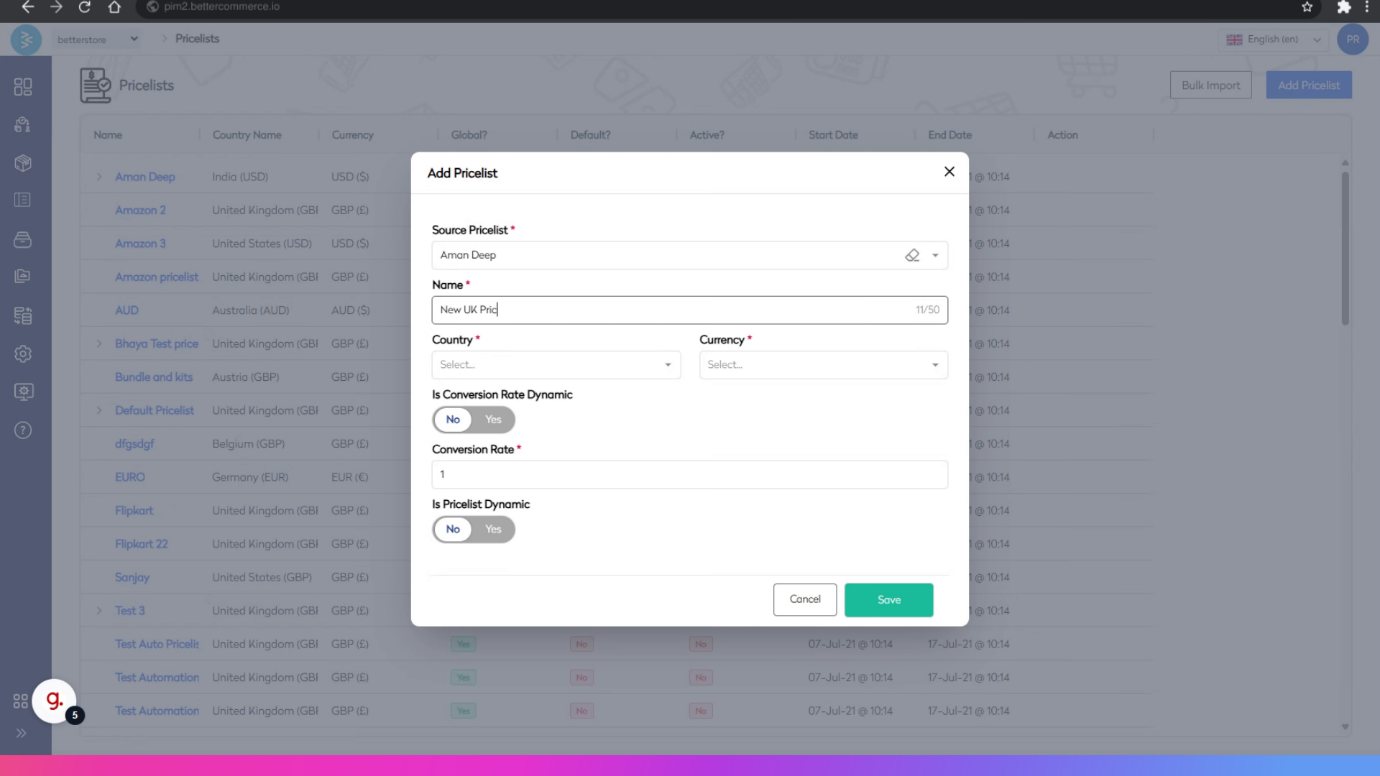
In the popup screen, select the Source Pricelist (one default option is available). Enter a Name for the price list and specify the Country and Currency fields.
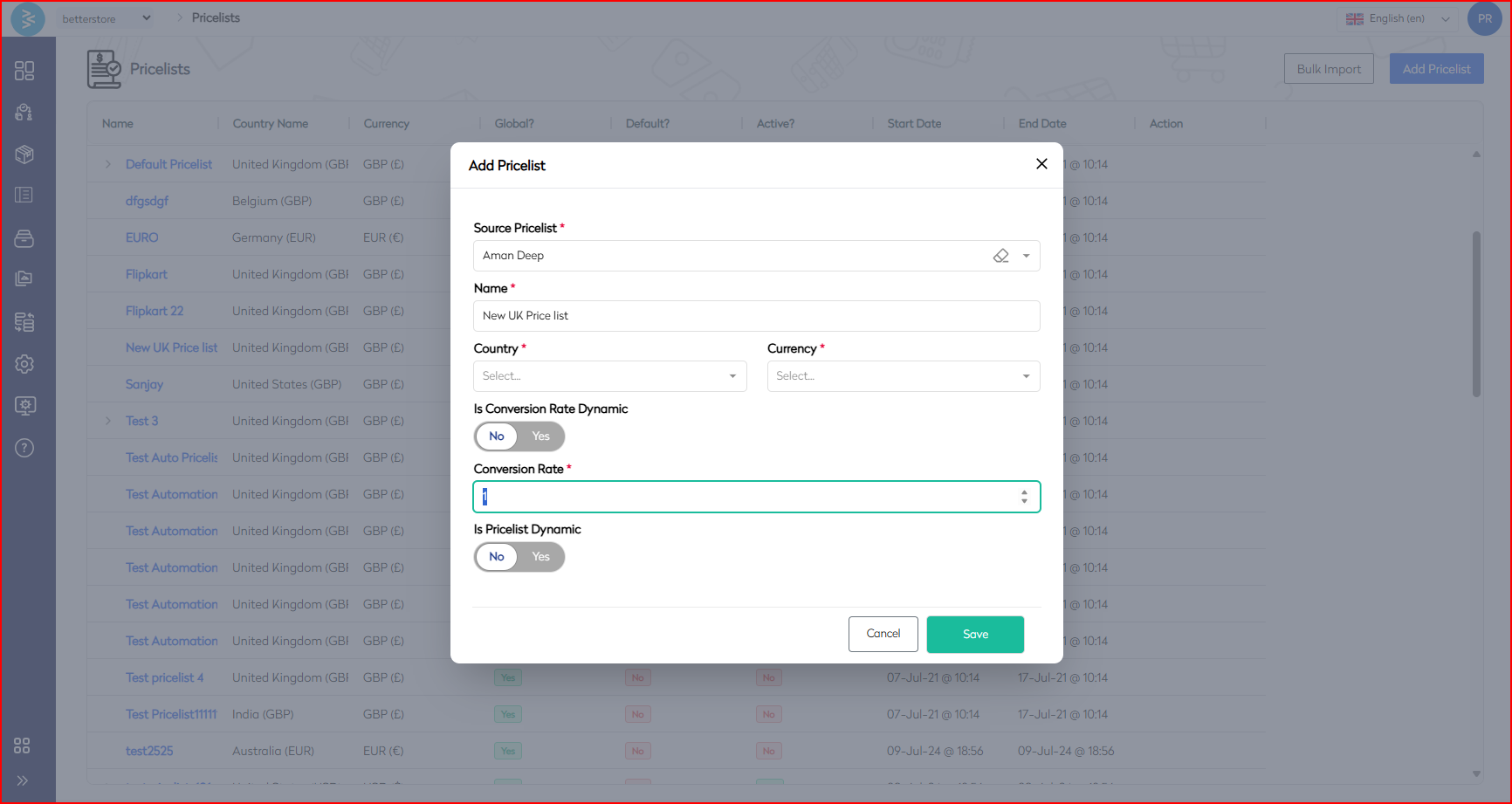
Step 4: Configure Conversion Rate Toggle
Set the Conversion Rate toggle. Select Yes to enable dynamic price updates based on market rates via the integrated rate converter.
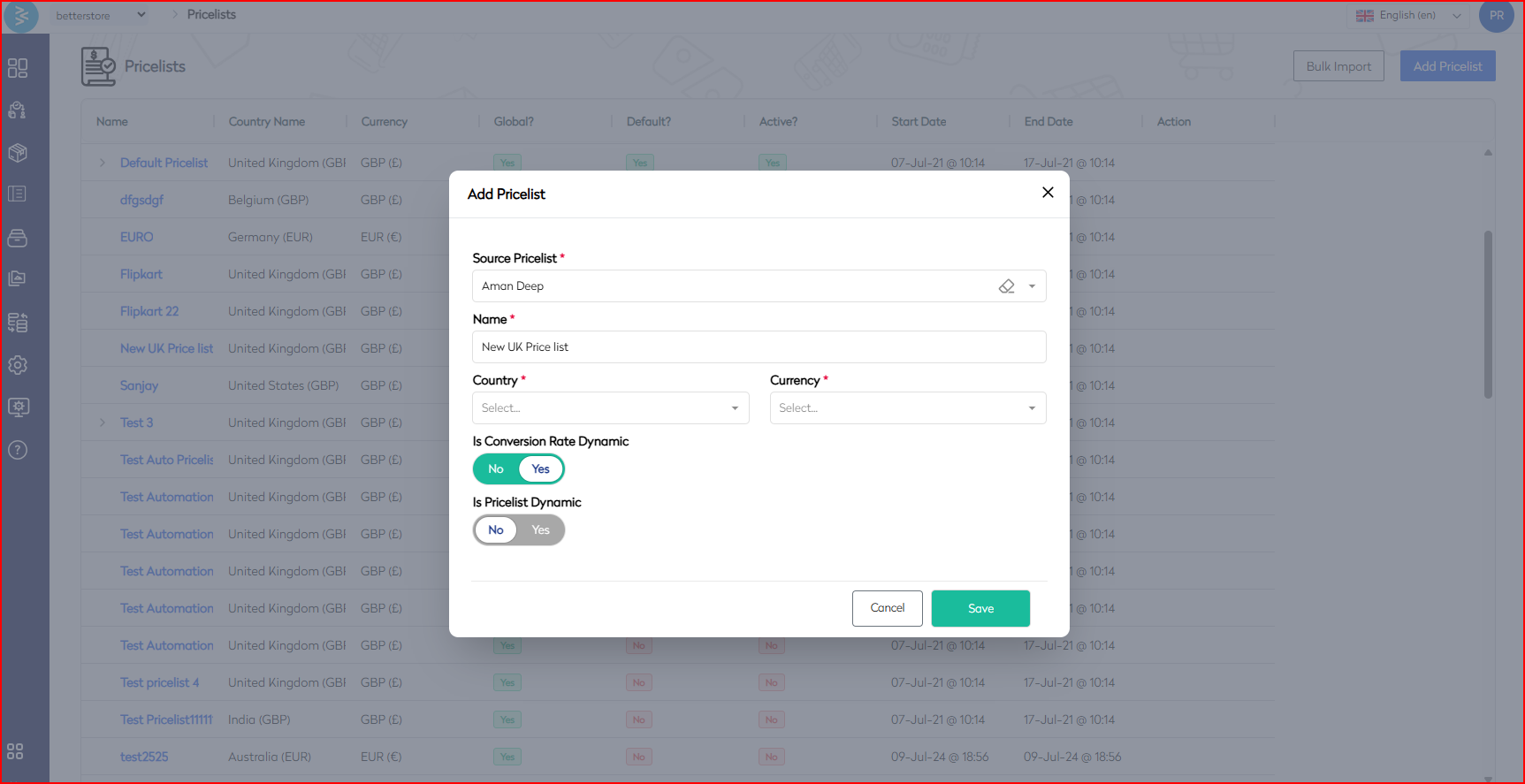
Select No to manually input a conversion rate.
Step 5: Set Dynamic Price List Toggle
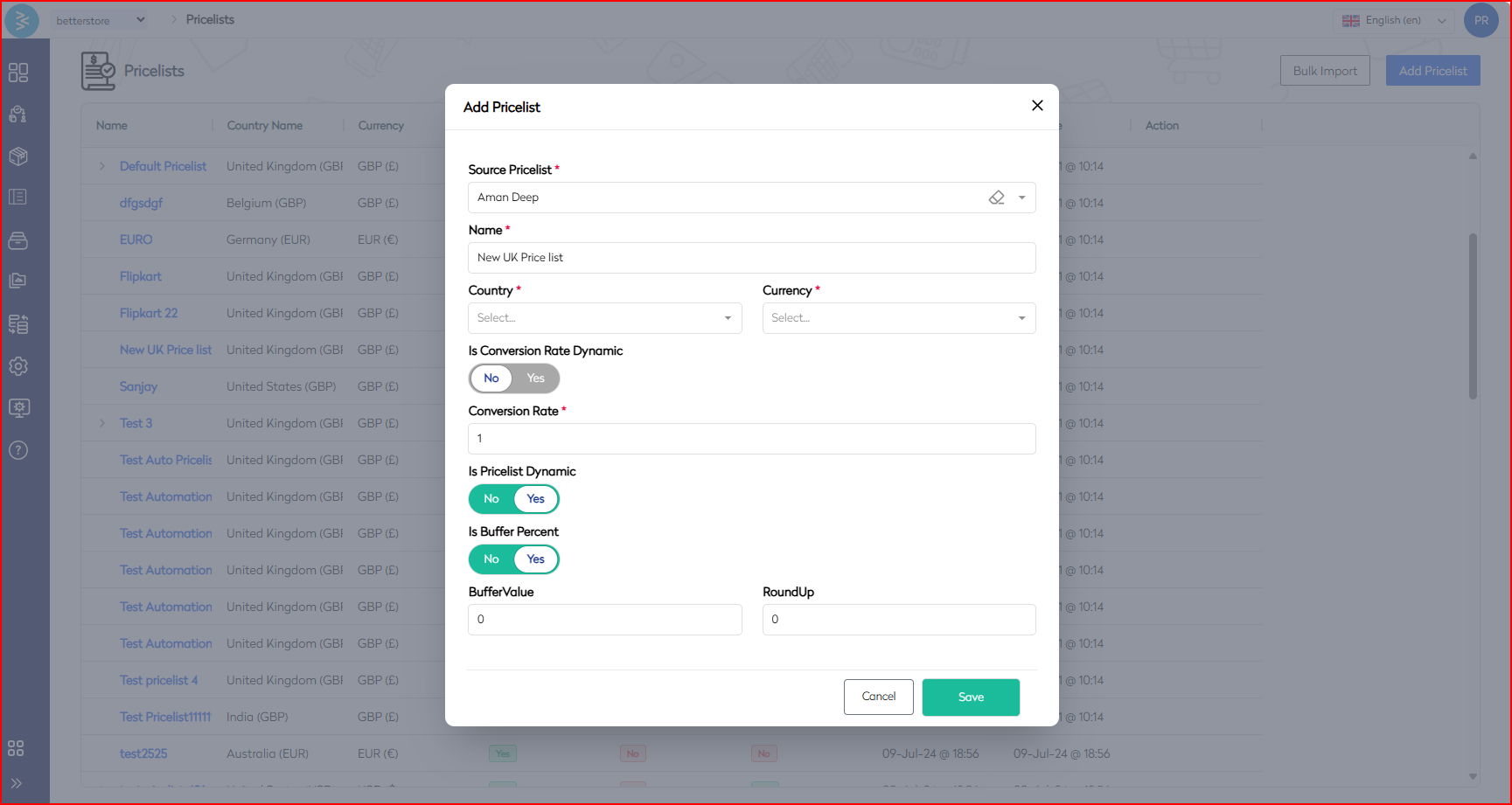
Configure the Dynamic Price List toggle. Choose No to create an independent price list unaffected by source price list changes.
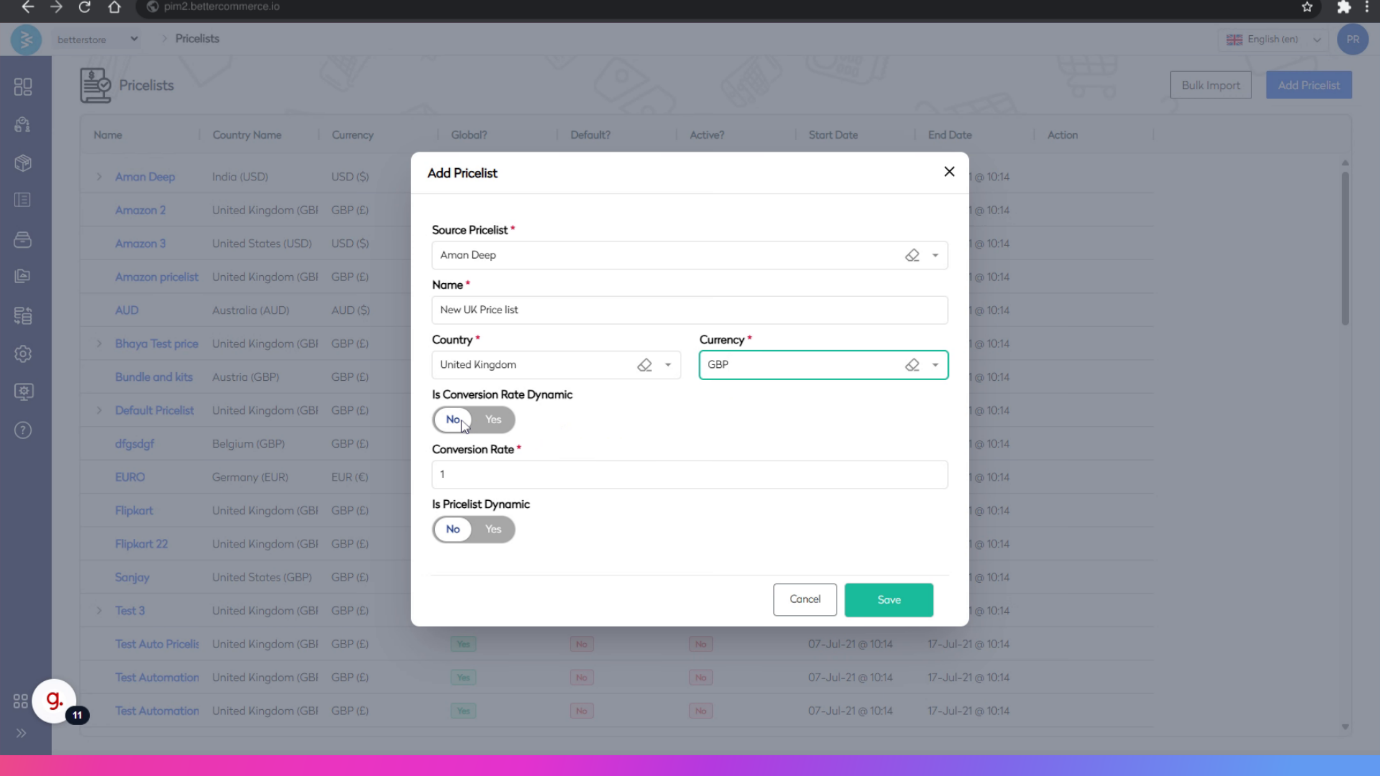
Choose Yes to inherit changes from the source price list, and specify the rounding method for prices.
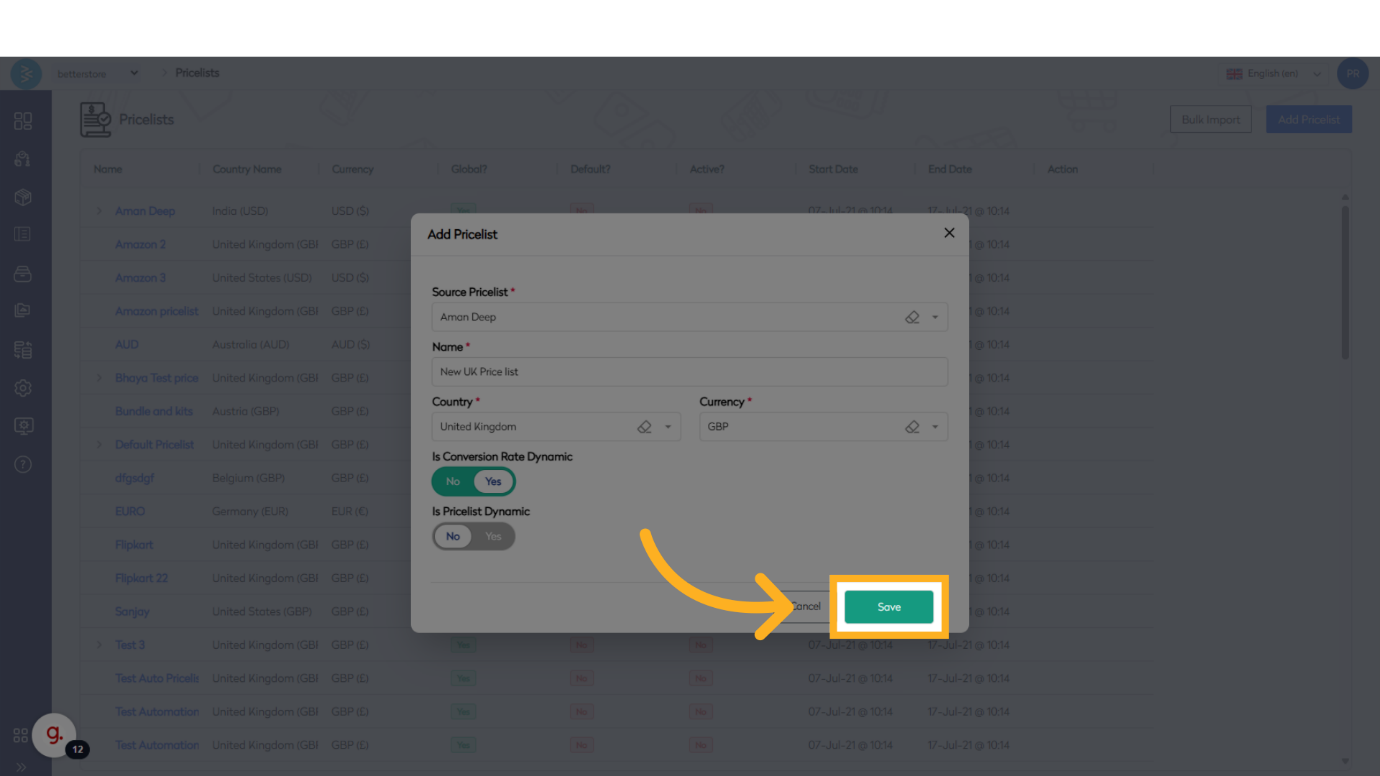
Step 6: Save the Price List
After configuring all settings, click Save to create the new price list.
Step 7: Verify the Price List
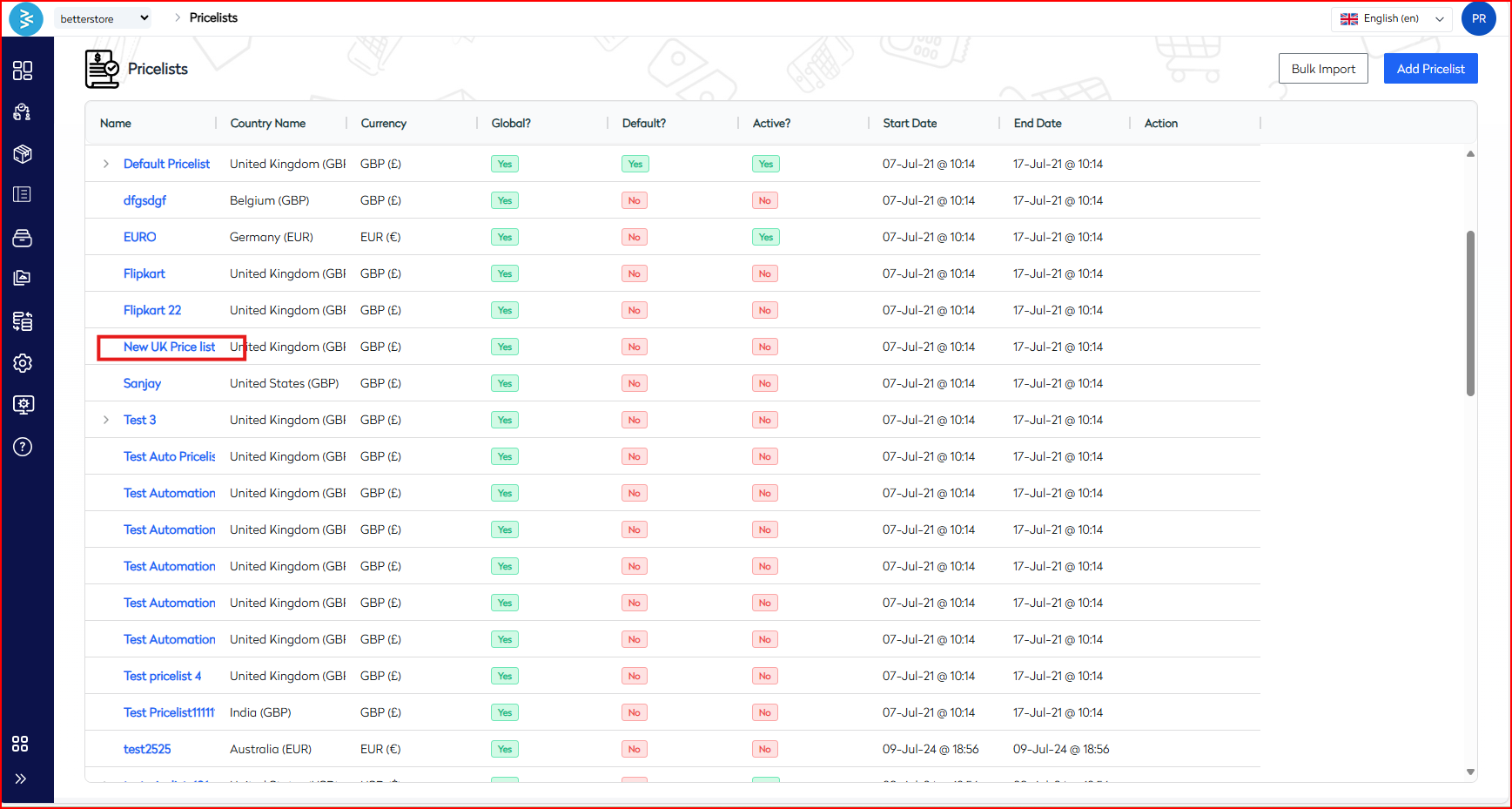
Confirm that the new price list appears on the price list listing page.
Summary
This guide outlined the process of adding a price list in BetterCommerce, covering navigation to the price list section, entering details, configuring conversion and dynamic pricing toggles, saving the price list, and verifying its creation. By following these steps, you can effectively manage pricing data within the platform.